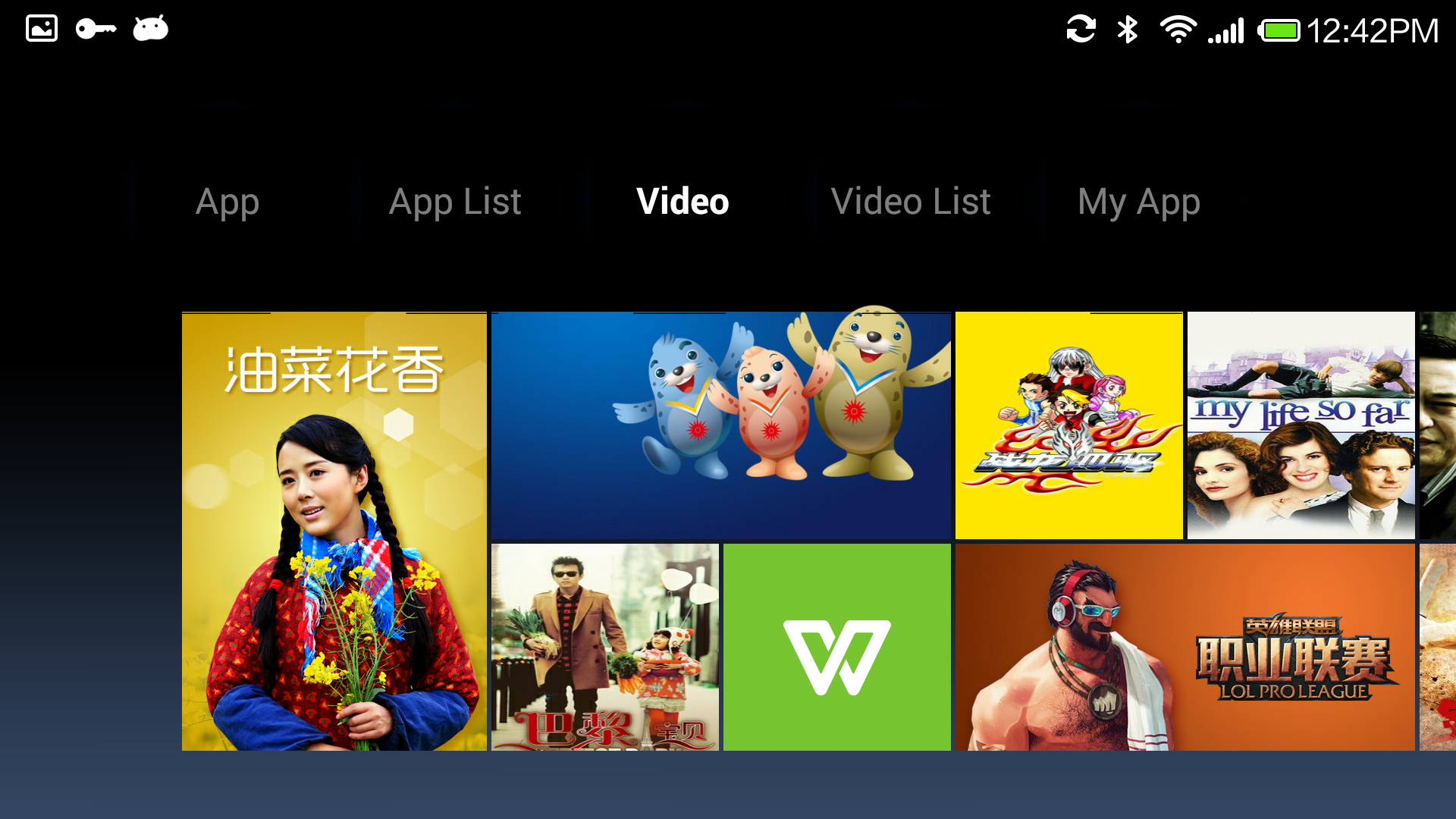
 ##Tab "video"
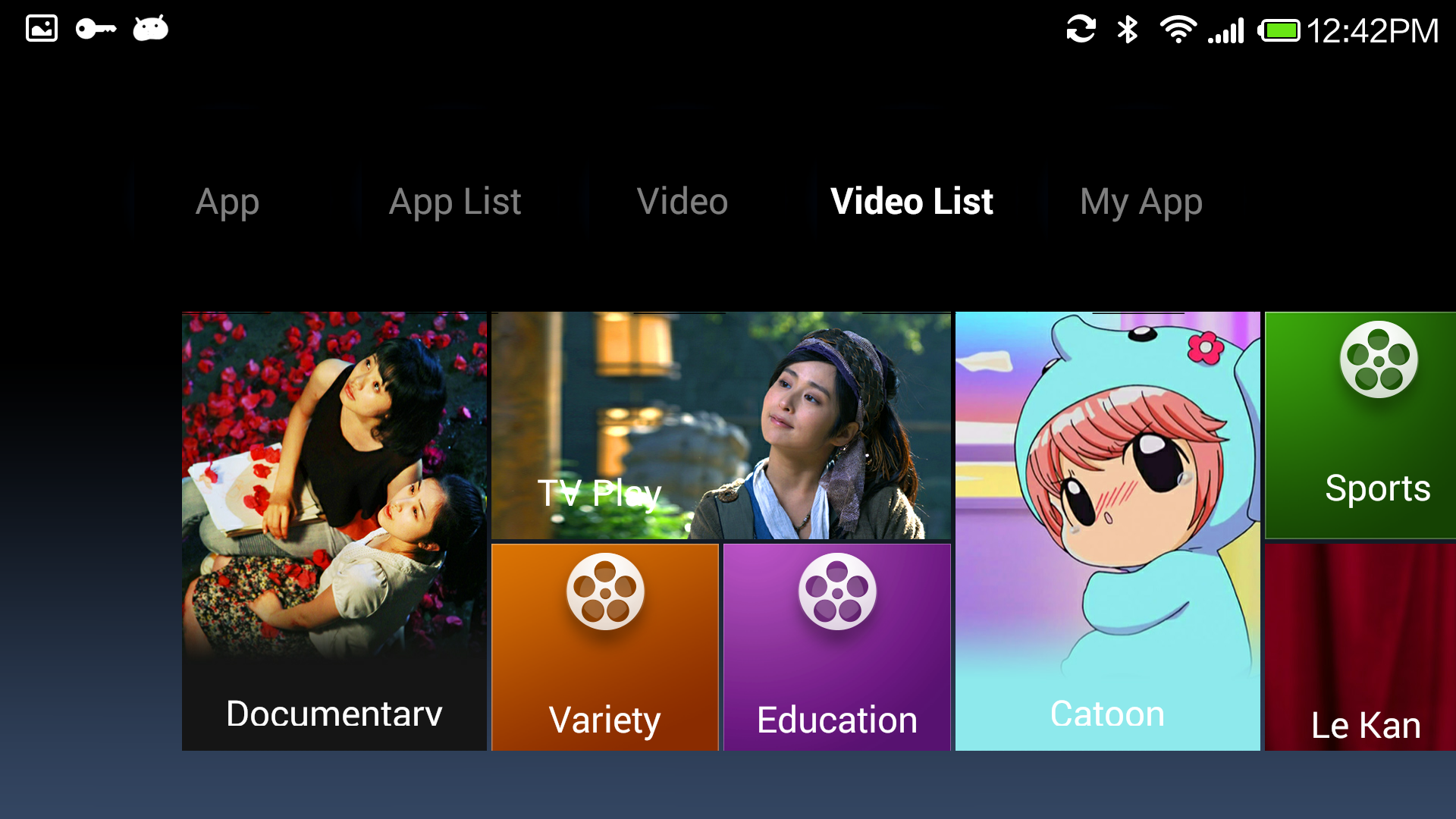
 ##Tab "video category"
 ##Home JSON definition
Server API definition refer to:
https://github.com/XiaoMi/android_tv_metro/raw/master/server/TVMarketAPI.md
##Home display data
{
"data": [
{
"items": [display items],
"images": {},
"name": "TAB 1",
"id": "recommend",
"type": "album",
"ns": "video"
},
{
"items": [display item],
"images": {},
"name": "TAB 2",
"id": "recommend",
"type": "album",
"ns": "video"
}
]
}
##Display Item:
{
"target": {
"type": "item"
},
"images": {
"back": {
"url": "",
"ani": {},
"pos": {}
}
},
"name": "Display Name)",
"times": {
"updated": 1409202939,
"created": 1409202939
},
"_ui": {
"layout": {
"y": 2,
"x": 3,
"w": 1,
"h": 1
},
"type": "metro_cell_banner"
},
"id": "987722",
"type": "item",
"ns": "video"
}
##Album
{
"data": [
{
"items": [display items],
"images": { },
"name":"game tab name",
"times": {
"updated": 0,
"created": 0
},
"_ui": {
"type": "metro"
},
"id": "recommend",
"type": "album",
"ns": "game"
},
{
"items": [display items],
"images": { },
"name": "game tab Name",
"times": {
"updated": 0,
"created": 0
},
"_ui": {
"type": "metro"
},
"id": "categories",
"type": "album",
"ns": "game"
},
{
"items": [dispay items],
"images": { },
"name": "video tab name",
"times": {
"updated": 0,
"created": 0
},
"_ui": {
"type": "metro"
},
"id": "recommend",
"type": "album",
"ns": "video"
},
{
"items": [display items],
"images": { },
"name": "video tab name",
"times": {
"updated": 0,
"created": 0
},
"_ui": {
"type": "metro"
},
"id": "categories",
"type": "album",
"ns": "video"
}
],
"preload": {
"images": []
},
"update_time": 0
}
##Display Item
{
"target": {
"type": "item"
},
"images": {
"text": {
"url": "",
"ani": {},
"pos": {}
},
"icon": {
"url": "",
"ani": {},
"pos": {}
},
"back": {
"url": "http://xxx/fffff.png",
"ani": {},
"pos": {}
},
"spirit": {
"url": "",
"ani": {},
"pos": {}
}
},
"name": "name",
"times": {
"updated": 1404466152,
"created": 1404454443
},
"_ui": {
"type": "metro_cell_banner",
"layout": {
"y": 1,
"x": 1,
"w": 1,
"h": 2
}
},
"id": "180",
"type": "item",
"ns": "game"
}
##TV Metro liberary and API
###android lib:
supply one framework to build sw540dp metro layout.
###API:
server API and data structure.
This framework help you easy to build one TV metro UI style applicaiton. As for detail business data definition, you need handle by your selft.
##android Lib
RecommendCardView Card view
GenericSubjectLoader Loader for album(tabs is one instance of album)
##How to integrate the android lib?
you just need inherit MainActity and implement your Tabs Loader.
Refer to TVMetroSample application
How to implement your owver server?
step one:
1, define your home data
2, implement your details/list API
##Download test APK
##Home JSON definition
Server API definition refer to:
https://github.com/XiaoMi/android_tv_metro/raw/master/server/TVMarketAPI.md
##Home display data
{
"data": [
{
"items": [display items],
"images": {},
"name": "TAB 1",
"id": "recommend",
"type": "album",
"ns": "video"
},
{
"items": [display item],
"images": {},
"name": "TAB 2",
"id": "recommend",
"type": "album",
"ns": "video"
}
]
}
##Display Item:
{
"target": {
"type": "item"
},
"images": {
"back": {
"url": "",
"ani": {},
"pos": {}
}
},
"name": "Display Name)",
"times": {
"updated": 1409202939,
"created": 1409202939
},
"_ui": {
"layout": {
"y": 2,
"x": 3,
"w": 1,
"h": 1
},
"type": "metro_cell_banner"
},
"id": "987722",
"type": "item",
"ns": "video"
}
##Album
{
"data": [
{
"items": [display items],
"images": { },
"name":"game tab name",
"times": {
"updated": 0,
"created": 0
},
"_ui": {
"type": "metro"
},
"id": "recommend",
"type": "album",
"ns": "game"
},
{
"items": [display items],
"images": { },
"name": "game tab Name",
"times": {
"updated": 0,
"created": 0
},
"_ui": {
"type": "metro"
},
"id": "categories",
"type": "album",
"ns": "game"
},
{
"items": [dispay items],
"images": { },
"name": "video tab name",
"times": {
"updated": 0,
"created": 0
},
"_ui": {
"type": "metro"
},
"id": "recommend",
"type": "album",
"ns": "video"
},
{
"items": [display items],
"images": { },
"name": "video tab name",
"times": {
"updated": 0,
"created": 0
},
"_ui": {
"type": "metro"
},
"id": "categories",
"type": "album",
"ns": "video"
}
],
"preload": {
"images": []
},
"update_time": 0
}
##Display Item
{
"target": {
"type": "item"
},
"images": {
"text": {
"url": "",
"ani": {},
"pos": {}
},
"icon": {
"url": "",
"ani": {},
"pos": {}
},
"back": {
"url": "http://xxx/fffff.png",
"ani": {},
"pos": {}
},
"spirit": {
"url": "",
"ani": {},
"pos": {}
}
},
"name": "name",
"times": {
"updated": 1404466152,
"created": 1404454443
},
"_ui": {
"type": "metro_cell_banner",
"layout": {
"y": 1,
"x": 1,
"w": 1,
"h": 2
}
},
"id": "180",
"type": "item",
"ns": "game"
}
##TV Metro liberary and API
###android lib:
supply one framework to build sw540dp metro layout.
###API:
server API and data structure.
This framework help you easy to build one TV metro UI style applicaiton. As for detail business data definition, you need handle by your selft.
##android Lib
RecommendCardView Card view
GenericSubjectLoader Loader for album(tabs is one instance of album)
##How to integrate the android lib?
you just need inherit MainActity and implement your Tabs Loader.
Refer to TVMetroSample application
How to implement your owver server?
step one:
1, define your home data
2, implement your details/list API
##Download test APK
Download test apk, you can run it at android pad or TV
Click Download ##Welcome to Contact US