# space-vim-dark
**Repository Path**: btcoding/space-vim-dark
## Basic Information
- **Project Name**: space-vim-dark
- **Description**: No description available
- **Primary Language**: Unknown
- **License**: MIT
- **Default Branch**: master
- **Homepage**: None
- **GVP Project**: No
## Statistics
- **Stars**: 1
- **Forks**: 0
- **Created**: 2018-10-27
- **Last Updated**: 2021-12-29
## Categories & Tags
**Categories**: Uncategorized
**Tags**: None
## README
space-vim-dark
==============
 Space-vim-dark colorscheme is derived from [spacemacs-dark-theme](https://github.com/nashamri/spacemacs-theme).
## Installation
Follow your favourite plugin manager's instruction, e.g., [vim-plug](https://github.com/junegunn/vim-plug):
```vim
Plug 'liuchengxu/space-vim-dark'
```
**Notes:**
- If you want to enable italics in terminal:
1. check if the current terminal is able to display italics correctly: `echo -e "\e[3mfoo\e[23m"]]"`, if the output is _`foo`_ , the terminal (-emulator) supports italics.
2. If the terminal supports italics, put `hi Comment cterm=italic` after colorshcme command in your vimrc.
```vim
colorscheme space-vim-dark
hi Comment cterm=italic
```
- If you want to make the background transparent, override the related items in your vimrc:
```vim
colorscheme space-vim-dark
hi Normal ctermbg=NONE guibg=NONE
hi LineNr ctermbg=NONE guibg=NONE
hi SignColumn ctermbg=NONE guibg=NONE
```
Space-vim-dark colorscheme is derived from [spacemacs-dark-theme](https://github.com/nashamri/spacemacs-theme).
## Installation
Follow your favourite plugin manager's instruction, e.g., [vim-plug](https://github.com/junegunn/vim-plug):
```vim
Plug 'liuchengxu/space-vim-dark'
```
**Notes:**
- If you want to enable italics in terminal:
1. check if the current terminal is able to display italics correctly: `echo -e "\e[3mfoo\e[23m"]]"`, if the output is _`foo`_ , the terminal (-emulator) supports italics.
2. If the terminal supports italics, put `hi Comment cterm=italic` after colorshcme command in your vimrc.
```vim
colorscheme space-vim-dark
hi Comment cterm=italic
```
- If you want to make the background transparent, override the related items in your vimrc:
```vim
colorscheme space-vim-dark
hi Normal ctermbg=NONE guibg=NONE
hi LineNr ctermbg=NONE guibg=NONE
hi SignColumn ctermbg=NONE guibg=NONE
```

- If you prefer the grey comment:
```vim
colorscheme space-vim-dark
hi Comment guifg=#5C6370 ctermfg=59
```
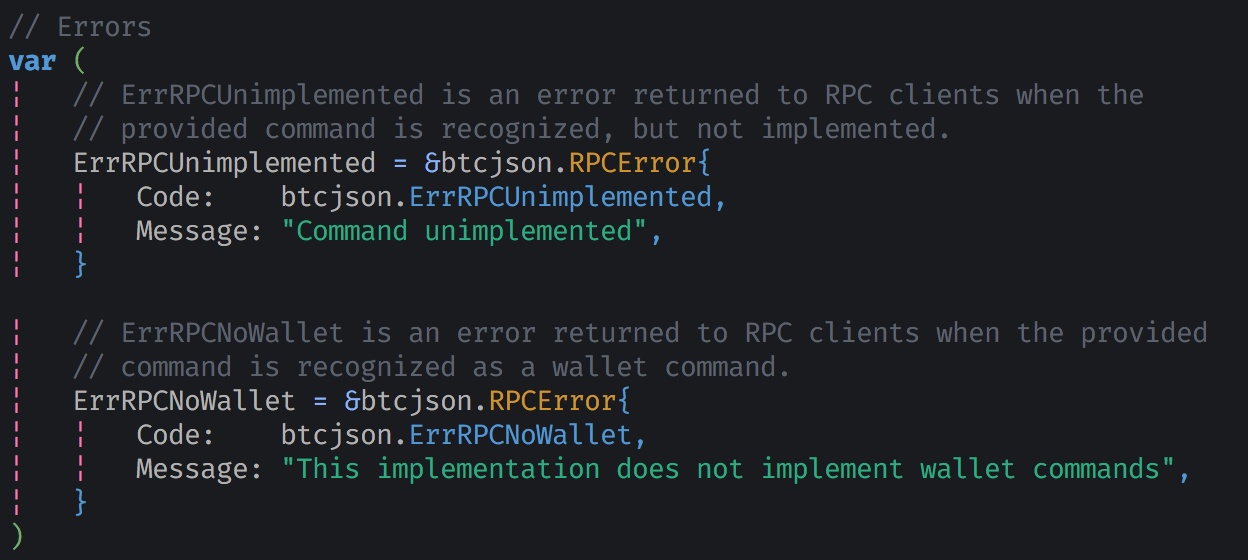
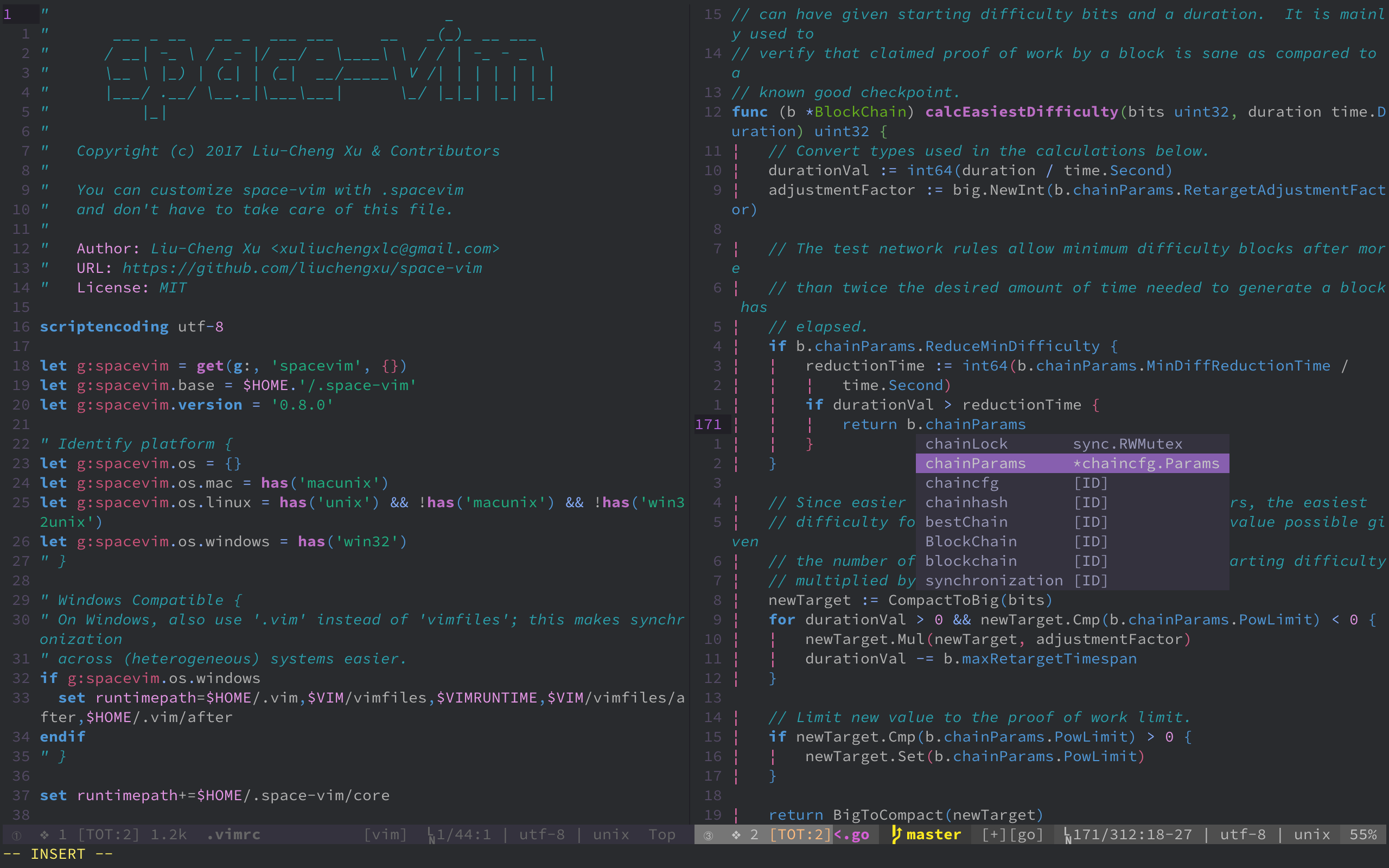
## GUI or Terminal with true colors enabled
```vim
color space-vim-dark
set termguicolors
hi LineNr ctermbg=NONE guibg=NONE
```
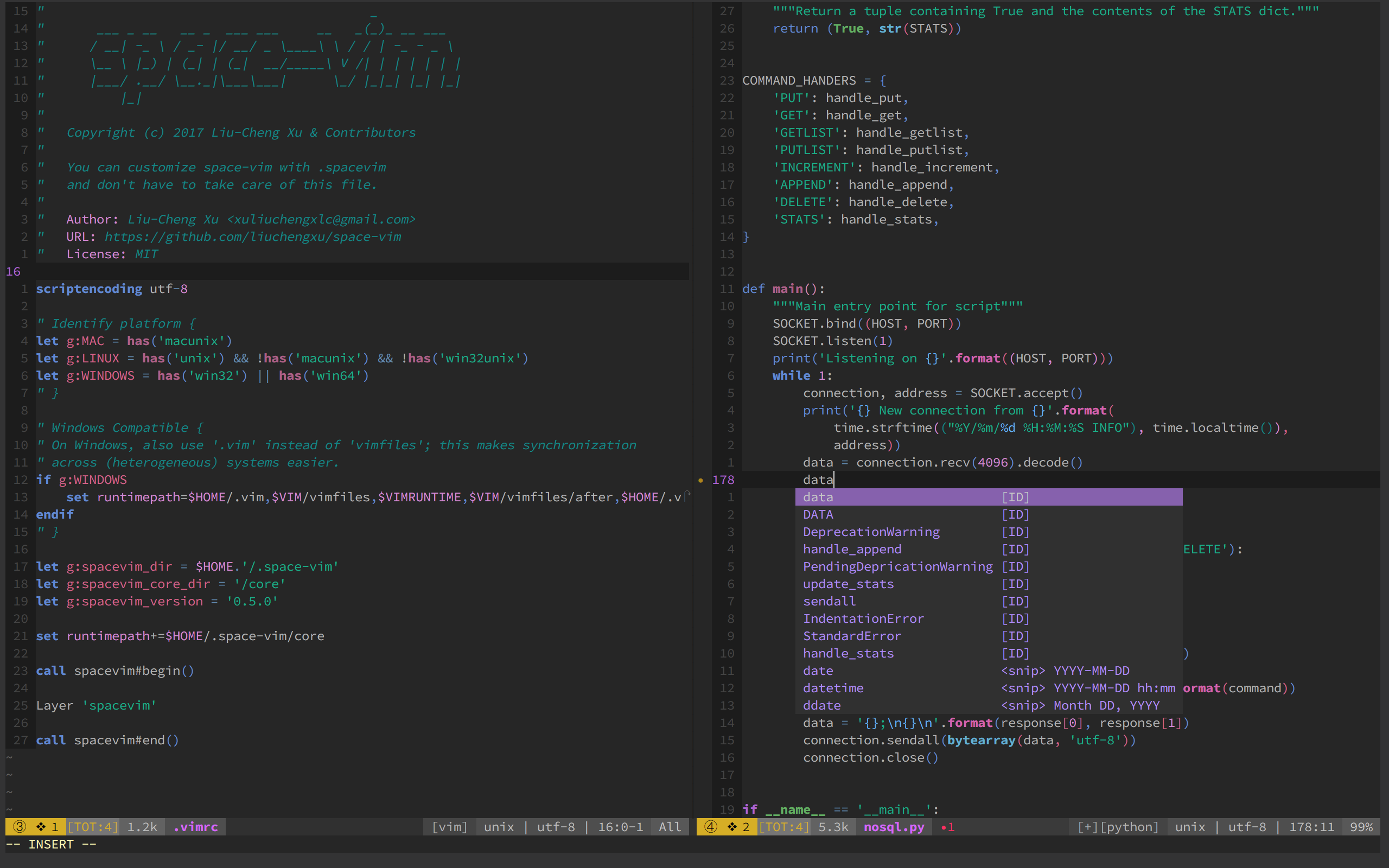
## Cterm (256 colors)
### Change background color
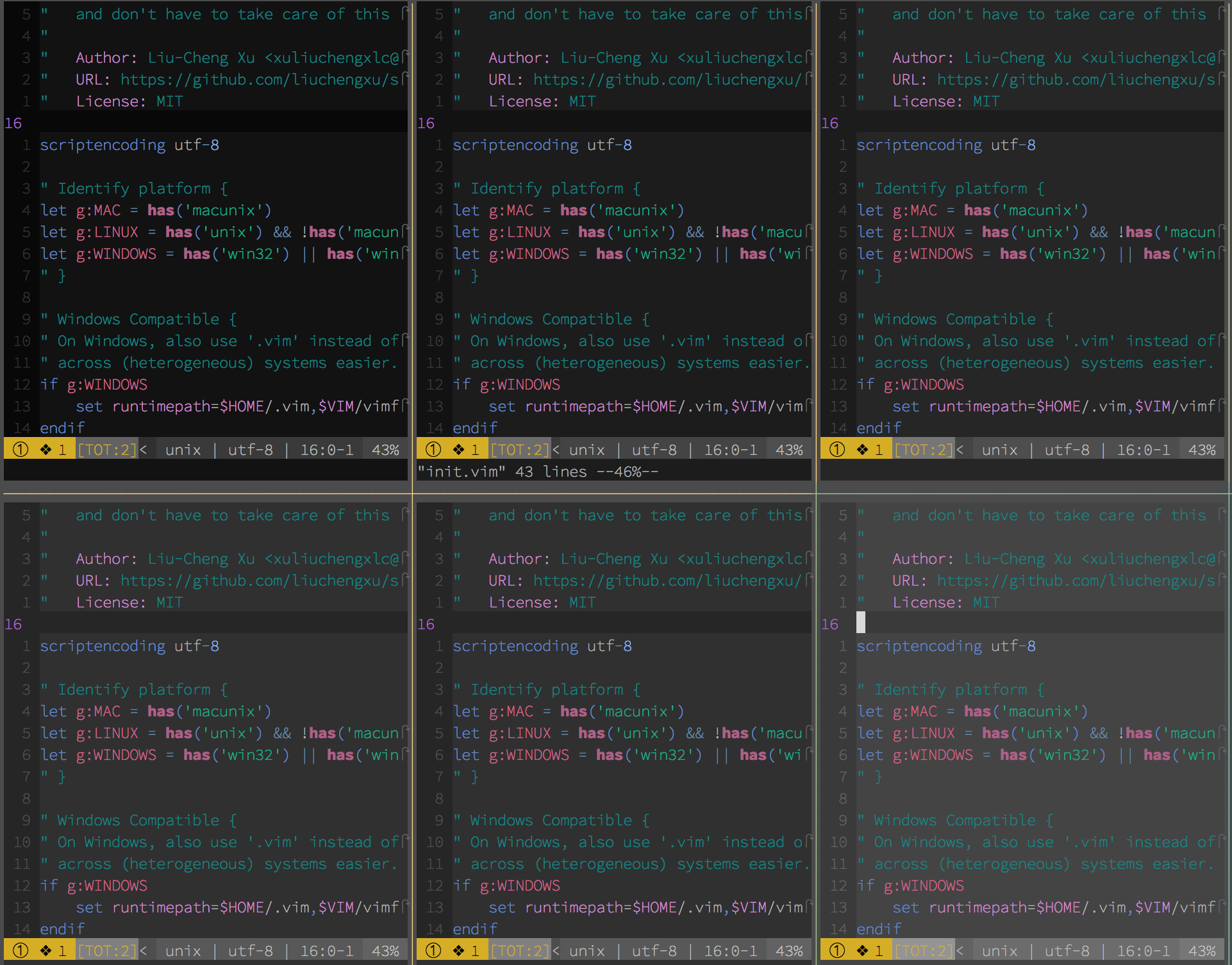
```vim
" Range: 233 (darkest) ~ 238 (lightest)
" Default: 235
let g:space_vim_dark_background = 234
color space-vim-dark
```
## Credits
- Thanks to the great effort of [@axvr](https://github.com/axvr) . Now we have the Xresources port of space-vim-dark theme.
> To use this colour scheme for X based applications (e.g. Xterm, URxvt, etc.):
> 1. Copy all lines from this file which are not comments (comments are lines which begin with a `!`) into your `~/.Xresources` file.
> 2. Reload your configuration file with: `xrdb ~/.Xresources`.