# kestrel-task
**Repository Path**: fork_copy/zhanhongzhu
## Basic Information
- **Project Name**: kestrel-task
- **Description**: 这是一个基于tauri+vite的应用,它采用了一些最新的前端技术,包括 Tauri、Vue3、Vite5、koa2 和 mysql。它提供了丰富的效率管理工具。https://kestrel-task.cn
- **Primary Language**: JavaScript
- **License**: Apache-2.0
- **Default Branch**: master
- **Homepage**: None
- **GVP Project**: No
## Statistics
- **Stars**: 0
- **Forks**: 24
- **Created**: 2024-09-20
- **Last Updated**: 2024-09-20
## Categories & Tags
**Categories**: Uncategorized
**Tags**: None
## README
---
theme: smartblue
---
## 开源仓库地址 gitee
[Git仓库地址:https://gitee.com/zhanhongzhu/zhanhongzhu.git](https://gitee.com/zhanhongzhu/zhanhongzhu.git)
## 应用地址
[windows应用地址下载 https://kestrel-task.cn](https://kestrel-task.cn/)
## 具体内容
也可以看[🎉使用Tauri+vite+koa2+mysql开发了一款待办效率应用 ](https://juejin.cn/post/7383957030346326026) 这篇文章。
## 💻技术栈
* **Tauri**: Tauri是一个用于构建现代桌面应用程序的工具,结合了Rust、Vue.js和Web技术,提供了强大的跨平台能力。
* **Vue3**: Vue3是流行的JavaScript框架Vue.js的最新版本,具有更好的性能、更好的TypeScript支持和更多的特性。
* **Vite5**: Vite是一个现代化的构建工具,Vite5是其最新版本,具有快速的冷启动、热模块替换和原生ES模块支持。
* **Koa2**: Koa2是一个基于Node.js的轻量级Web框架,使用异步函数处理中间件,提供了简洁而强大的Web开发体验。
* **MySQL**: MySQL是一个流行的关系型数据库管理系统,具有高性能、可靠性和广泛的应用领域,适用于各种规模的应用程序。
## 我的待办
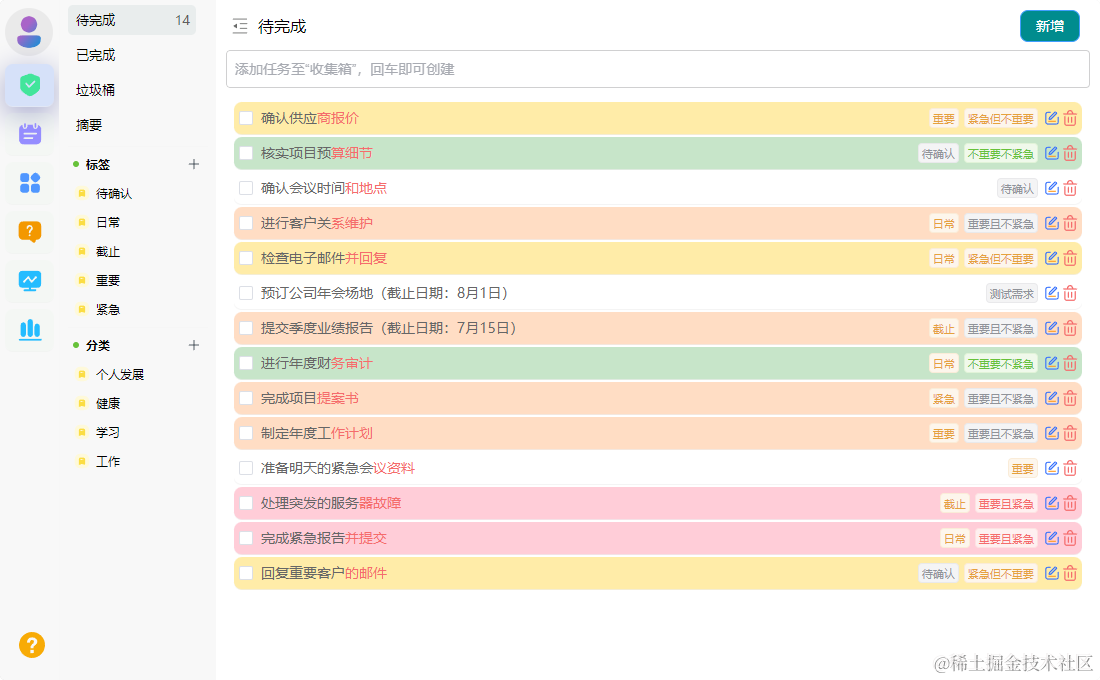
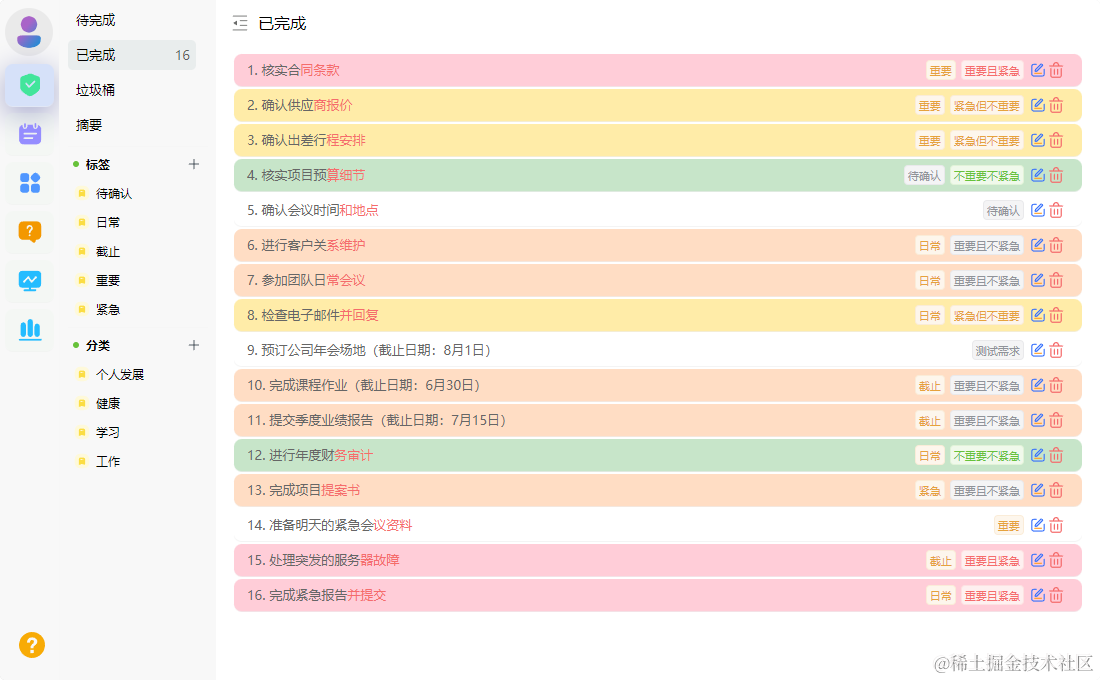
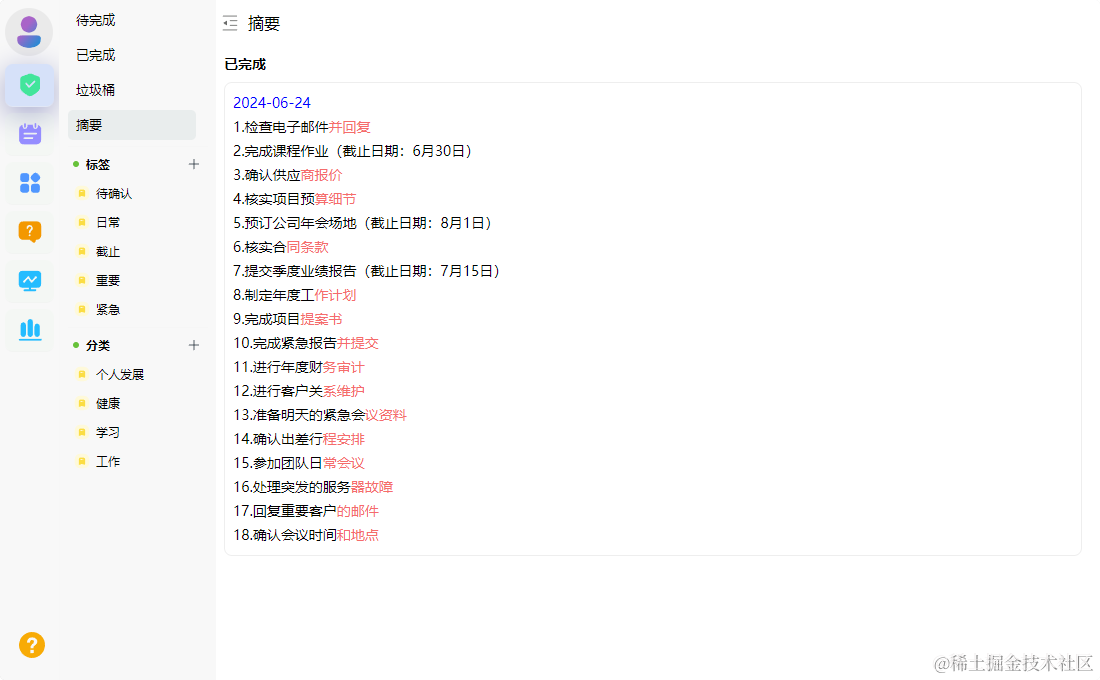
快速添加待办任务,快速查看任务进度,摘要等。新增标签,分类,更好管理待办任务。通过标签、分类筛选待办任务,方便快捷。


## OKR目标管理
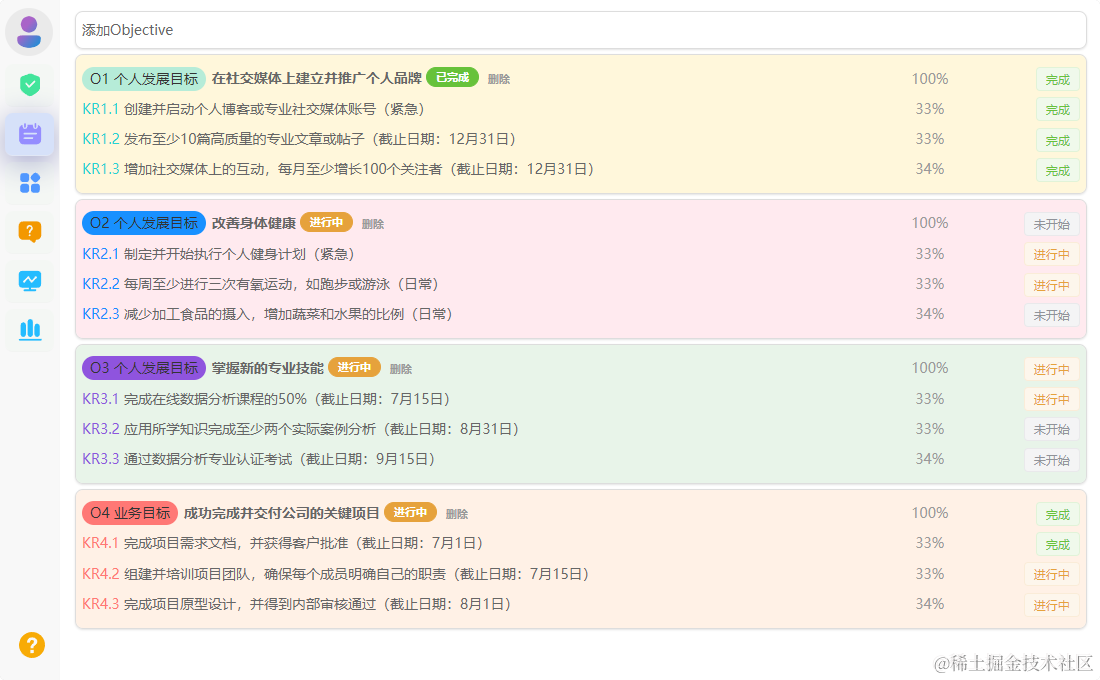
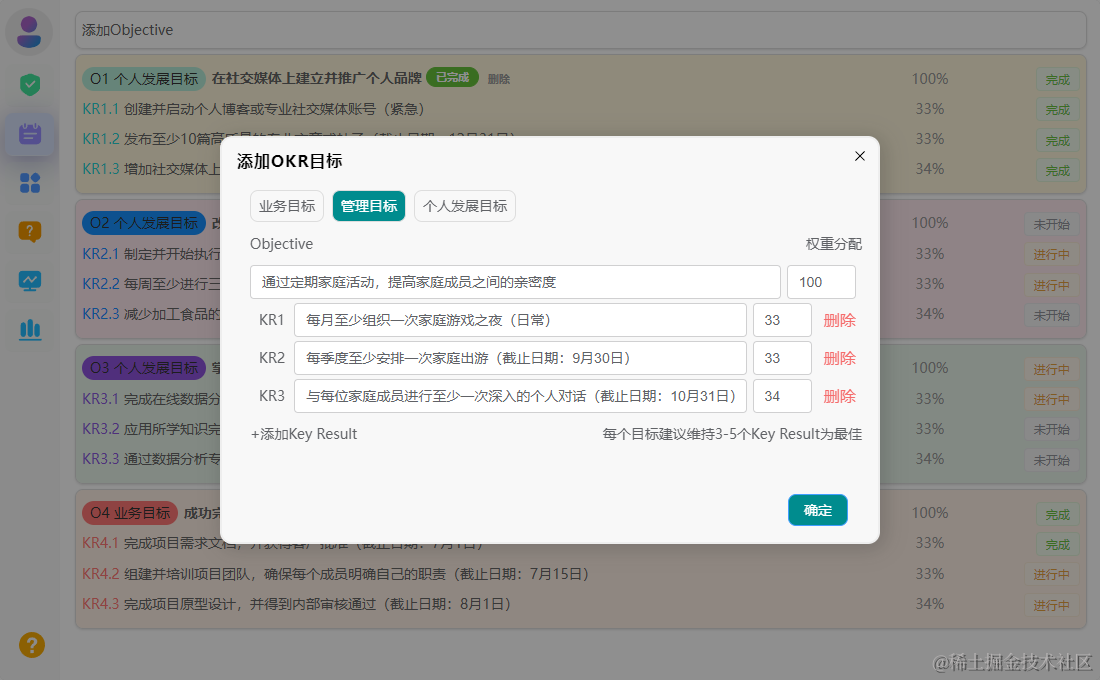
我的想法是通过OKR管理系列的任务,这样每完成一个小任务,就可以关闭一个小任务,直观又方便,等到所有关键的小任务都完成了,整个任务也就完成了。

## 番茄工作法
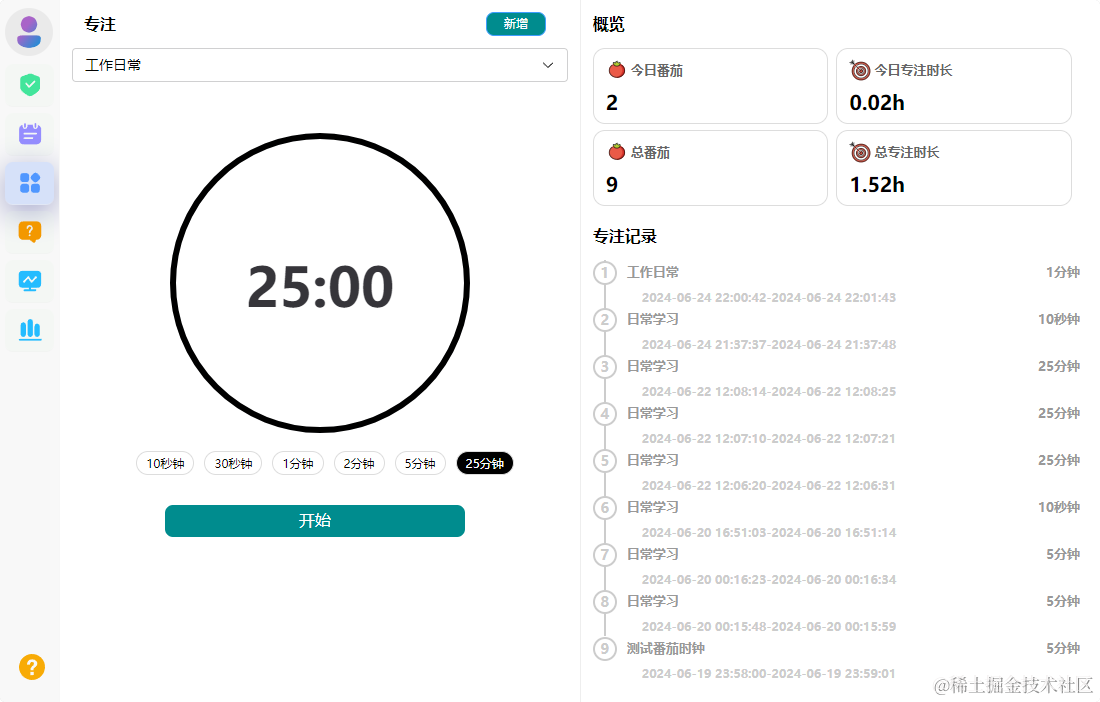
主要是一个计时的时钟,可以在专注计时的时候,专注地完成某项任务,快捷方便,使用番茄工作法,选择一个待完成的任务,将番茄时间设为25分钟,也可以选择其他的区间,专注工作,中途不允许做任何与该任务无关的事。时刻保持专注。

## 日历视图
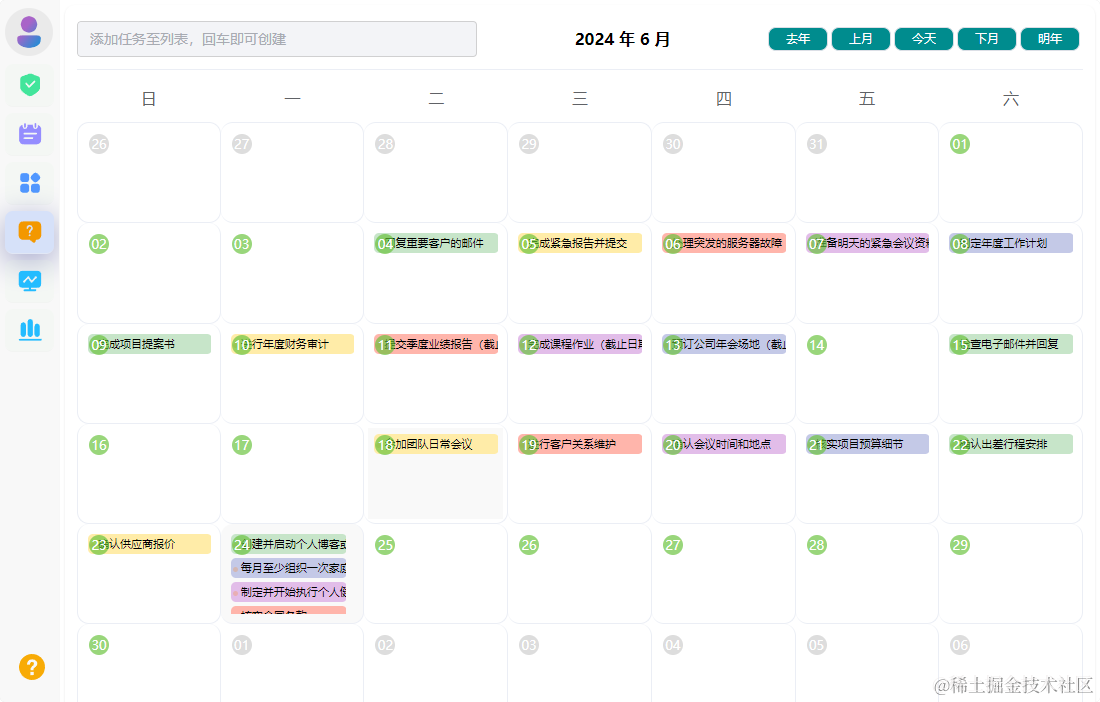
打开日历界面,通过视图的形式查看公历或农历日历下每个日期的待办提醒或任务事项。也可以在日历视图,添加任务。

## MEMO快速记录
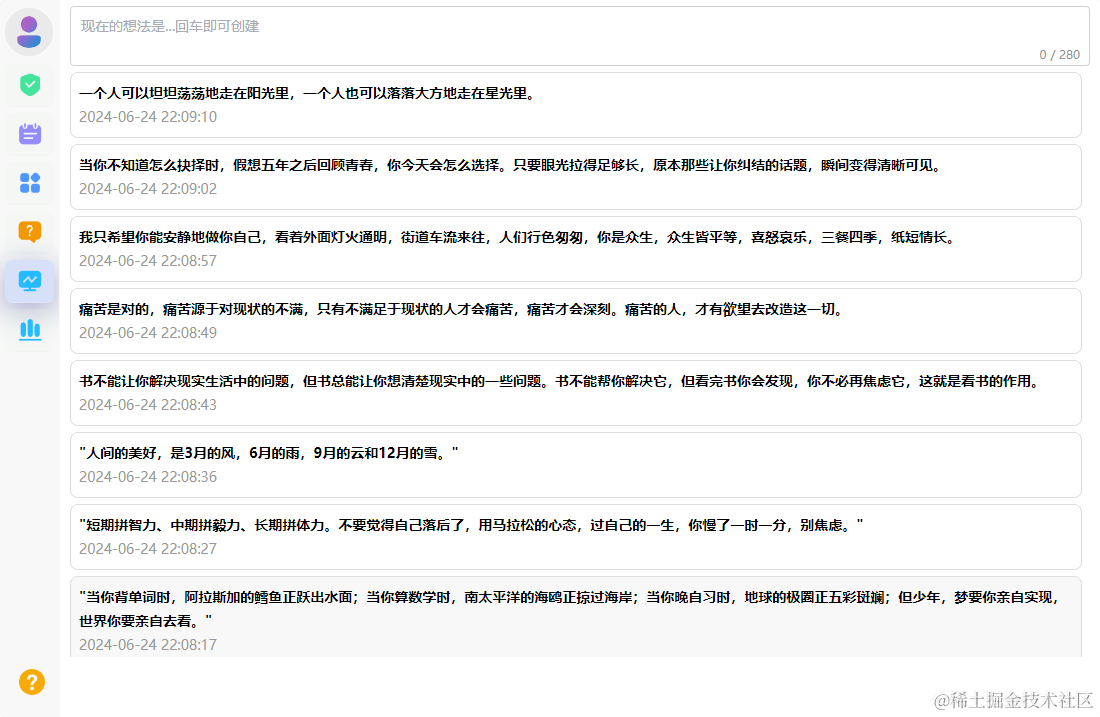
为了更好地帮你捕捉想法与灵感,提供了快速记录的输入框。专注记录想法,无需思考标题和排版。控制记录长度,降低记录压力,快速捕捉。

## 统计功能
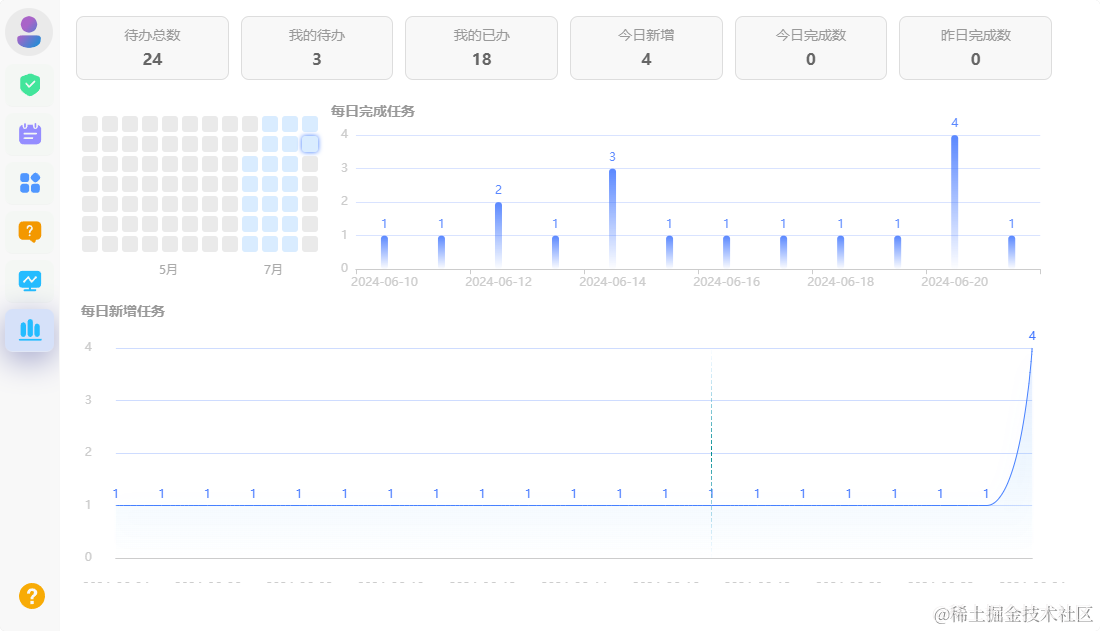
展示了每天的待办数,以及每天新增的待办数量。

# 展示功能点
## 打包发布版本
脚本命令
```js
"scripts": {
"dev": "vite",
"build": "vite build",
"preview": "vite preview",
"tauri": "tauri",
"pub": "cd build && node ./updateVersion.js && pnpm tauri build && node ./publish.js"
}
```
```js
npm run pub
```
## 更新版本号以及更新publicKey
```js
//build/publish.js
import fs from 'fs'
// 读取 tauri.conf.json
const tauriConf = JSON.parse(fs.readFileSync('../src-tauri/tauri.conf.json', 'utf8'));
let newVersion = tauriConf.package.version; //更新的版本号
// 读取 update.json
let updateJson = JSON.parse(fs.readFileSync('update.json', 'utf8'));
// 更新 update.json version
updateJson.version = newVersion;
//获取版本更新的内容
//签名、版本路径、发版日期
const signature = fs.readFileSync(`../src-tauri/target/release/bundle/msi/kestrel-task_${newVersion}_x64_zh-CN.msi.zip.sig`, 'utf8');
updateJson.platforms['windows-x86_64'].signature = signature;
updateJson.platforms['windows-x86_64'].url = `https://kestrel-task.cn/kestrel-task_${newVersion}_x64_zh-CN.msi.zip`
updateJson.pub_date = new Date();
fs.writeFileSync('update.json', JSON.stringify(updateJson, null, 2));
```
## 版本json信息
```js
//build/update.json
{
"version": "1.0.8",
"notes": "kestrel-task",
"pub_date": "2024-03-23T04:23:39.799Z",
"platforms": {
"windows-x86_64": {
"signature": "dW50cnVzdGVkIGNvbW1lbnQ6IHNpZ25hdHVyZSBmcm9tIHRhdXJpIHNlY3JldCBrZXkKUlVSNVRCUit5Zjc1Y3JLV085djl6eTMza2NqMXFIV0paNkl2ckgrTGZTRm9wcEJwcUlkaTBhM2hvN3pSVkRUZXlTZ2NSejJremg2Vklja041VkZmdGlZZ0hxTGVVM2xlL3dFPQp0cnVzdGVkIGNvbW1lbnQ6IHRpbWVzdGFtcDoxNzExMTY3ODE5CWZpbGU6a2VzdHJlbC10YXNrXzEuMC44X3g2NF96aC1DTi5tc2kuemlwCldSWVdwb0dwRU1aQUJ2ckFra2FTMjBkcnZtL0FWU3grd3MzeHZVTDhWRFFFUC9QWkpzdUNvUG9HZXBrVmhWMkoxTkpGc2pkYU5rRHYwcVdHdlk5dkFBPT0K",
"url": "https://kestrel-task.cn/kestrel-task_1.0.8_x64_zh-CN.msi.zip"
}
}
}
```
## 更新tauri.conf.json版本信息
```js
// build/updateVersion.js
import fs from 'fs' // 读取 tauri.conf.json
const tauriConf = JSON.parse(fs.readFileSync('../src-tauri/tauri.conf.json', 'utf8'));
let version = tauriConf.package.version; //更新的版本号
//更新版本号
let versionParts = version.split('.').map(Number);
versionParts[2] += 1;
let newVersion =versionParts.join('.');
// 更新 tauri.conf.json version
tauriConf.package.version = newVersion;
fs.writeFileSync('../src-tauri/tauri.conf.json', JSON.stringify(tauriConf, null, 2));
```
## 使用tauri的http模块
此处进行简单的封装,接口请求在控制台无法被查看到。如果觉得不方便,完全可以使用axios库。也是可以的。
```js
import { http } from "@tauri-apps/api";
export function request(config) {
return new Promise((resolve, reject) => {
http
.fetch("https://kestrel-task.cn" + config.url, {
method: "POST",
body: http.Body.json(config.data),
headers: {
Authorization: token,
},
})
.then((res) => {
resolve(res.data.data);
})
.catch((err) => {
reject(err);
});
});
}
```
## http封装get请求
```js
export function requestGet(config, d) {
let url = d ? config.url : "https://kestrel-task.cn" + config.url;
return new Promise((resolve, reject) => {
http
.fetch(url, {
method: "get",
headers: {
Authorization: token,
},
})
.then((res) => {
resolve(d ? res.data : res.data.data);
})
.catch((err) => {
reject(err);
});
});
}
```
## 使用封装的request函数
```js
export const login = (data) => {
return request({
url: "/web/login",
method: "post",
data,
});
};
```
## 使用WebviewWindow封装公共的窗口
```js
import { WebviewWindow } from '@tauri-apps/api/window'
import { emit } from '@tauri-apps/api/event'
// 创建新窗口
export async function createWin(args) {
await emit('win-create', args)
}
// 获取窗口
export async function getWin(label) {
return await WebviewWindow.getByLabel(label)
}
/**
* @desc 设置窗口
* @param type {string} 'show'|'hide'|'close'|'min'|'max'|'max2min'|'exit'|'relaunch'
*/
export async function setWin(type) {
await emit('win-' + type)
}
// 登录窗口
export async function loginWin() {
await createWin({
label: 'Login',
title: '登录',
url: '/login',
width: 320,
height: 420,
resizable: false,
alwaysOnTop: true,
})
}
// ...
```
```js
/**
* @desc 封装新开多窗体
*/
import {
WebviewWindow,
appWindow,
getAll,
getCurrent,
} from "@tauri-apps/api/window";
import { relaunch, exit } from "@tauri-apps/api/process";
import { emit, listen } from "@tauri-apps/api/event";
import { setWin } from "./actions.js";
// 系统参数配置
export const windowConfig = {
label: null, // 窗口唯一label
title: "", // 窗口标题
url: "", // 路由地址url
width: 900, // 窗口宽度
height: 640, // 窗口高度
minWidth: null, // 窗口最小宽度
minHeight: null, // 窗口最小高度
x: null, // 窗口相对于屏幕左侧坐标
y: null, // 窗口相对于屏幕顶端坐标
center: true, // 窗口居中显示
resizable: true, // 是否支持缩放
maximized: false, // 最大化窗口
decorations: true, // 窗口是否无边框及导航条
alwaysOnTop: false, // 置顶窗口
};
class Windows {
constructor() {
this.mainWin = null;
}
// 获取窗口
getWin(label) {
return WebviewWindow.getByLabel(label);
}
// 获取全部窗口
getAllWin() {
return getAll();
}
// 创建新窗口
async createWin(options) {
const args = Object.assign({}, windowConfig, options);
// 判断窗口是否存在
const existWin = getAll().find((w) => w.label == args.label);
if (existWin) {
if (existWin.label.indexOf("main") == -1) {
await existWin?.unminimize();
await existWin?.setFocus();
return;
}
await existWin?.close();
}
// 创建窗口对象
let win = new WebviewWindow(args.label, args);
// 是否最大化
if (args.maximized && args.resizable) {
win.maximize();
}
// 窗口创建完毕/失败
win.once("tauri://created", async () => {
console.log("window create success!");
});
win.once("tauri://error", async () => {
console.log("window create error!");
});
}
// 开启主进程监听事件
async listen() {
// 创建新窗体
await listen("win-create", (event) => {
this.createWin(JSON.parse(event.payload));
});
// 显示窗体
await listen("win-show", async (event) => {
if (appWindow.label.indexOf("main") == -1) return;
await appWindow.show();
await appWindow.unminimize();
await appWindow.setFocus();
});
// 隐藏窗体
await listen("win-hide", async (event) => {
if (appWindow.label.indexOf("main") == -1) return;
await appWindow.hide();
});
// 退出应用
await listen("win-exit", async (event) => {
setWin("logout");
await exit();
});
// 重启应用
await listen("win-relaunch", async (event) => {
await relaunch();
});
// 主/渲染进程传参
await listen("win-setdata", async (event) => {
await emit("win-postdata", JSON.parse(event.payload));
});
}
}
export default Windows;
```
## 封装Echart组件,便于使用

```js
```
## echart主题模块
```js
//echarts-theme-T.js
const T = {
color: ['#409EFF', '#36CE9E', '#f56e6a', '#626c91', '#edb00d', '#909399'], // 颜色数组
grid: { // 网格
left: '3%', // 左边距
right: '3%', // 右边距
bottom: '10', // 下边距
top: '40', // 上边距
containLabel: true // 包含标签
},
legend: { // 图例
textStyle: { // 文本样式
color: '#999' // 颜色
},
inactiveColor: 'rgba(128,128,128,0.4)' // 不活跃颜色
},
categoryAxis: { // 类别轴
axisLine: { // 轴线
show: true, // 显示
lineStyle: { // 线条样式
color: 'rgba(128,128,128,0.2)', // 颜色
width: 1 // 宽度
}
},
axisTick: { // 刻度线
show: false, // 不显示
lineStyle: { // 线条样式
color: '#000' // 颜色
}
},
axisLabel: { // 轴标签
color: '#999' // 颜色
},
splitLine: { // 分隔线
show: false, // 不显示
lineStyle: { // 线条样式
color: ['#eee'] // 颜色
}
},
splitArea: { // 分隔区域
show: false, // 不显示
areaStyle: { // 区域样式
color: ['rgba(255,255,255,0.01)', 'rgba(0,0,0,0.01)'] // 颜色
}
}
},
valueAxis: { // 数值轴
axisLine: { // 轴线
show: false, // 不显示
lineStyle: { // 线条样式
color: '#999' // 颜色
}
},
splitLine: { // 分隔线
show: true, // 显示
lineStyle: { // 线条样式
color: 'rgba(128,128,128,0.2)' // 颜色
}
}
}
}
export default T
```
## 封装公共的弹窗组件

```js
{{ dialogTitle || ''}}
```
## 封装ResizeObserver函数
主要是监听元素的变化或者窗口的变化。有一部分用到了可以拉伸的左右布局的模块。
```js
//directive/index.js
// 监听元素大小变化的指令
const map = new WeakMap();
const ob = new ResizeObserver((entries) => {
for (const entry of entries) {
// 获取dom元素的回调
const handler = map.get(entry.target);
//存在回调函数
if (handler) {
// 将监听的值给回调函数
handler({
width: entry.borderBoxSize[0].inlineSize,
height: entry.borderBoxSize[0].blockSize,
});
}
}
});
export const Resize = {
mounted(el, binding) {
//将dom与回调的关系塞入map
map.set(el, binding.value);
//监听el元素的变化
ob.observe(el);
},
unmounted(el) {
//取消监听
ob.unobserve(el);
},
};
const directives = { Resize };
const registerDirective = (app) => {
Object.keys(directives).forEach((key) => {
app.directive(key, directives[key]);
});
};
export default registerDirective;
```
## 公共拖曳布局的函数
主要是用于左右布局宽度的变化,可以使用鼠标进行拖曳,改变左右盒子的高度。
```js
export const useCommon = ()=>{
function setLayoutDrag(dragId) {
const resize = document.getElementById(dragId)
let previousElement = resize.previousSibling
let nextElement = resize.nextSibling
let previousTag = previousElement.tagName
let nextTag = nextElement.tagName
resize.onmousedown = (e) => {
const startX = e.clientX
const startY = e.clientY
let type = ''
if (previousTag === 'ASIDE' && nextTag === 'MAIN') {
type = 'ASIDE-MAIN'
} else if (previousTag === 'MAIN' && nextTag === 'ASIDE') {
type = 'MAIN-ASIDE'
} else if (
(previousTag === 'HEADER' && nextTag === 'MAIN') ||
(previousTag === 'FOOTER' && nextTag === 'MAIN')
) {
type = 'HEADER-MAIN'
} else if (
(previousTag === 'MAIN' && nextTag === 'HEADER') ||
(previousTag === 'MAIN' && nextTag === 'FOOTER')
) {
type = 'MAIN-HEADER'
}
let initWidth = 0,
initHeight = 0
if (type === 'ASIDE-MAIN') {
initWidth = previousElement.clientWidth // 初始位置
} else if (type === 'MAIN-ASIDE') {
initWidth = nextElement.clientWidth // 初始位置
} else if (type === 'HEADER-MAIN') {
initHeight = previousElement.clientHeight
} else if (type === 'MAIN-HEADER') {
initHeight = nextElement.clientHeight
}
document.onmousemove = (k) => {
const endX = k.clientX
const endY = k.clientY
let moveLen = endX - startX // 横向移动宽度
let moveHeight = endY - startY // 纵向移动高度
switch (type) {
case 'ASIDE-MAIN':
let asideMainWidth = initWidth + moveLen
if (moveLen < 0) {
// 向左移
if (asideMainWidth > 400) {
// 左侧剩90
previousElement.style.width = asideMainWidth + 'px'
}
} else {
// 向右移动
if (nextElement.clientWidth > 400) {
// 右侧剩90
previousElement.style.width = asideMainWidth + 'px'
}
}
break
case 'MAIN-ASIDE':
let mainAsideWidth = initWidth - moveLen
if (moveLen < 0) {
// 向左移
if (previousElement.clientWidth > 400) {
// 左侧剩90
nextElement.style.width = mainAsideWidth + 'px'
}
} else {
// 向右移动
if (mainAsideWidth > 400) {
nextElement.style.width = mainAsideWidth + 'px'
}
}
break
case 'HEADER-MAIN': {
let headerMainHeight = initHeight + moveHeight
if (moveHeight < 0) {
// 向上移
if (headerMainHeight > 60) {
// 上侧剩90
previousElement.style.height = headerMainHeight + 'px'
}
} else {
// 向下移动
if (nextElement.clientHeight > 60) {
// 下侧剩90
previousElement.style.height = headerMainHeight + 'px'
}
}
break
}
case 'MAIN-HEADER': {
let mainHeaderHeight = initHeight - moveHeight
if (moveHeight < 0) {
// 向上移
if (previousElement.clientHeight > 60) {
// 左侧剩90
nextElement.style.height = mainHeaderHeight + 'px'
}
} else {
// 向下移动
if (mainHeaderHeight > 60) {
nextElement.style.height = mainHeaderHeight + 'px'
}
}
break
}
default:
}
}
document.onmouseup = (evt) => {
document.onmousemove = null
document.onmouseup = null
resize.releaseCapture && resize.releaseCapture()
}
resize.setCapture && resize.setCapture()
return false
}
}
return {
setLayoutDrag
}
}
```
## 公共布局
此处的可以自己查看代码。

## invoke调用rust函数,关闭splash
```js
import { invoke } from '@tauri-apps/api/tauri'
onMounted(() => {
// window.addEventListener('contextmenu', (e) => e.preventDefault(), false)
document.addEventListener('DOMContentLoaded', () => {
// This will wait for the window to load, but you could
// run this function on whatever trigger you want
setTimeout(() => {
invoke('close_splashscreen')
}, 1000)
})
})
```
🎉使用Tauri+vite+koa2+mysql开发了一款待办效率应用
## 📝项目概述
这是一个基于tauri+vite的应用,它采用了一些最新的前端技术,包括 Tauri、Vue3、Vite5、koa2 和 mysql。它提供了丰富的效率管理工具。
应用地址:
喜欢的可以试试哦,🙏🙏🙏
## 🏆项目预览
## 💻技术栈
* **Tauri**: Tauri是一个用于构建现代桌面应用程序的工具,结合了Rust、Vue.js和Web技术,提供了强大的跨平台能力。
* **Vue3**: Vue3是流行的JavaScript框架Vue.js的最新版本,具有更好的性能、更好的TypeScript支持和更多的特性。
* **Vite5**: Vite是一个现代化的构建工具,Vite5是其最新版本,具有快速的冷启动、热模块替换和原生ES模块支持。
* **Koa2**: Koa2是一个基于Node.js的轻量级Web框架,使用异步函数处理中间件,提供了简洁而强大的Web开发体验。
* **MySQL**: MySQL是一个流行的关系型数据库管理系统,具有高性能、可靠性和广泛的应用领域,适用于各种规模的应用程序。
主要包括的功能点实现
## 🔔图标生成
在项目根目录,放上图片为 app-icon.png的图片
然后执行。就能看到图标已经生成了。
```json
npm run tauri icon
```
## 📢配置应用系统托盘
### 新建tray.rs,编写托盘事件。内容如下。
```rust
use tauri::{
AppHandle, CustomMenuItem, SystemTray, SystemTrayEvent, SystemTrayMenu, SystemTrayMenuItem
};
use tauri::Manager;
// 托盘菜单
pub fn menu() -> SystemTray {
let quit = CustomMenuItem::new("quit".to_string(), "退出");
let show = CustomMenuItem::new("show".to_string(), "显示");
let hide = CustomMenuItem::new("hide".to_string(), "隐藏");
let tray_menu = SystemTrayMenu::new()
.add_native_item(SystemTrayMenuItem::Separator)
.add_item(hide)
.add_item(show)
.add_native_item(SystemTrayMenuItem::Separator)
.add_item(quit);
SystemTray::new().with_menu(tray_menu)
}
// 托盘事件
pub fn handler(app: &AppHandle, event: SystemTrayEvent) {
let window = app.get_window("main").unwrap();
match event {
SystemTrayEvent::MenuItemClick { id, .. } => match id.as_str() {
"quit" => {
std::process::exit(0);
}
"show" => {
window.show().unwrap();
}
"hide" => {
window.hide().unwrap();
}
_ => {}
},
_ => {}
}
}
```
### 在main.rs中使用
```rust
use std::{thread,time};
mod tray;
fn main() {
let context = tauri::generate_context!();
tauri::Builder::default()
// .menu(tauri::Menu::os_default(&context.package_info().name)) //配置界面菜单
.system_tray(tray::menu()) // ✅ 将 `tauri.conf.json` 上配置的图标添加到系统托盘
.on_system_tray_event(tray::handler) // ✅ 注册系统托盘事件处理程序
.invoke_handler(tauri::generate_handler![my_custom_command, init_process,close_splashscreen])
.run(context)
.expect("error while running tauri application");
}
```
## 🎛️ 接口封装请求
Tauri 是一个框架,它允许开发者使用 Rust 语言来构建轻量级的桌面应用程序,Tauri 提供了一套 API,其中包括了用于处理 HTTP 请求的 http 模块。
tauri.conf.json 文件中进行配置:
```json
{
"tauri": {
"allowlist": {
"http": {
"all": true,
"request": true,
"scope":[
"http://**",
"https://**"
]
}
}
}
}
```
## 🎵基于API的封装
```js
// http.js
import { fetch, ResponseType, Body } from '@tauri-apps/api/http'
// https://tauri.app/zh-cn/v1/api/js/http#fetch
export const http = (opts = {}) => {
return new Promise((resolve, reject) => {
const { url, method, query, data, headers, callback } = opts
fetch(url, {
method: method || 'GET',
headers: {
'content-type': 'application/json',
...headers,
},
responseType: ResponseType.JSON,
timeout: 60000,
query: query,
body: Body.json({
...data,
}),
})
.then((res) => {
callback && callback(res)
resolve(res)
})
.catch((e) => {
reject(e)
})
})
}
```
## 😄获取版本号
这个函数通常用于获取应用程序的版本信息
```js
import { getVersion } from '@tauri-apps/api/app'
```
```js
onMounted(async () => {
appVersion.value = await getVersion()
getNewVersions()
})
```
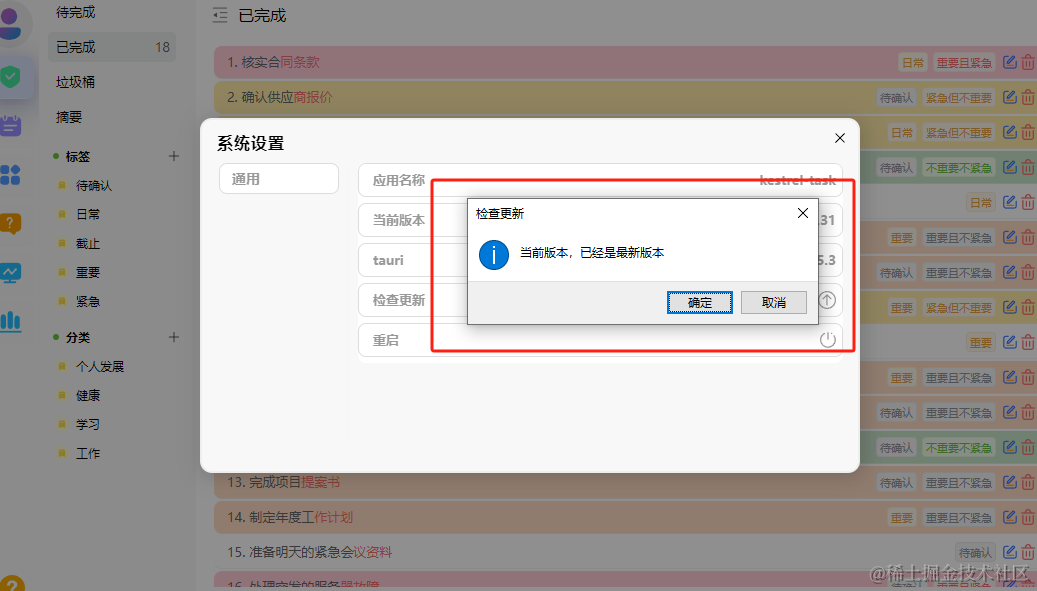
## 🙂检查版本更新
这段代码的作用是导入 Tauri 中的更新模块 @tauri-apps/api/updater 中的 checkUpdate 和 installUpdate 函数。checkUpdate 用于检查是否有可用的应用程序更新,而 installUpdate 用于安装应用程序更新。
```js
import { checkUpdate, installUpdate } from '@tauri-apps/api/updater'
```
```js
checkUpdate().then(async (res) => {
const { shouldUpdate, manifest } = res
if (shouldUpdate) {
confirm(`发现新版本:${manifest?.version},是否升级?`, { title: '版本更新', type: 'success' }).then(async (res) => {
try {
ElMessage.success({
message: '正在下载更新...',
duration: 3000,
})
installUpdate()
.then(async (res) => {
await relaunch()
})
.catch((e) => {
})
} catch (e) {
ElMessage.error({
message: '下载更新失败',
description: e.toString() || '',
})
}
})
} else {
await confirm(`当前版本,已经是最新版本`, { title: '检查更新', type: 'success' ,okLabel: '确定',cancelLabel: '取消'})
}
})
```
## 🙃窗口操作
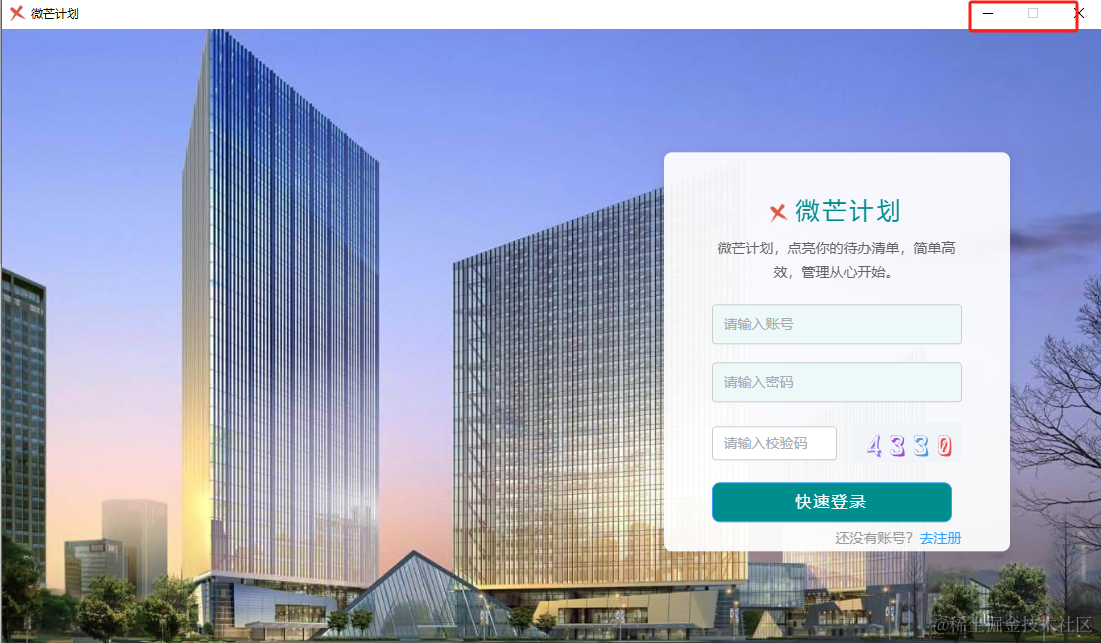
窗口禁用最大化和最小化功能
```json
import { appWindow } from '@tauri-apps/api/window';
```
## 🥰禁用最大化和取消禁用
```js
appWindow.setMaximizable(true) //禁用
appWindow.setMaximizable(false) //取消禁用
```
```js
appWindow.setMinimized(true) //禁用
appWindow.setMinimized(false) //取消禁用
```
## 🥰消息提示
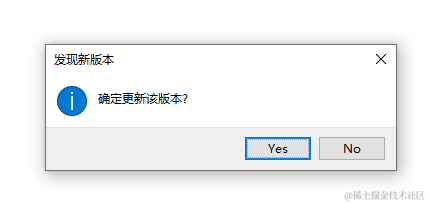
### Ask弹窗
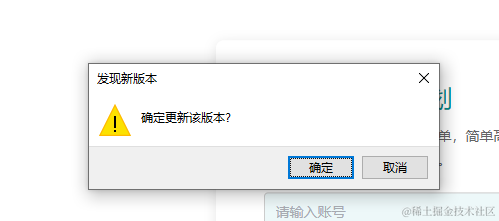
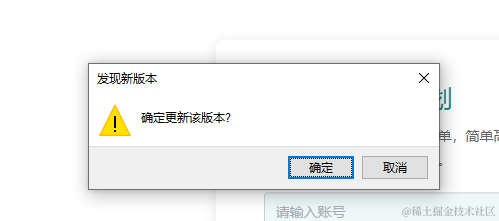
```js
import { ask } from '@tauri-apps/api/dialog';
const yes = await ask('确定更新该版本?', '发现新版本');
const yes2 = await ask('确定更新该版本?', { title: '发现新版本', type: 'warning' });
```
如果想要修改按钮的文本,可以使用,okLabel: '确定',cancelLabel: '取消'。
## 😊confirm弹窗
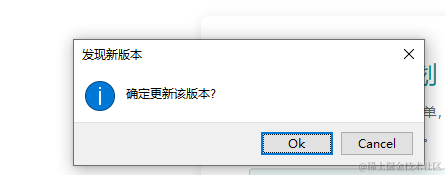
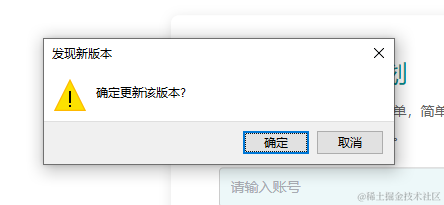
```json
import { confirm } from '@tauri-apps/api/dialog';
const confirmed = await confirm('确定更新该版本?', '发现新版本');
const confirmed2 = await confirm('确定更新该版本?', { title: '发现新版本', type: 'warning',okLabel: '确定',cancelLabel: '取消' });
```
## 😝message提示框
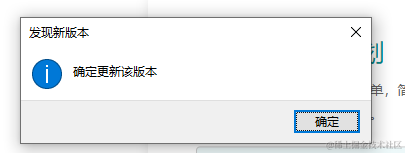
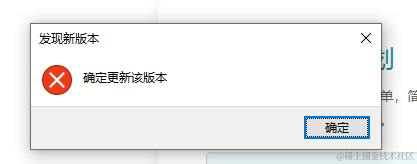
```js
import { message } from '@tauri-apps/api/dialog';
await message('确定更新该版本', '发现新版本');
await message('确定更新该版本', { title: '发现新版本', type: 'error',okLabel: '确定',cancelLabel: '取消' });
```
## 🤗open 选择文件弹窗
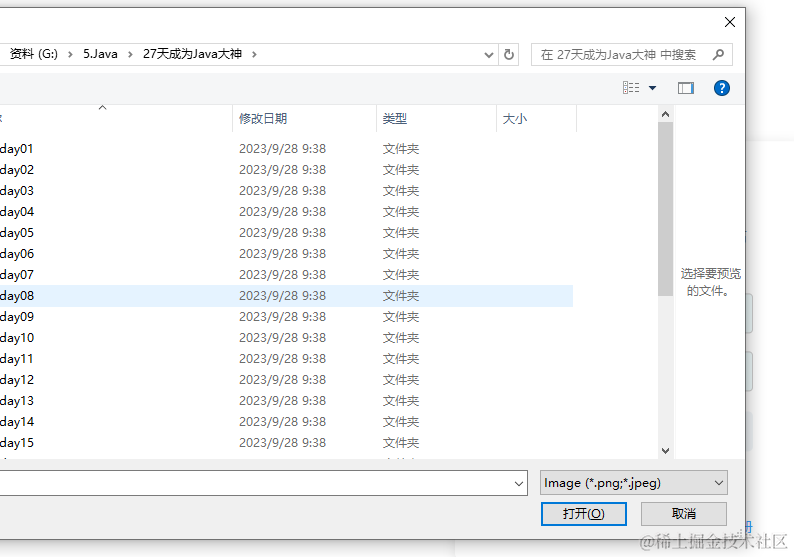
```js
import { open } from '@tauri-apps/api/dialog';
// Open a selection dialog for image files
const selected = await open({
multiple: true,
filters: [{
name: 'Image',
extensions: ['png', 'jpeg']
}]
});
if (Array.isArray(selected)) {
// user selected multiple files
} else if (selected === null) {
// user cancelled the selection
} else {
// user selected a single file
}
```
## 😐save文件保存弹窗
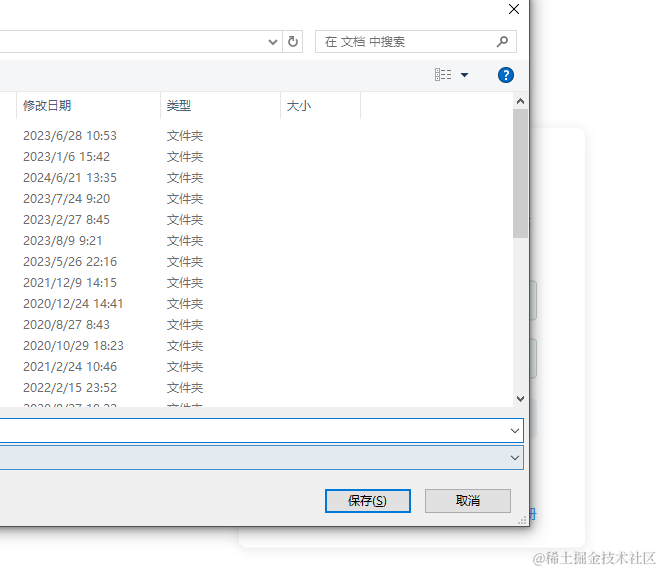
```js
import { save } from '@tauri-apps/api/dialog';
const filePath = await save({
filters: [{
name: 'Image',
extensions: ['png', 'jpeg']
}]
});
```
## 😁splashscreen页设置
为什么要设置这个呢,因为`splashscreen` 页面通常用于在应用程序启动时显示一个启动画面或加载动画,以提供用户友好的界面体验。这个页面可以包含应用程序的标志、名称或其他相关信息,帮助用户确认应用程序正在加载。一旦应用程序加载完成,通常会自动关闭 `splashscreen` 页面并显示应用程序的主界面。
#### 🫠tauri.conf.json配置
```json
"windows": [
{
"fullscreen": false,
"resizable": true,
"title": "微芒计划",
"width": 1100,
"height": 680,
"minHeight": 600,
"minWidth": 900,
"visible": false
},
{
"width": 800,
"height": 500,
"minHeight": 500,
"minWidth": 800,
"decorations": false,
"url": "splashscreen.html",
"label": "splashscreen",
"resizable": true,
"fullscreen": false
}
]
```
splashscreen.html要放到public下面,为一个html文件,里面可以写开屏的图片动画或者界面。
### 🙂main.rs编写关闭splashscreen 页面的功能
```rust
// Create the command:
// This command must be async so that it doesn't run on the main thread.
#[tauri::command]
async fn close_splashscreen(window: Window) {
// Close splashscreen
window.get_window("splashscreen").expect("no window labeled 'splashscreen' found").close().unwrap();
// Show main window
window.get_window("main").expect("no window labeled 'main' found").show().unwrap();
}
```
### 🙃main入口提供给前端使用
```rust
fn main() {
let context = tauri::generate_context!();
tauri::Builder::default()
// .menu(tauri::Menu::os_default(&context.package_info().name)) //配置界面菜单
.system_tray(tray::menu()) // ✅ 将 `tauri.conf.json` 上配置的图标添加到系统托盘
.on_system_tray_event(tray::handler) // ✅ 注册系统托盘事件处理程序
.invoke_handler(tauri::generate_handler![my_custom_command, init_process,close_splashscreen])
.run(context)
.expect("error while running tauri application");
}
```
### 🙃在前端调用splashscreen页面
界面加载完成后,关掉
```rust
import { onMounted } from 'vue'
import { invoke } from '@tauri-apps/api/tauri'
onMounted(() => {
// window.addEventListener('contextmenu', (e) => e.preventDefault(), false)
document.addEventListener('DOMContentLoaded', () => {
// This will wait for the window to load, but you could
// run this function on whatever trigger you want
setTimeout(() => {
invoke('close_splashscreen')
}, 1000)
})
})
```
🎉结语
感兴趣的可以试试,有不清楚的问题,关于tauri开发方面的问题,也可以一起交流。欢迎加我:zhan\_1337608148。一起成长,一起进步。