# common_utils
**Repository Path**: i_flutter_me/common_utils
## Basic Information
- **Project Name**: common_utils
- **Description**: Dart common utils library. 包含日期,正则,倒计时,定时任务,时间轴等工具类。
- **Primary Language**: Dart
- **License**: BSD-2-Clause
- **Default Branch**: master
- **Homepage**: None
- **GVP Project**: No
## Statistics
- **Stars**: 0
- **Forks**: 1
- **Created**: 2023-07-22
- **Last Updated**: 2023-07-22
## Categories & Tags
**Categories**: Uncategorized
**Tags**: None
## README
# common_utils (Dart常用工具类库,平台: Flutter, web, other)
[](https://pub.dartlang.org/packages/common_utils)
## [README of English][readme-en]
## Dart常用工具类库。如果你有好的工具类欢迎PR.
## [更新说明](./docs/UPDATELOG.md)
### 关于使用本开源库
如果您是用于公司项目,请随意使用~
如果您是用于开源项目,未经本人许可,请勿copy源码到您的项目使用!
使用方式:
```yaml
dependencies:
common_utils: ^1.0.9
```
### Dart常用工具类库 [common_utils][common_utils_github]
1、TimelineUtil : 时间轴.(新)
2、TimerUtil : 倒计时,定时任务.(新)
3、MoneyUtil : 精确转换,元转分,分转元,支持格式输出.(新)
4、LogUtil : 简单封装打印日志.(新)
5、DateUtil : 日期转换格式化输出.
6、RegexUtil : 正则验证手机号,身份证,邮箱等等.
7、NumUtil : 保留x位小数, 精确加、减、乘、除, 防止精度丢失.
8、ObjectUtil : 判断对象是否为空(String List Map),判断两个List是否相等.
### Flutter工具类库 [flustars][flustars_github]
1、DioUtil : Dio 工具类.
2、SpUtil : 单例"同步" SharedPreferences 工具类.
3、ScreenUtil : 屏幕适配,获取屏幕宽、高、密度,AppBar高,状态栏高度,屏幕方向.
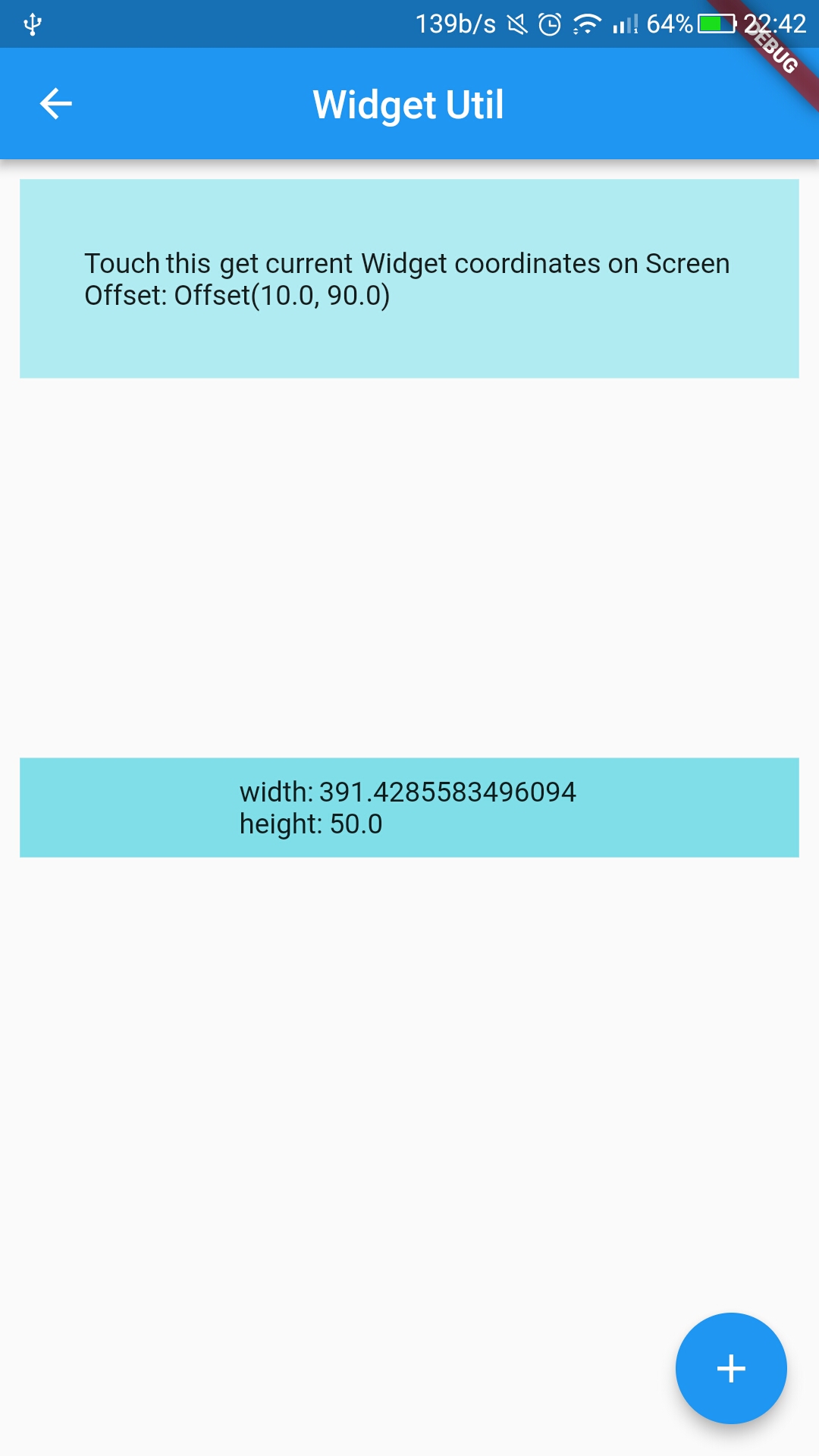
4、WidgetUtil : Widget渲染监听,获取Widget宽高,在屏幕上的坐标.
### Add dependency
```yaml
dependencies:
common_utils: x.x.x #latest version
```
### APIs
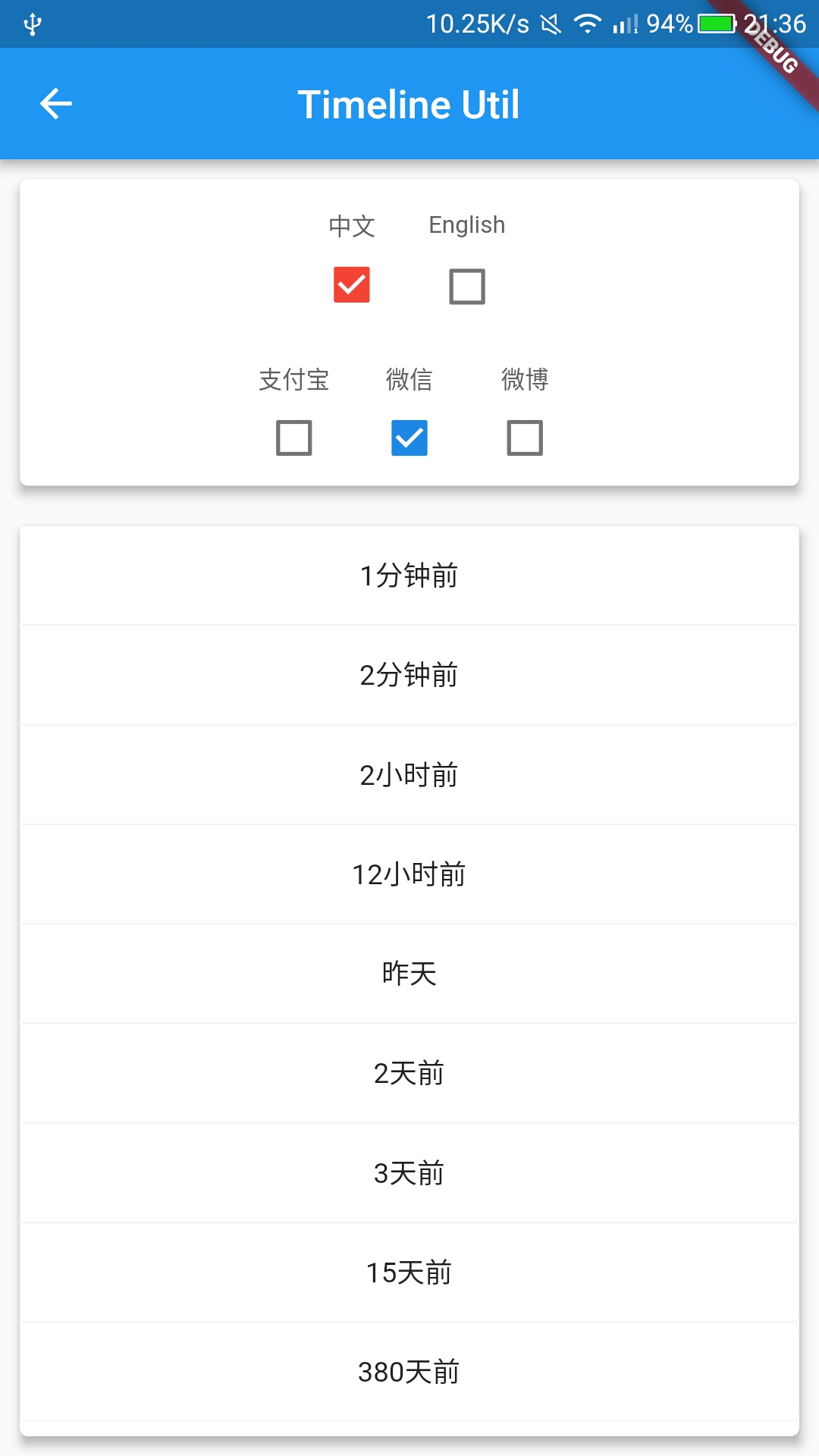
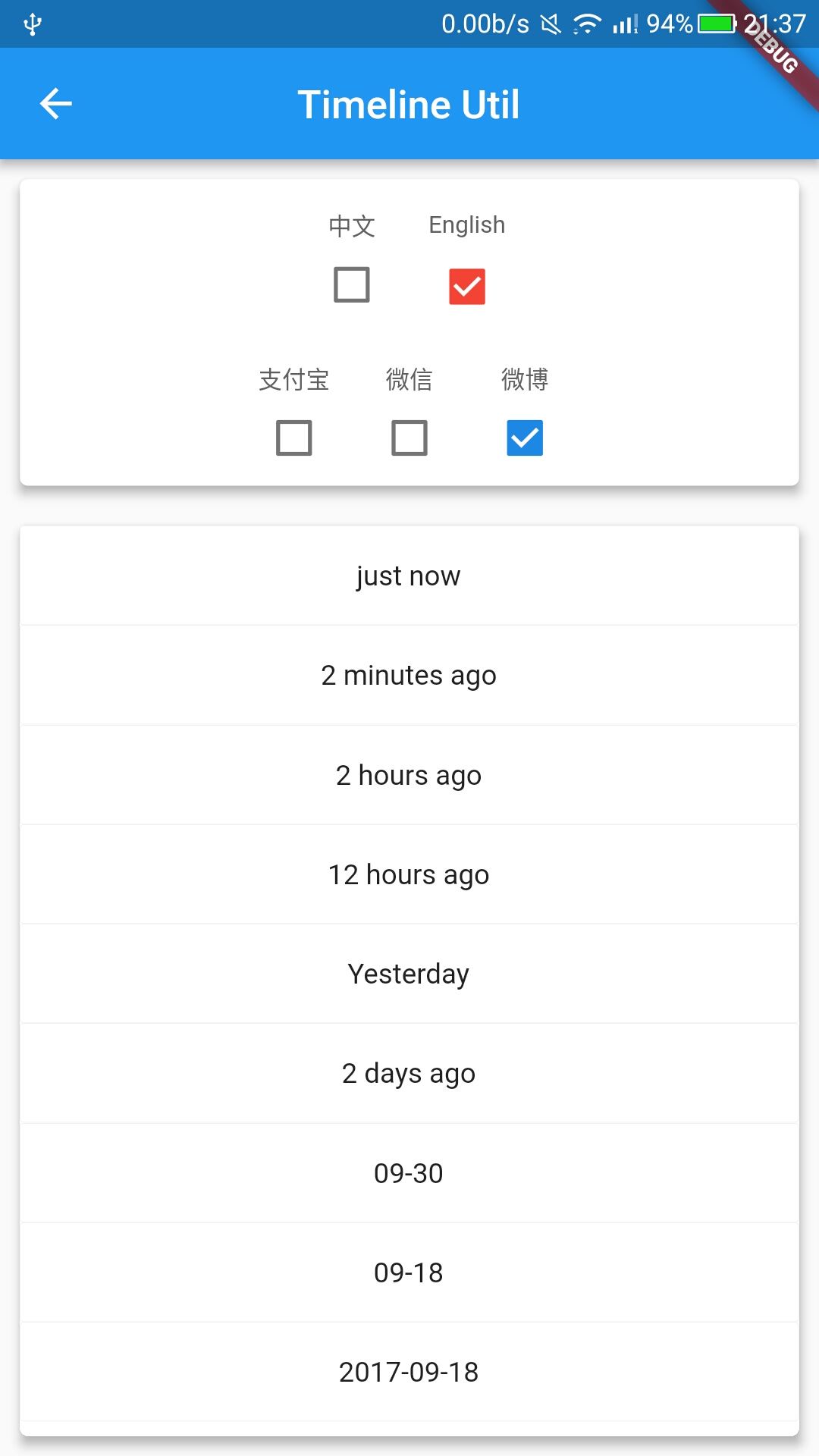
* #### TimelineUtil -> [Example](https://github.com/Sky24n/flutter_wanandroid/blob/master/lib/ui/pages/demos/timeline_page.dart)
```
///(xx)为可配置输出
enum DayFormat {
///(小于10s->刚刚)、x分钟、x小时、(昨天)、x天.
Simple,
///(小于10s->刚刚)、x分钟、x小时、[今年: (昨天/1天前)、(2天前)、MM-dd],[往年: yyyy-MM-dd].
Common,
///小于10s->刚刚)、x分钟、x小时、[今年: (昨天 HH:mm/1天前)、(2天前)、MM-dd HH:mm],[往年: yyyy-MM-dd HH:mm].
Full,
}
///Timeline信息配置.
abstract class TimelineInfo {
String suffixAgo(); //suffix ago(后缀 后).
String suffixAfter(); //suffix after(后缀 前).
String lessThanTenSecond() => ''; //just now(刚刚).
String customYesterday() => ''; //Yesterday(昨天).优先级高于keepOneDay
bool keepOneDay(); //保持1天,example: true -> 1天前, false -> MM-dd.
bool keepTwoDays(); //保持2天,example: true -> 2天前, false -> MM-dd.
String oneMinute(int minutes); //a minute(1分钟).
String minutes(int minutes); //x minutes(x分钟).
String anHour(int hours); //an hour(1小时).
String hours(int hours); //x hours(x小时).
String oneDay(int days); //a day(1天).
String days(int days); //x days(x天).
DayFormat dayFormat(); //format.
}
setLocaleInfo : 自定义设置配置信息.
formatByDateTime : 格式输出时间轴信息 by DateTime .
format : 格式输出时间轴信息.
```
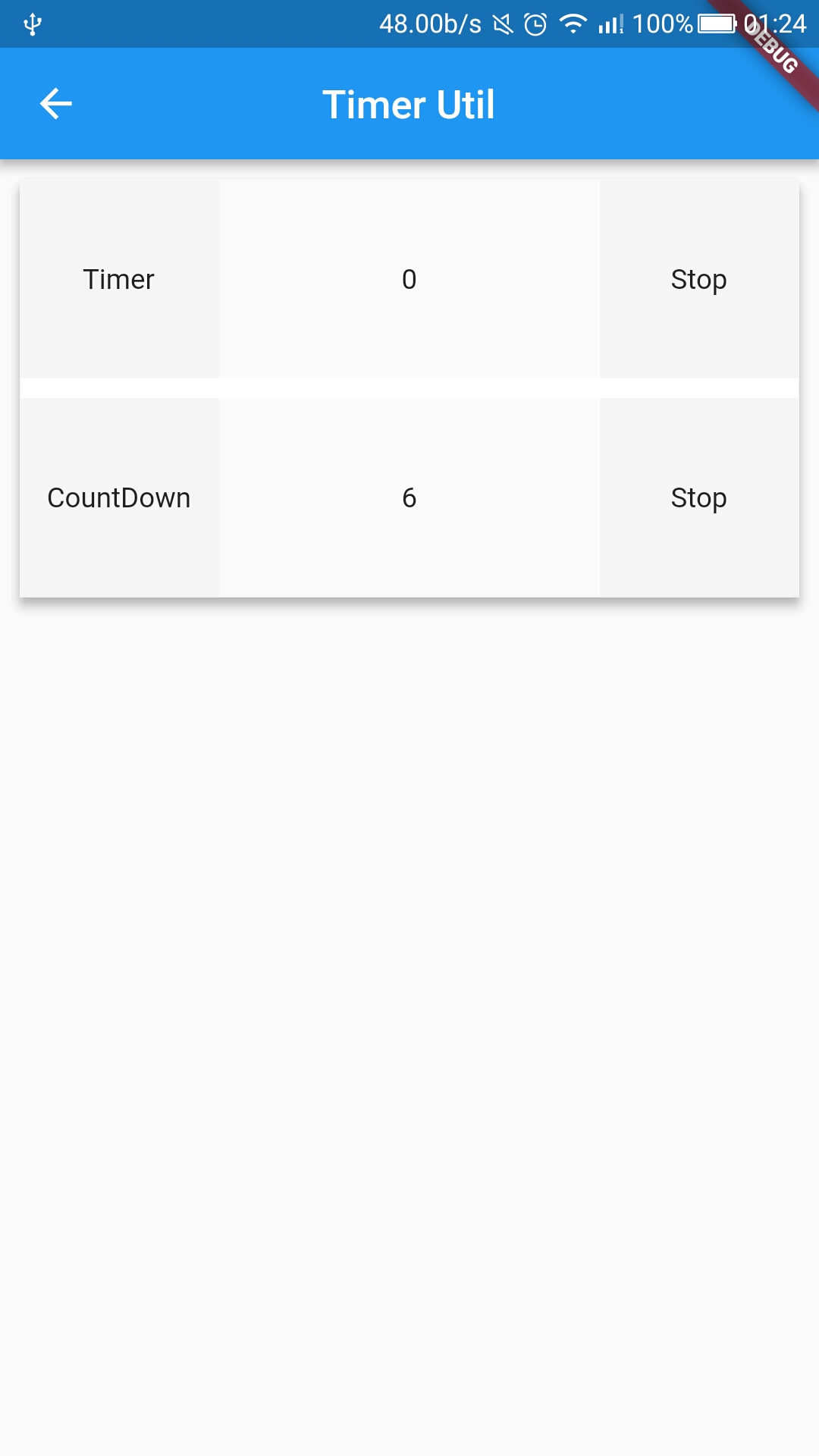
* #### TimerUtil -> [Example](https://github.com/Sky24n/flutter_wanandroid/blob/master/lib/ui/pages/demos/timer_page.dart)
```
setInterval : 设置Timer间隔.
setTotalTime : 设置倒计时总时间.
startTimer() : 启动定时Timer.
startCountDown : 启动倒计时Timer.
updateTotalTime : 重设倒计时总时间.
cancel : 取消计时器.
setOnTimerTickCallback : 计时器回调.
isActive : Timer是否启动.
```
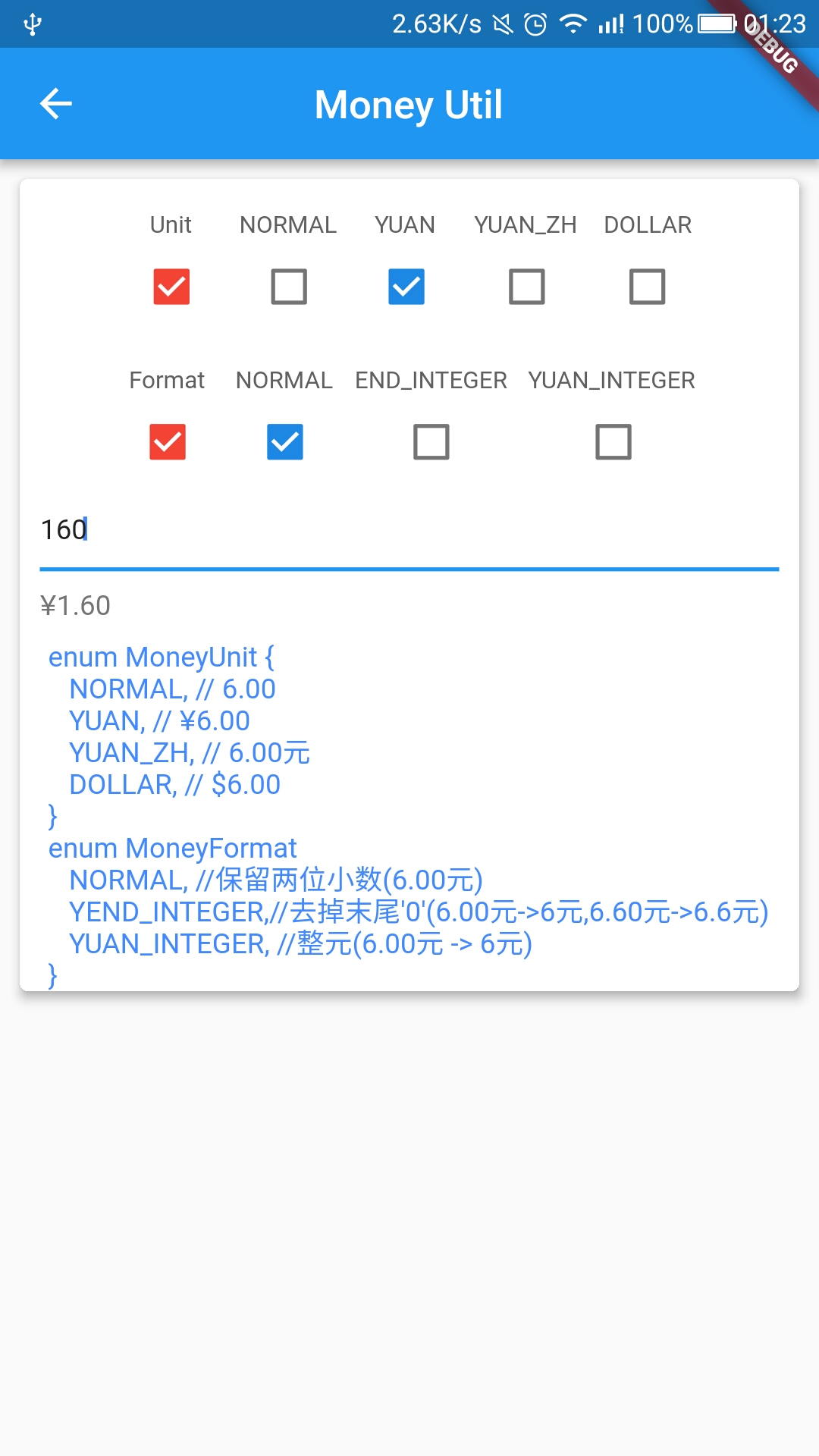
* #### MoneyUtil 精确转换,防止精度丢失 -> [Example](https://github.com/Sky24n/flutter_wanandroid/blob/master/lib/ui/pages/demos/money_page.dart)
```
changeF2Y : 分 转 元, format格式输出.
changeFStr2YWithUnit : 分字符串 转 元, format 与 unit 格式 输出.
changeF2YWithUnit : 分 转 元, format 与 unit 格式 输出.
changeYWithUnit : 元, format 与 unit 格式 输出.
changeY2F : 元 转 分.
```
* #### LogUtil
```
init(isDebug, tag) : isDebug: 模式, tag 标签.
e(object, tag) : 日志e
v(object, tag) : 日志v,只在debug模式输出.
```
* #### NumUtil -> [Example](https://github.com/Sky24n/flutter_wanandroid/blob/master/lib/ui/pages/demos/num_util_page.dart)
```
getIntByValueStr : 数字字符串转int.
getDoubleByValueStr : 数字字符串转double.
getNumByValueStr : 保留x位小数 by 数字字符串.
getNumByValueDouble : 保留x位小数 by double.
add : 加(精确相加,防止精度丢失).
subtract : 减(精确相减,防止精度丢失).
multiply : 乘(精确相乘,防止精度丢失).
divide : 除(精确相除,防止精度丢失).
remainder : 余.
lessThan : < .
thanOrEqual : <= .
greaterThan : > .
greaterOrEqual : >= .
```
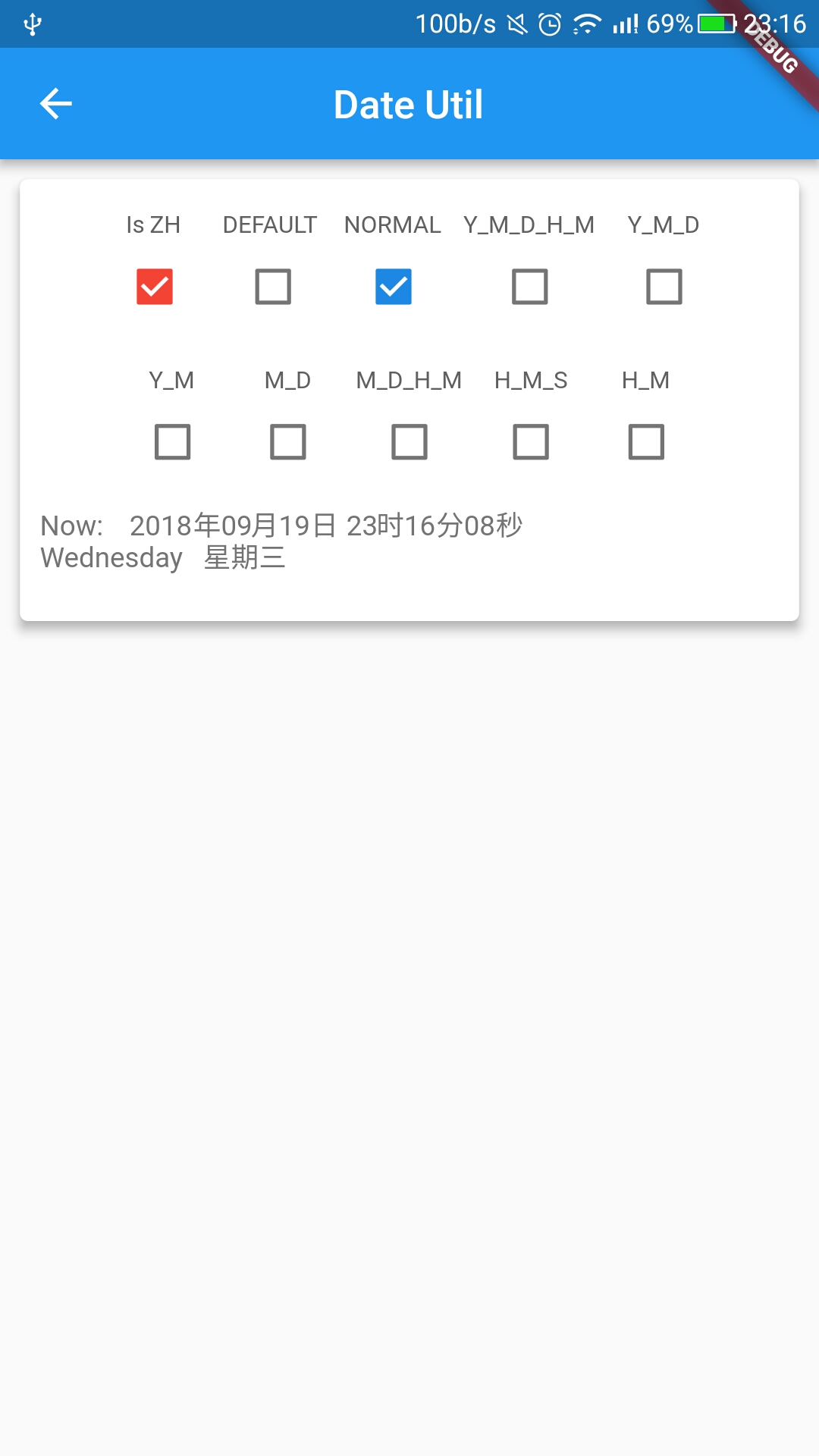
* #### DateUtil -> [Example](https://github.com/Sky24n/flutter_wanandroid/blob/master/lib/ui/pages/demos/date_page.dart)
```
enum DateFormat {
DEFAULT, //yyyy-MM-dd HH:mm:ss.SSS
NORMAL, //yyyy-MM-dd HH:mm:ss
YEAR_MONTH_DAY_HOUR_MINUTE, //yyyy-MM-dd HH:mm
YEAR_MONTH_DAY, //yyyy-MM-dd
YEAR_MONTH, //yyyy-MM
MONTH_DAY, //MM-dd
MONTH_DAY_HOUR_MINUTE, //MM-dd HH:mm
HOUR_MINUTE_SECOND, //HH:mm:ss
HOUR_MINUTE, //HH:mm
ZH_DEFAULT, //yyyy年MM月dd日 HH时mm分ss秒SSS毫秒
ZH_NORMAL, //yyyy年MM月dd日 HH时mm分ss秒 / timeSeparate: ":" --> yyyy年MM月dd日 HH:mm:ss
ZH_YEAR_MONTH_DAY_HOUR_MINUTE, //yyyy年MM月dd日 HH时mm分 / timeSeparate: ":" --> yyyy年MM月dd日 HH:mm
ZH_YEAR_MONTH_DAY, //yyyy年MM月dd日
ZH_YEAR_MONTH, //yyyy年MM月
ZH_MONTH_DAY, //MM月dd日
ZH_MONTH_DAY_HOUR_MINUTE, //MM月
dd日 HH时mm分 / timeSeparate: ":" --> MM月dd日 HH:mm
ZH_HOUR_MINUTE_SECOND, //HH时mm分ss秒
ZH_HOUR_MINUTE, //HH时mm分
}
getNowDateMs : 获取现在 毫秒.
getNowDateStr : 获取现在 日期字符串.(yyyy-MM-dd HH:mm:ss)
getDateMsByTimeStr : 获取毫秒 By 日期字符串(Format格式输出).
getDateStrByTimeStr : 获取日期字符串 By 日期字符串(Format格式输出).
getDateStrByMs : 获取日期字符串 By 毫秒(Format格式输出).
getDateStrByDateTime : 获取日期字符串 By DateTime(Format格式输出).
getWeekDay : 获取WeekDay By DateTime.
getZHWeekDay : 获取星期 By DateTime.
getWeekDayByMs : 获取WeekDay By 毫秒.
getZHWeekDayByMs : 获取星期 By 毫秒.
isLeapYearByYear : 是否是闰年.
yearIsEqual : 是否同年.
getDayOfYear : 在今年的第几天.
isYesterday : 是否是昨天.
```
* #### RegexUtil -> [Example](https://github.com/Sky24n/flutter_wanandroid/blob/master/lib/ui/pages/demos/regex_page.dart)
```
isMobileSimple : 简单验证手机号
isMobileExact : 精确验证手机号
isTel : 验证电话号码
isIDCard : 验证身份证号码
isIDCard15 : 验证身份证号码 15 位
isIDCard18 : 简单验证身份证号码 18 位
isIDCard18Exact : 精确验证身份证号码 18 位
isEmail : 验证邮箱
isURL : 验证 URL
isZh : 验证汉字
isDate : 验证 yyyy-MM-dd 格式的日期校验,已考虑平闰年
isIP : 验证 IP 地址
```
* #### ObjectUtil -> [Example](https://github.com/Sky24n/flutter_wanandroid/blob/master/lib/ui/pages/demos/object_util_page.dart)
```
isEmptyString : 判断String是否为空.
isEmptyList : 判断List是否为空.
isEmptyMap : 判断Map是否为空.
isEmpty : 判断对象是否为空.(String List Map).
isNotEmpty : 判断对象是否非空.(String List Map).
twoListIsEqual : 判断两个List是否相等.
```
### Example
``` dart
// Import package
import 'package:common_utils/common_utils.dart';
//TimelineUtil
DateTime xxxDateTime = DateTime(2018, 6, 16, 16, 16, 16);
LogUtil.e("Timeline: " + TimelineUtil.formatByDateTime(xxxDateTime, locale: 'zh').toString());
//MoneyUtil example
String moneyTxt = MoneyUtil.changeFStr2YWithUnit("1160", format: MoneyFormat.NORMAL, unit: MoneyUnit.YUAN_ZH);
String moneyTxt = MoneyUtil.changeYWithUnit("1.66", unit: MoneyUnit.YUAN_ZH);
//TimerUtil example
TimerUtil timerUtil;
//定时任务test
timerUtil = new TimerUtil(mInterval: 1000);
//timerUtil.setInterval(1000);
timerUtil.setOnTimerTickCallback((int value) {
LogUtil.e("TimerTick: " + value.toString());
});
timerUtil.startTimer();
//timerUtil.cancel();
TimerUtil timerCountDown;
//倒计时test
timerCountDown = new TimerUtil(mInterval: 1000, mTotalTime: 3 * 1000);
// timerCountDown.setInterval(1000);
// timerCountDown.setTotalTime(3 * 1000);
timerCountDown.setOnTimerTickCallback((int value) {
double tick = (value / 1000);
LogUtil.e("CountDown: " + tick.toInt().toString());
});
timerCountDown.startCountDown();
//timerUtil.cancel();
//LogUtil example
LogUtil.init(isDebug: true, tag: "test");
LogUtil.e("...log...", tag: "test");
LogUtil.v("...log...", tag: "test");
//DateUtil example
String timeNow = DateUtil.getDateStrByDateTime(DateTime.now());//2018-09-16 23:14:56
String timeNow = DateUtil.getDateStrByDateTime(DateTime.now(),format: DateFormat.ZH_NORMAL);//2018年09月16日 23时16分15秒
String weekday = DateUtil.getWeekDay(DateTime.parse("2018-09-16"));//Sunday
String weekdayZh = DateUtil.getZHWeekDay(DateTime.parse("2018-09-16"));//星期日
//First Page init. Notice!!!
ScreenUtil.getInstance().init(context);
ScreenUtil.screenWidth
ScreenUtil.screenHeight
ScreenUtil.statusBarHeight
ScreenUtil.screenDensity
List listA = ["A", "B", "C"];
List listB = ["A", "B", "C"];
print("Two List Is Equal: " + ObjectUtil.twoListIsEqual(listA, listB).toString());
// Global variable,Reference example
WidgetUtil widgetUtil = new WidgetUtil();
@override
Widget build(BuildContext context) {
widgetUtil.asyncPrepare(context, false, (Rect rect) {
double width = rect.width;
double height = rect.height;
});
return ;
}
//Widgets must be rendered completely. Otherwise return Rect.zero.
Rect rect = WidgetUtil.getWidgetBounds(context);
double width = rect.width;
double height = rect.height;
//Widgets must be rendered completely. Otherwise return Offset.zero.
Offset offset = WidgetUtil.getWidgetLocalToGlobal(context);
double dx = offset.dx
double dx = offset.dy
```
## 关于作者,欢迎关注~
[![jianshu][jianshuSvg]][jianshu] [![juejin][juejinSvg]][juejin]
### 最后,如果您觉得本项目不错的话,来个star支持下作者吧!
## 关于示例
本项目中不包含示例,所有示例均在[flutter_demos][flutter_demos_github]项目中。
完整项目[flutter_wanandroid][flutter_wanandroid_github],包含启动页,引导页,主题色切换,应用国际化多语言,版本更新等功能。欢迎体验!
## Demo Github :
[flutter_wanandroid][flutter_wanandroid_github] [flutter_demos][flutter_demos_github]
## 点击下载APK :
[v0.1.2][flutter_wanandroid_apk] [v1.0.4][flutter_demos_apk]
## 扫码下载APK :
![flutter_wanandroid][flutter_wanandroid_qr] ![flutter_demos][flutter_demos_qr]
### Screenshot

 [readme]: https://github.com/Sky24n/common_utils
[readme-en]: https://github.com/Sky24n/common_utils/blob/master/README-EN.md
[flutter_wanandroid_github]: https://github.com/Sky24n/flutter_wanandroid
[flutter_wanandroid_apk]: https://raw.githubusercontent.com/Sky24n/LDocuments/master/AppStore/flutter_wanandroid.apk
[flutter_wanandroid_qr]: https://raw.githubusercontent.com/Sky24n/LDocuments/master/AppImgs/flutter_wanandroid/qrcode.png
[flutter_demos_github]: https://github.com/Sky24n/flutter_demos
[flutter_demos_apk]: https://raw.githubusercontent.com/Sky24n/LDocuments/master/AppStore/flutter_demos.apk
[flutter_demos_qr]: https://raw.githubusercontent.com/Sky24n/LDocuments/master/AppImgs/flutter_demos/qrcode.png
[common_utils_github]: https://github.com/Sky24n/common_utils
[flustars_github]: https://github.com/Sky24n/flustars
[jianshuSvg]: https://img.shields.io/badge/简书-@Sky24n-536dfe.svg
[jianshu]: https://www.jianshu.com/u/cbf2ad25d33a
[juejinSvg]: https://img.shields.io/badge/掘金-@Sky24n-536dfe.svg
[juejin]: https://juejin.im/user/5b9e8a92e51d453df0440422
[readme]: https://github.com/Sky24n/common_utils
[readme-en]: https://github.com/Sky24n/common_utils/blob/master/README-EN.md
[flutter_wanandroid_github]: https://github.com/Sky24n/flutter_wanandroid
[flutter_wanandroid_apk]: https://raw.githubusercontent.com/Sky24n/LDocuments/master/AppStore/flutter_wanandroid.apk
[flutter_wanandroid_qr]: https://raw.githubusercontent.com/Sky24n/LDocuments/master/AppImgs/flutter_wanandroid/qrcode.png
[flutter_demos_github]: https://github.com/Sky24n/flutter_demos
[flutter_demos_apk]: https://raw.githubusercontent.com/Sky24n/LDocuments/master/AppStore/flutter_demos.apk
[flutter_demos_qr]: https://raw.githubusercontent.com/Sky24n/LDocuments/master/AppImgs/flutter_demos/qrcode.png
[common_utils_github]: https://github.com/Sky24n/common_utils
[flustars_github]: https://github.com/Sky24n/flustars
[jianshuSvg]: https://img.shields.io/badge/简书-@Sky24n-536dfe.svg
[jianshu]: https://www.jianshu.com/u/cbf2ad25d33a
[juejinSvg]: https://img.shields.io/badge/掘金-@Sky24n-536dfe.svg
[juejin]: https://juejin.im/user/5b9e8a92e51d453df0440422