# firebaseui-web
**Repository Path**: mirrors_firebase/firebaseui-web
## Basic Information
- **Project Name**: firebaseui-web
- **Description**: FirebaseUI is an open-source JavaScript library for Web that provides simple, customizable UI bindings on top of Firebase SDKs to eliminate boilerplate code and promote best practices.
- **Primary Language**: Unknown
- **License**: Apache-2.0
- **Default Branch**: main
- **Homepage**: None
- **GVP Project**: No
## Statistics
- **Stars**: 1
- **Forks**: 0
- **Created**: 2020-08-08
- **Last Updated**: 2025-12-20
## Categories & Tags
**Categories**: Uncategorized
**Tags**: None
## README
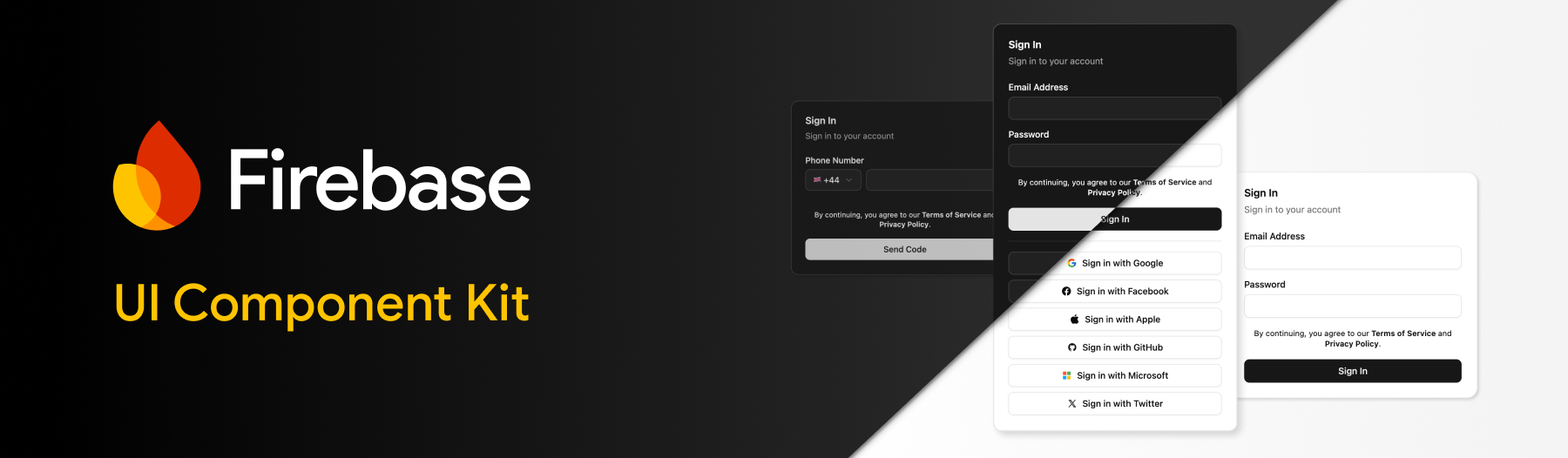
# FirebaseUI for Web
Firebase UI for Web brings out-of-the-box components for Firebase for your favourite frameworks:
- Support for [React](https://react.dev/), [Shadcn](https://ui.shadcn.com/) and [Angular](https://angular.dev/).
- Composable authentication components; Email/Password Sign Up/In, Forgot Password, Email Link, Phone Auth, OAuth, Multi-Factor and more.
- Configure the behavior of internal logic and UI via behaviors.
- Framework agnostic core package; bring your own UI.
- Built-in localization via translations.
## Migration
Firebase UI v7 is a complete rewrite to support modern languages and frameworks. You can find information about the previous version, v6, in the [`v6-archive` branch](https://github.com/firebase/firebaseui-web/tree/v6-archive).
If you are looking to migrate, please check the [MIGRATION.md](MIGRATION.md) guide.
## Table of contents
- [Getting Started](#getting-started)
- [Styling](#styling)
- [Behaviors](#behaviors)
- [Translations](#translations)
- [Reference API](#reference)
- [Bring your own UI](#bring-your-own-ui)
## Getting Started
To get started, make sure that the [`firebase`](https://www.npmjs.com/package/firebase) package is installed in your project:
```bash
npm install firebase
```
Once installed, setup Firebase in your project ensuring you have configured your Firebase instance via `initializeApp`:
```ts
import { initializeApp } from 'firebase/app';
const app = initializeApp({ ... });
```
Next, follow the framework specific installation steps, for either React, Shadcn or Angular:
React
Install the `@firebase-oss/ui-react` package:
```bash
npm install @firebase-oss/ui-react@beta
```
Alongside your Firebase configuration, import the `initializeUI` function and pass your configured Firebase App instance:
```ts
import { initializeApp } from 'firebase/app';
import { initializeUI } from '@firebase-oss/ui-core';
const app = initializeApp({ ... });
const ui = initializeUI({
app,
});
```
Once configured, provide the `ui` instance to your application by wrapping it within the `FirebaseUIProvider` component:
```tsx
import { FirebaseUIProvider } from '@firebase-oss/ui-react';
function App() {
return (
...
);
}
```
Ensure your application includes the bundled styles for Firebase UI (see [styling](#styling) for additional info).
```css
@import "@firebase-oss/ui-styles/dist.min.css";
/* Or, if you use tailwind */
@import "@firebase-oss/ui-styles/tailwind";
```
That's it 🎉 You can now import components and start building:
```tsx
import { SignInAuthScreen } from '@firebase-oss/ui-react';
export function MySignInPage() {
return (
<>
Welcome { ... }} />
)
}
```
View the [reference API](#reference) for a full list of components.
Shadcn
Firstly, ensure you have [installed and setup](https://ui.shadcn.com/docs/installation) Shadcn in your project.
Once configured, add the `@firebase` registry to your `components.json` file:
```json
{
...
"registries": {
"@firebase": "https://firebaseopensource.com/r/{name}.json"
}
}
```
Next, add a Firebase UI component from the registry, e.g.
```bash
npx shadcn@latest add @firebase/sign-in-auth-screen
```
This will automatically install any required dependencies.
Alongside your Firebase configuration, import the `initializeUI` function and pass your configured Firebase App instance:
```ts
import { initializeApp } from 'firebase/app';
import { initializeUI } from '@firebase-oss/ui-core';
const app = initializeApp({ ... });
const ui = initializeUI({
app,
});
```
Once configured, provide the `ui` instance to your application by wrapping it within the `FirebaseUIProvider` component:
```tsx
import { FirebaseUIProvider } from '@firebase-oss/ui-react';
function App() {
return (
...
);
}
```
That's it 🎉 You can now import components and start building:
```tsx
import { SignInAuthScreen } from '@/components/sign-in-auth-screen';
export function MySignInPage() {
return (
<>
Welcome { ... }} />
)
}
```
View the [reference API](#reference) for a full list of components.
Angular
The Angular project requires that [AngularFire](https://github.com/angular/angularfire) is setup and configured before using Firebase UI.
Once you have provided the Firebase App instance to your application using `provideFirebaseApp`, install the Firebase UI for Angular package:
```bash
npm install @firebase-oss/ui-angular@beta
```
Alongside your existing providers, add the `provideFirebaseUI` provider, returning a new Firebase UI instance via `initializeUI`:
```ts
import { provideFirebaseApp, initializeApp } from '@angular/fire/app';
import { initializeUI } from '@firebase-oss/ui-core';
export const appConfig: ApplicationConfig = {
providers: [
provideFirebaseApp(() => initializeApp({ ... })),
provideFirebaseUI((apps) => initializeUI({ app: apps[0] })),
]
};
```
Ensure your application includes the bundled styles for Firebase UI (see [styling](#styling) for additional info).
```css
@import "@firebase-oss/ui-styles/dist.min.css";
/* Or for tailwind users */
@import "@firebase-oss/ui-styles/tailwind";
```
That's it 🎉 You can now import components and start building:
```tsx
import { Component } from "@angular/core";
import { SignInAuthScreenComponent } from "@firebase-oss/ui-angular";
@Component({
selector: "sign-in-route",
standalone: true,
imports: [CommonModule, SignInAuthScreenComponent],
template: `
Sign In
`,
})
export class SignInRoute {
onSignIn(user: User) {
// ...
}
}
```
View the [reference API](#reference) for a full list of components.
## Styling
Firebase UI provides out-of-the-box styling via CSS, and provides means to customize the UI to align with your existing application or guidelines.
> Note: if you are using Shadcn this section does not apply. All styles are inherited from your Shadcn configuration.
Ensure your application imports the Firebase UI CSS file. This can be handled a number of ways depending on your setup:
### CSS Bundling
If your bundler supports importing CSS files from node_modules:
Via JS:
```ts
import '@firebase-oss/ui-styles/dist.min.css';
```
Via CSS:
```css
@import "@firebase-oss/ui-styles/dist.min.css";
```
### Tailwind
If you are using [Tailwind CSS](https://tailwindcss.com/), add the Tailwind specific CSS file:
```css
@import "tailwindcss";
@import "@firebase-oss/ui-styles/tailwind";
```
### Via CDN
If none of these options apply, include the CSS file via a CDN:
```html
```
### Theming
Out of the box, Firebase UI provides a neutral light and dark theme with some opinionated styling (colors, border radii etc). These are all controlled via CSS variables, allowing you to update these at will to match any existing UI design guidelines. To modify the variables, override the following CSS variables:
```css
:root {
/* The primary color is used for the button and link colors */
--fui-primary: ...;
/* The primary hover color is used for the button and link colors when hovered */
--fui-primary-hover: ...;
/* The primary surface color is used for the button text color */
--fui-primary-surface: ...;
/* The text color used for body text */
--fui-text: ...;
/* The muted text color used for body text, such as subtitles */
--fui-text-muted: ...;
/* The background color of the cards */
--fui-background: ...;
/* The border color used for none input fields */
--fui-border: ...;
/* The input color used for input fields */
--fui-input: ...;
/* The error color used for error messages */
--fui-error: ...;
/* The radius used for the input fields */
--fui-radius: ...;
/* The radius used for the cards */
--fui-radius-card: ...;
}
```
## Behaviors
Out of the box, Firebase UI applies sensible default behaviors for how the UI should handle specific scenarios which may occur during user flows. You can however customize this behavior by modifying your `initializeUI` to provide an array of "behaviors", for example:
```ts
import { requireDisplayName } from '@firebase-oss/ui-core';
const ui = initializeUI({
app,
behaviors: [
requireDisplayName(),
],
});
```
#### `autoAnonymousLogin`
The `autoAnonymousLogin` behavior will automatically sign users in via [anonymous authentication](https://firebase.google.com/docs/auth/web/anonymous-auth) when initialized. Whilst authenticating, the Firebase UI state will be set to "loading", allowing you to block the loading of the application if you wish.
```ts
import { autoAnonymousLogin } from '@firebase-oss/ui-core';
const ui = initializeUI({
app,
behaviors: [autoAnonymousLogin()],
});
```
#### `autoUpgradeAnonymousUsers`
The `autoUpgradeAnonymousUsers` behavior will automatically upgrade a user who is anonymously authenticated with your application upon a successful sign in (including OAuth). You can optionally provide a callback to handle an upgrade (such as merging account data). During the async callback, the UI will stay in a pending state.
```ts
import { autoUpgradeAnonymousUsers } from '@firebase-oss/ui-core';
const ui = initializeUI({
app,
behaviors: [autoUpgradeAnonymousUsers({
async onUpgrade(ui, oldUserId, credential) {
// Some account upgrade logic.
}
})],
});
```
#### `recaptchaVerification`
The `recaptchaVerification` behavior allows you to customize how the [reCAPTCHA provider](https://firebase.google.com/docs/app-check/web/recaptcha-provider) is rendered during some UI flows (such as Phone Authentication).
By default, the reCAPTCHA UI will be rendered in "invisible" mode. To override this:
```ts
import { recaptchaVerification } from '@firebase-oss/ui-core';
const ui = initializeUI({
app,
behaviors: [recaptchaVerification({
size: "compact", // "normal" | "invisible" | "compact"
theme: "dark", // "light" | "dark"
})],
});
```
#### `providerRedirectStrategy`
The `providerRedirectStrategy` behavior redirects any external provider authentication (e.g. OAuth) via a redirect flow.
```ts
import { providerRedirectStrategy } from '@firebase-oss/ui-core';
const ui = initializeUI({
app,
behaviors: [providerRedirectStrategy()],
});
```
#### `providerPopupStrategy`
The `providerPopupStrategy` behavior causes any external provider authentication (e.g. OAuth) to be handled via a popup window. This is the default strategy.
```ts
import { providerPopupStrategy } from '@firebase-oss/ui-core';
const ui = initializeUI({
app,
behaviors: [providerPopupStrategy()],
});
```
#### `oneTapSignIn`
The `oneTapSignIn` behavior triggers the [Google One Tap](https://developers.google.com/identity/gsi/web/guides/features) experience to render.
Note: This behavior requires that Google Sign In is enabled as an authentication method on the Firebase Console. Once enabled, you can obtain the required `clientId` via the "Web SDK configuration" settings on the Console.
The One Tap popup can be additionally configured via this behavior:
```ts
import { oneTapSignIn } from '@firebase-oss/ui-core';
const ui = initializeUI({
app,
behaviors: [oneTapSignIn({
clientId: "...", // required - from Firebase Console under Google provider
autoSelect: false, // optional
cancelOnTapOutside: false, // optional
})],
});
```
See https://developers.google.com/identity/gsi/web/reference/js-reference for a full list of configuration options.
#### `requireDisplayName`
The `requireDisplayName` behavior configures Firebase UI to display a required "Display Name" input box in the UI, which is applied to the users account during sign up flows.
If you are not using pre-built components, the `createUserWithEmailAndPassword` function from Firebase UI will throw if a display name is not provided.
```ts
import { requireDisplayName } from '@firebase-oss/ui-core';
const ui = initializeUI({
app,
behaviors: [requireDisplayName()],
});
```
#### `countryCodes`
The `countryCodes` behavior controls how country codes are consumed throughout your application, for example during Phone Authentication flows when selecting a phone numbers country code.
```ts
import { countryCodes } from '@firebase-oss/ui-core';
const ui = initializeUI({
app,
behaviors: [countryCodes({
allowedCountries: ['GB', 'US', 'FR'], // only allow Great Britain, USA and France
defaultCountry: 'GB', // GB is default
})],
});
```
## Translations
> Note: Firebase UI currently only provides English (en-US) translations out of the box.
Firebase UI provides a mechanism for overriding any localized strings in the UI components. To define your own custom locale, use the `registerLocale` function from the `@firebase-oss/ui-translations` package:
```ts
import { registerLocale } from '@firebase-oss/ui-translations';
const frFr = registerLocale('fr-FR', {
labels: {
signIn: "Sign In, Matey",
},
});
```
To use this locale, provide it to the `initializeUI` configuration:
```ts
const ui = initializeUI({
app,
locale: frFr,
});
```
### Dynamic translations
To dynamically change your locale during the applications lifecycle (e.g. a language drop down), you can call the `setLocale` method on the UI instance:
```ts
const ui = initializeUI({
app,
locale: frFr,
});
...
```
### Fallback
By default, any missing translations will fallback to English if not specified. You can pass a 3rd "fallback" argument locale to the `registerLocale` function.
## Reference
@firebase-oss/ui-core
**`initializeUI`**
Initalizes a new `FirebaseUIStore` instance.
| Argument | Type | Description |
|----------|:-----------------:|------------------------------------|
| config | FirebaseUIOptions | The configuration for Firebase UI |
| name | string? | An optional name for the instance. |
Returns `FirebaseUIStore`.
**`signInWithEmailAndPassword`**
Signs the user in with an email and password.
| Argument | Type | Description |
|----------|:-----------------:|------------------------------------|
| ui | FirebaseUI | The Firebase UI instance. |
| email | string | The users email address. |
| password | string | The users password. |
Returns `Promise`.
**`createUserWithEmailAndPassword`**
Creates a new user account with an email and password.
| Argument | Type | Description |
|------------|:-----------------:|------------------------------------|
| ui | FirebaseUI | The Firebase UI instance. |
| email | string | The users email address. |
| password | string | The users password. |
| displayName| string? | Optional display name for the user. |
Returns `Promise`.
**`verifyPhoneNumber`**
Verifies a phone number and sends a verification code.
| Argument | Type | Description |
|---------------|:-----------------:|------------------------------------|
| ui | FirebaseUI | The Firebase UI instance. |
| phoneNumber | string | The phone number to verify. |
| appVerifier | ApplicationVerifier | The reCAPTCHA verifier. |
| mfaUser | MultiFactorUser? | Optional MFA user for enrollment flow. |
| mfaHint | MultiFactorInfo? | Optional MFA hint for assertion flow. |
Returns `Promise` (verification ID).
**`confirmPhoneNumber`**
Confirms a phone number verification with the verification code.
| Argument | Type | Description |
|----------------|:-----------------:|------------------------------------|
| ui | FirebaseUI | The Firebase UI instance. |
| verificationId | string | The verification ID from verifyPhoneNumber. |
| verificationCode | string | The verification code sent to the phone. |
Returns `Promise`.
**`sendPasswordResetEmail`**
Sends a password reset email to the user.
| Argument | Type | Description |
|----------|:-----------------:|------------------------------------|
| ui | FirebaseUI | The Firebase UI instance. |
| email | string | The users email address. |
Returns `Promise`.
**`sendSignInLinkToEmail`**
Sends a sign-in link to the user's email address.
| Argument | Type | Description |
|----------|:-----------------:|------------------------------------|
| ui | FirebaseUI | The Firebase UI instance. |
| email | string | The users email address. |
Returns `Promise`.
**`signInWithEmailLink`**
Signs in a user with an email link.
| Argument | Type | Description |
|----------|:-----------------:|------------------------------------|
| ui | FirebaseUI | The Firebase UI instance. |
| email | string | The users email address. |
| link | string | The email link from the sign-in email. |
Returns `Promise`.
**`signInWithCredential`**
Signs in a user with an authentication credential.
| Argument | Type | Description |
|-----------|:-----------------:|------------------------------------|
| ui | FirebaseUI | The Firebase UI instance. |
| credential| AuthCredential | The authentication credential. |
Returns `Promise`.
**`signInWithCustomToken`**
Signs in a user with a custom token.
| Argument | Type | Description |
|------------|:-----------------:|------------------------------------|
| ui | FirebaseUI | The Firebase UI instance. |
| customToken| string | The custom token. |
Returns `Promise`.
**`signInAnonymously`**
Signs in a user anonymously.
| Argument | Type | Description |
|----------|:-----------------:|------------------------------------|
| ui | FirebaseUI | The Firebase UI instance. |
Returns `Promise`.
**`signInWithProvider`**
Signs in a user with an OAuth provider (e.g., Google, Facebook, etc.).
| Argument | Type | Description |
|----------|:-----------------:|------------------------------------|
| ui | FirebaseUI | The Firebase UI instance. |
| provider | AuthProvider | The OAuth provider. |
Returns `Promise`.
**`completeEmailLinkSignIn`**
Completes the email link sign-in flow by checking if the current URL is a valid email link.
| Argument | Type | Description |
|-----------|:-----------------:|------------------------------------|
| ui | FirebaseUI | The Firebase UI instance. |
| currentUrl| string | The current URL to check. |
Returns `Promise`.
**`generateTotpQrCode`**
Generates a QR code data URL for TOTP (Time-based One-Time Password) enrollment.
| Argument | Type | Description |
|------------|:-----------------:|------------------------------------|
| ui | FirebaseUI | The Firebase UI instance. |
| secret | TotpSecret | The TOTP secret. |
| accountName| string? | Optional account name for the QR code. |
| issuer | string? | Optional issuer name for the QR code. |
Returns `string` (data URL of the QR code).
**`signInWithMultiFactorAssertion`**
Signs in a user with a multi-factor authentication assertion.
| Argument | Type | Description |
|----------|:-----------------:|------------------------------------|
| ui | FirebaseUI | The Firebase UI instance. |
| assertion| MultiFactorAssertion | The MFA assertion. |
Returns `Promise`.
**`enrollWithMultiFactorAssertion`**
Enrolls a multi-factor authentication method for the current user.
| Argument | Type | Description |
|------------|:-----------------:|------------------------------------|
| ui | FirebaseUI | The Firebase UI instance. |
| assertion | MultiFactorAssertion | The MFA assertion. |
| displayName| string? | Optional display name for the MFA method. Throws if not provided and the `requireDisplayName` behavior is enabled. |
Returns `Promise`.
**`generateTotpSecret`**
Generates a TOTP secret for multi-factor authentication enrollment.
| Argument | Type | Description |
|----------|:-----------------:|------------------------------------|
| ui | FirebaseUI | The Firebase UI instance. |
Returns `Promise`.
**`autoAnonymousLogin`**
Automatically signs in users anonymously when the UI initializes.
Returns `Behavior<"autoAnonymousLogin">`.
**`autoUpgradeAnonymousUsers`**
Automatically upgrades anonymous users to permanent accounts when they sign in with a credential or provider.
| Argument | Type | Description |
|----------|:-----------------:|------------------------------------|
| options | AutoUpgradeAnonymousUsersOptions? | Optional configuration. |
| options.onUpgrade | function? | Optional callback when upgrade occurs. |
Returns `Behavior<"autoUpgradeAnonymousCredential" | "autoUpgradeAnonymousProvider" | "autoUpgradeAnonymousUserRedirectHandler">`.
**`recaptchaVerification`**
Configures reCAPTCHA verification for phone authentication.
| Argument | Type | Description |
|----------|:-----------------:|------------------------------------|
| options | RecaptchaVerificationOptions? | Optional reCAPTCHA configuration. |
Returns `Behavior<"recaptchaVerification">`.
**`providerRedirectStrategy`**
Configures OAuth providers to use redirect flow (full page redirect).
Returns `Behavior<"providerSignInStrategy" | "providerLinkStrategy">`.
**`providerPopupStrategy`**
Configures OAuth providers to use popup flow (popup window).
Returns `Behavior<"providerSignInStrategy" | "providerLinkStrategy">`.
**`oneTapSignIn`**
Enables Google One Tap sign-in.
| Argument | Type | Description |
|----------|:-----------------:|------------------------------------|
| options | OneTapSignInOptions | Configuration for One Tap sign-in. |
Returns `Behavior<"oneTapSignIn">`.
**`requireDisplayName`**
Requires users to provide a display name during registration.
Returns `Behavior<"requireDisplayName">`.
**`countryCodes`**
Configures country code handling for phone number input.
| Argument | Type | Description |
|----------|:-----------------:|------------------------------------|
| options | CountryCodesOptions? | Optional country codes configuration. |
Returns `Behavior<"countryCodes">`.
**`hasBehavior`**
Checks if a behavior is enabled on a Firebase UI instance.
| Argument | Type | Description |
|----------|:-----------------:|------------------------------------|
| ui | FirebaseUI | The Firebase UI instance. |
| key | string | The behavior key to check. |
Returns `boolean`.
**`getBehavior`**
Gets a behavior handler from a Firebase UI instance.
| Argument | Type | Description |
|----------|:-----------------:|------------------------------------|
| ui | FirebaseUI | The Firebase UI instance. |
| key | string | The behavior key to retrieve. |
Returns the behavior handler function.
**`defaultBehaviors`**
The default behaviors that are automatically included in a Firebase UI instance. Includes `recaptchaVerification`, `providerRedirectStrategy`, and `countryCodes`.
Type: `Behavior<"recaptchaVerification">`.
**`countryData`**
An array of country data objects containing name, dial code, country code, and emoji for all supported countries.
Type: `readonly CountryData[]`.
**`formatPhoneNumber`**
Formats a phone number according to the specified country data.
| Argument | Type | Description |
|------------|:-----------------:|------------------------------------|
| phoneNumber| string | The phone number to format. |
| countryData| CountryData | The country data to use for formatting. |
Returns `string` (formatted phone number in E164 format).
**`FirebaseUIError`**
A custom error class that extends FirebaseError with localized error messages.
**`handleFirebaseError`**
Handles Firebase errors and converts them to FirebaseUIError with localized messages. Also handles special cases like account linking and multi-factor authentication.
| Argument | Type | Description |
|----------|:-----------------:|------------------------------------|
| ui | FirebaseUI | The Firebase UI instance. |
| error | unknown | The error to handle. |
Throws `FirebaseUIError`.
**`getTranslation`**
Gets a translated string for a given category and key.
| Argument | Type | Description |
|--------------|:-----------------:|------------------------------------|
| ui | FirebaseUI | The Firebase UI instance. |
| category | TranslationCategory | The translation category. |
| key | TranslationKey | The translation key. |
| replacements | Record? | Optional replacements for placeholders. |
Returns `string`.
**`createSignInAuthFormSchema`**
Creates a Zod schema for email/password sign-in form validation.
| Argument | Type | Description |
|----------|:-----------------:|------------------------------------|
| ui | FirebaseUI | The Firebase UI instance. |
Returns `ZodObject` with `email` and `password` fields.
**`createSignUpAuthFormSchema`**
Creates a Zod schema for email/password sign-up form validation.
| Argument | Type | Description |
|----------|:-----------------:|------------------------------------|
| ui | FirebaseUI | The Firebase UI instance. |
Returns `ZodObject` with `email`, `password`, and optionally `displayName` fields.
**`createForgotPasswordAuthFormSchema`**
Creates a Zod schema for forgot password form validation.
| Argument | Type | Description |
|----------|:-----------------:|------------------------------------|
| ui | FirebaseUI | The Firebase UI instance. |
Returns `ZodObject` with `email` field.
**`createEmailLinkAuthFormSchema`**
Creates a Zod schema for email link authentication form validation.
| Argument | Type | Description |
|----------|:-----------------:|------------------------------------|
| ui | FirebaseUI | The Firebase UI instance. |
Returns `ZodObject` with `email` field.
**`createPhoneAuthNumberFormSchema`**
Creates a Zod schema for phone number input form validation.
| Argument | Type | Description |
|----------|:-----------------:|------------------------------------|
| ui | FirebaseUI | The Firebase UI instance. |
Returns `ZodObject` with `phoneNumber` field.
**`createPhoneAuthVerifyFormSchema`**
Creates a Zod schema for phone verification code form validation.
| Argument | Type | Description |
|----------|:-----------------:|------------------------------------|
| ui | FirebaseUI | The Firebase UI instance. |
Returns `ZodObject` with `verificationId` and `verificationCode` fields.
**`createMultiFactorPhoneAuthNumberFormSchema`**
Creates a Zod schema for multi-factor phone authentication number form validation.
| Argument | Type | Description |
|----------|:-----------------:|------------------------------------|
| ui | FirebaseUI | The Firebase UI instance. |
Returns `ZodObject` with `phoneNumber` and `displayName` fields.
**`createMultiFactorPhoneAuthAssertionFormSchema`**
Creates a Zod schema for multi-factor phone authentication assertion form validation.
| Argument | Type | Description |
|----------|:-----------------:|------------------------------------|
| ui | FirebaseUI | The Firebase UI instance. |
Returns `ZodObject` with `phoneNumber` field.
**`createMultiFactorPhoneAuthVerifyFormSchema`**
Creates a Zod schema for multi-factor phone authentication verification form validation.
| Argument | Type | Description |
|----------|:-----------------:|------------------------------------|
| ui | FirebaseUI | The Firebase UI instance. |
Returns `ZodObject` with `verificationId` and `verificationCode` fields.
**`createMultiFactorTotpAuthNumberFormSchema`**
Creates a Zod schema for multi-factor TOTP authentication form validation.
| Argument | Type | Description |
|----------|:-----------------:|------------------------------------|
| ui | FirebaseUI | The Firebase UI instance. |
Returns `ZodObject` with `displayName` field.
**`createMultiFactorTotpAuthVerifyFormSchema`**
Creates a Zod schema for multi-factor TOTP verification code form validation.
| Argument | Type | Description |
|----------|:-----------------:|------------------------------------|
| ui | FirebaseUI | The Firebase UI instance. |
Returns `ZodObject` with `verificationCode` field.
@firebase-oss/ui-react
**`FirebaseUIProvider`**
Provider component that wraps your application and provides Firebase UI context.
| Prop | Type | Description |
|----------|:----:|-------------|
| ui | `FirebaseUIStore` | The UI store (from `initializeUI`) |
| policies | `{ termsOfServiceUrl: PolicyURL; privacyPolicyUrl: PolicyURL; onNavigate?: (url: PolicyURL) => void; }?` | Optional policies configuration. If provided, UI components will automatically render the policies. |
| children | `React.ReactNode` | Child components |
**`SignInAuthForm`**
Form component for email/password sign-in.
| Prop | Type | Description |
|------|:----:|-------------|
| onSignIn | `(credential: UserCredential) => void?` | Callback when sign-in succeeds |
| onForgotPasswordClick | `() => void?` | Callback when forgot password link is clicked |
| onSignUpClick | `() => void?` | Callback when sign-up link is clicked |
**`SignUpAuthForm`**
Form component for email/password sign-up.
| Prop | Type | Description |
|------|:----:|-------------|
| onSignUp | `(credential: UserCredential) => void?` | Callback when sign-up succeeds |
| onSignInClick | `() => void?` | Callback when sign-in link is clicked |
**`ForgotPasswordAuthForm`**
Form component for password reset.
| Prop | Type | Description |
|------|:----:|-------------|
| onSendPasswordResetEmail | `() => void?` | Callback when password reset email is sent |
| onBackClick | `() => void?` | Callback when back button is clicked |
**`EmailLinkAuthForm`**
Form component for email link authentication.
| Prop | Type | Description |
|------|:----:|-------------|
| onSendSignInLinkToEmail | `() => void?` | Callback when sign-in link email is sent |
**`PhoneAuthForm`**
Form component for phone number authentication.
| Prop | Type | Description |
|------|:----:|-------------|
| onVerifyPhoneNumber | `() => void?` | Callback when phone number verification is initiated |
| onVerifyCode | `(credential: UserCredential) => void?` | Callback when verification code is verified |
**`MultiFactorAuthAssertionForm`**
Form component for multi-factor authentication assertion during sign-in.
| Prop | Type | Description |
|------|:----:|-------------|
| onAssert | `(credential: UserCredential) => void?` | Callback when MFA assertion succeeds |
**`MultiFactorAuthEnrollmentForm`**
Form component for multi-factor authentication enrollment.
| Prop | Type | Description |
|------|:----:|-------------|
| onEnroll | `() => void?` | Callback when MFA enrollment succeeds |
**`SmsMultiFactorAssertionForm`**
Form component for SMS-based multi-factor authentication assertion.
| Prop | Type | Description |
|------|:----:|-------------|
| onAssert | `(credential: UserCredential) => void?` | Callback when SMS MFA assertion succeeds |
**`SmsMultiFactorEnrollmentForm`**
Form component for SMS-based multi-factor authentication enrollment.
| Prop | Type | Description |
|------|:----:|-------------|
| onEnroll | `() => void?` | Callback when SMS MFA enrollment succeeds |
**`TotpMultiFactorAssertionForm`**
Form component for TOTP-based multi-factor authentication assertion.
| Prop | Type | Description |
|------|:----:|-------------|
| onAssert | `(credential: UserCredential) => void?` | Callback when TOTP MFA assertion succeeds |
**`TotpMultiFactorEnrollmentForm`**
Form component for TOTP-based multi-factor authentication enrollment.
| Prop | Type | Description |
|------|:----:|-------------|
| onEnroll | `() => void?` | Callback when TOTP MFA enrollment succeeds |
**`SignInAuthScreen`**
Screen component for email/password sign-in. Extends `SignInAuthFormProps` and accepts `children`.
| Prop | Type | Description |
|------|:----:|-------------|
| onSignIn | `(user: User) => void?` | Callback when sign-in succeeds |
| onForgotPasswordClick | `() => void?` | Callback when forgot password link is clicked |
| onSignUpClick | `() => void?` | Callback when sign-up link is clicked |
**`SignUpAuthScreen`**
Screen component for email/password sign-up. Extends `SignUpAuthFormProps` and accepts `children`.
| Prop | Type | Description |
|------|:----:|-------------|
| onSignUp | `(user: User) => void?` | Callback when sign-up succeeds |
| onSignInClick | `() => void?` | Callback when sign-in link is clicked |
**`ForgotPasswordAuthScreen`**
Screen component for password reset. Extends `ForgotPasswordAuthFormProps`.
**`EmailLinkAuthScreen`**
Screen component for email link authentication. Extends `EmailLinkAuthFormProps` and accepts `children`.
| Prop | Type | Description |
|------|:----:|-------------|
| onSendSignInLinkToEmail | `() => void?` | Callback when sign-in link email is sent |
| onSignIn | `(user: User) => void?` | Callback when sign-in succeeds |
**`PhoneAuthScreen`**
Screen component for phone number authentication. Extends `PhoneAuthFormProps` and accepts `children`.
| Prop | Type | Description |
|------|:----:|-------------|
| onVerifyPhoneNumber | `() => void?` | Callback when phone number verification is initiated |
| onVerifyCode | `(user: User) => void?` | Callback when verification code is verified |
**`MultiFactorAuthAssertionScreen`**
Screen component for multi-factor authentication assertion. Extends `MultiFactorAuthAssertionFormProps`.
| Prop | Type | Description |
|------|:----:|-------------|
| onAssert | `(user: User) => void?` | Callback when MFA assertion succeeds |
**`MultiFactorAuthEnrollmentScreen`**
Screen component for multi-factor authentication enrollment. Extends `MultiFactorAuthEnrollmentFormProps`.
**`OAuthScreen`**
Screen component for OAuth provider sign-in.
| Prop | Type | Description |
|------|:----:|-------------|
| onSignIn | `(user: User) => void?` | Callback when sign-in succeeds |
| children | `React.ReactNode?` | Child components |
**`OAuthButton`**
Generic OAuth button component.
| Prop | Type | Description |
|------|:----:|-------------|
| provider | `AuthProvider` | Firebase Auth provider instance |
| themed | `boolean \| string?` | Whether to apply themed styling |
| onSignIn | `(credential: UserCredential) => void?` | Callback when sign-in succeeds |
| children | `React.ReactNode?` | Button content |
**`GoogleSignInButton`**
Google OAuth sign-in button component.
| Prop | Type | Description |
|------|:----:|-------------|
| themed | `boolean \| string?` | Whether to apply themed styling |
| onSignIn | `(credential: UserCredential) => void?` | Callback when sign-in succeeds |
**`AppleSignInButton`**
Apple OAuth sign-in button component.
| Prop | Type | Description |
|------|:----:|-------------|
| themed | `boolean \| string?` | Whether to apply themed styling |
| onSignIn | `(credential: UserCredential) => void?` | Callback when sign-in succeeds |
**`FacebookSignInButton`**
Facebook OAuth sign-in button component.
| Prop | Type | Description |
|------|:----:|-------------|
| themed | `boolean \| string?` | Whether to apply themed styling |
| onSignIn | `(credential: UserCredential) => void?` | Callback when sign-in succeeds |
**`GitHubSignInButton`**
GitHub OAuth sign-in button component.
| Prop | Type | Description |
|------|:----:|-------------|
| themed | `boolean \| string?` | Whether to apply themed styling |
| onSignIn | `(credential: UserCredential) => void?` | Callback when sign-in succeeds |
**`MicrosoftSignInButton`**
Microsoft OAuth sign-in button component.
| Prop | Type | Description |
|------|:----:|-------------|
| themed | `boolean \| string?` | Whether to apply themed styling |
| onSignIn | `(credential: UserCredential) => void?` | Callback when sign-in succeeds |
**`TwitterSignInButton`**
Twitter OAuth sign-in button component.
| Prop | Type | Description |
|------|:----:|-------------|
| themed | `boolean \| string?` | Whether to apply themed styling |
| onSignIn | `(credential: UserCredential) => void?` | Callback when sign-in succeeds |
**`Button`**
Button component with variant support.
| Prop | Type | Description |
|------|:----:|-------------|
| variant | `"primary" \| "secondary" \| "outline"?` | Button style variant |
| asChild | `boolean?` | Render as child component using Slot |
| ...props | `ComponentProps<"button">` | Standard button HTML attributes |
**`Card`**
Card container component.
| Prop | Type | Description |
|------|:----:|-------------|
| children | `React.ReactNode?` | Card content |
| ...props | `ComponentProps<"div">` | Standard div HTML attributes |
**`CardHeader`**
Card header component. Accepts `children` and standard div props.
**`CardTitle`**
Card title component. Accepts `children` and standard h2 props.
**`CardSubtitle`**
Card subtitle component. Accepts `children` and standard p props.
**`CardContent`**
Card content component. Accepts `children` and standard div props.
**`CountrySelector`**
Country selector component for phone number input.
| Prop | Type | Description |
|------|:----:|-------------|
| ...props | `ComponentProps<"div">` | Standard div HTML attributes |
**`Divider`**
Divider component.
| Prop | Type | Description |
|------|:----:|-------------|
| children | `React.ReactNode?` | Divider content |
| ...props | `ComponentProps<"div">` | Standard div HTML attributes |
**`Policies`**
Component that renders terms of service and privacy policy links. Automatically rendered when policies are provided to `FirebaseUIProvider`.
**`RedirectError`**
Component that displays redirect errors from Firebase UI authentication flow.
**`useUI`**
Gets the Firebase UI configuration from context.
Returns `FirebaseUI`.
**`useRedirectError`**
Gets the redirect error from the UI store.
Returns `string | undefined`.
**`useSignInAuthFormSchema`**
Creates a Zod schema for sign-in form validation.
Returns `ZodObject` with `email` and `password` fields.
**`useSignUpAuthFormSchema`**
Creates a Zod schema for sign-up form validation.
Returns `ZodObject` with `email`, `password`, and optionally `displayName` fields.
**`useForgotPasswordAuthFormSchema`**
Creates a Zod schema for forgot password form validation.
Returns `ZodObject` with `email` field.
**`useEmailLinkAuthFormSchema`**
Creates a Zod schema for email link authentication form validation.
Returns `ZodObject` with `email` field.
**`usePhoneAuthNumberFormSchema`**
Creates a Zod schema for phone number input form validation.
Returns `ZodObject` with `phoneNumber` field.
**`usePhoneAuthVerifyFormSchema`**
Creates a Zod schema for phone verification code form validation.
Returns `ZodObject` with `verificationId` and `verificationCode` fields.
**`useMultiFactorPhoneAuthNumberFormSchema`**
Creates a Zod schema for multi-factor phone authentication number form validation.
Returns `ZodObject` with `phoneNumber` and `displayName` fields.
**`useMultiFactorPhoneAuthVerifyFormSchema`**
Creates a Zod schema for multi-factor phone authentication verification form validation.
Returns `ZodObject` with `verificationId` and `verificationCode` fields.
**`useMultiFactorTotpAuthNumberFormSchema`**
Creates a Zod schema for multi-factor TOTP authentication form validation.
Returns `ZodObject` with `displayName` field.
**`useMultiFactorTotpAuthVerifyFormSchema`**
Creates a Zod schema for multi-factor TOTP verification code form validation.
Returns `ZodObject` with `verificationCode` field.
**`useRecaptchaVerifier`**
Creates and manages a reCAPTCHA verifier instance.
| Argument | Type | Description |
|----------|:----:|-------------|
| ref | `React.RefObject` | Reference to the DOM element where reCAPTCHA should be rendered |
Returns `RecaptchaVerifier \| null`.
**`useSignInAuthForm`**
Hook for managing sign-in form state and validation.
Returns form state and handlers.
**`useSignInAuthFormAction`**
Hook for sign-in form submission action.
Returns async action handler.
**`useSignUpAuthForm`**
Hook for managing sign-up form state and validation.
Returns form state and handlers.
**`useSignUpAuthFormAction`**
Hook for sign-up form submission action.
Returns async action handler.
**`useRequireDisplayName`**
Hook to check if display name is required for sign-up.
Returns `boolean`.
**`useForgotPasswordAuthForm`**
Hook for managing forgot password form state and validation.
Returns form state and handlers.
**`useForgotPasswordAuthFormAction`**
Hook for forgot password form submission action.
Returns async action handler.
**`useEmailLinkAuthForm`**
Hook for managing email link auth form state and validation.
Returns form state and handlers.
**`useEmailLinkAuthFormAction`**
Hook for email link auth form submission action.
Returns async action handler.
**`useEmailLinkAuthFormCompleteSignIn`**
Hook to complete email link authentication.
Returns async action handler.
**`usePhoneNumberForm`**
Hook for managing phone number form state and validation.
Returns form state and handlers.
**`usePhoneNumberFormAction`**
Hook for phone number form submission action.
Returns async action handler.
**`useVerifyPhoneNumberForm`**
Hook for managing phone verification form state and validation.
Returns form state and handlers.
**`useVerifyPhoneNumberFormAction`**
Hook for phone verification form submission action.
Returns async action handler.
**`useMultiFactorAssertionCleanup`**
Hook for cleaning up multi-factor assertion state.
**`useSmsMultiFactorAssertionPhoneFormAction`**
Hook for SMS MFA assertion phone form submission action.
Returns async action handler.
**`useSmsMultiFactorAssertionVerifyFormAction`**
Hook for SMS MFA assertion verification form submission action.
Returns async action handler.
**`useSmsMultiFactorEnrollmentPhoneNumberForm`**
Hook for managing SMS MFA enrollment phone number form state.
Returns form state and handlers.
**`useSmsMultiFactorEnrollmentPhoneAuthFormAction`**
Hook for SMS MFA enrollment phone auth form submission action.
Returns async action handler.
**`useMultiFactorEnrollmentVerifyPhoneNumberForm`**
Hook for managing MFA enrollment phone verification form state.
Returns form state and handlers.
**`useMultiFactorEnrollmentVerifyPhoneNumberFormAction`**
Hook for MFA enrollment phone verification form submission action.
Returns async action handler.
**`useTotpMultiFactorAssertionForm`**
Hook for managing TOTP MFA assertion form state.
Returns form state and handlers.
**`useTotpMultiFactorAssertionFormAction`**
Hook for TOTP MFA assertion form submission action.
Returns async action handler.
**`useTotpMultiFactorSecretGenerationForm`**
Hook for managing TOTP secret generation form state.
Returns form state and handlers.
**`useTotpMultiFactorSecretGenerationFormAction`**
Hook for TOTP secret generation form submission action.
Returns async action handler.
**`useMultiFactorEnrollmentVerifyTotpForm`**
Hook for managing MFA enrollment TOTP verification form state.
Returns form state and handlers.
**`useMultiFactorEnrollmentVerifyTotpFormAction`**
Hook for MFA enrollment TOTP verification form submission action.
Returns async action handler.
**`useSignInWithProvider`**
Hook for OAuth provider sign-in.
| Argument | Type | Description |
|----------|:----:|-------------|
| provider | `AuthProvider` | Firebase Auth provider instance |
Returns async action handler.
**`useCountries`**
Hook to get list of countries for country selector.
Returns array of country data.
**`useDefaultCountry`**
Hook to get default country for country selector.
Returns country data or `undefined`.
**`PolicyContext`**
React context for policy configuration.
**`PolicyProps`**
Type for policy configuration.
| Property | Type | Description |
|----------|:----:|-------------|
| termsOfServiceUrl | `PolicyURL` | URL to terms of service |
| privacyPolicyUrl | `PolicyURL` | URL to privacy policy |
| onNavigate | `(url: PolicyURL) => void?` | Optional navigation handler |
**`PolicyURL`**
Type alias: `string \| URL`
**`FirebaseUIProviderProps`**
Type for `FirebaseUIProvider` component props.
Shadcn
The shadcn registry is available at: https://fir-ui-shadcn-registry.web.app/r/{name}.json
| Name | Path | Description |
|----------|:----------------:|-------------|
| apple-sign-in-button | /r/apple-sign-in-button.json | A button component for Apple OAuth authentication. |
| country-selector | /r/country-selector.json | A country selector component for phone number input with country codes and flags. |
| email-link-auth-form | /r/email-link-auth-form.json | A form allowing users to sign in via email link. |
| email-link-auth-screen | /r/email-link-auth-screen.json | A screen allowing users to sign in via email link. |
| facebook-sign-in-button | /r/facebook-sign-in-button.json | A button component for Facebook OAuth authentication. |
| forgot-password-auth-form | /r/forgot-password-auth-form.json | A form allowing users to reset their password via email. |
| forgot-password-auth-screen | /r/forgot-password-auth-screen.json | A screen allowing users to reset their password via email. |
| github-sign-in-button | /r/github-sign-in-button.json | A button component for GitHub OAuth authentication. |
| google-sign-in-button | /r/google-sign-in-button.json | A button component for Google OAuth authentication. |
| microsoft-sign-in-button | /r/microsoft-sign-in-button.json | A button component for Microsoft OAuth authentication. |
| multi-factor-auth-assertion-form | /r/multi-factor-auth-assertion-form.json | A form allowing users to complete multi-factor authentication during sign-in with TOTP or SMS options. |
| multi-factor-auth-assertion-screen | /r/multi-factor-auth-assertion-screen.json | A screen allowing users to complete multi-factor authentication during sign-in with TOTP or SMS options. |
| multi-factor-auth-enrollment-form | /r/multi-factor-auth-enrollment-form.json | A form allowing users to select and configure multi-factor authentication methods. |
| multi-factor-auth-enrollment-screen | /r/multi-factor-auth-enrollment-screen.json | A screen allowing users to set up multi-factor authentication with TOTP or SMS options. |
| oauth-button | /r/oauth-button.json | A button component for OAuth authentication providers. |
| oauth-screen | /r/oauth-screen.json | A screen allowing users to sign in with OAuth providers. |
| phone-auth-form | /r/phone-auth-form.json | A form allowing users to authenticate using their phone number with SMS verification. |
| phone-auth-screen | /r/phone-auth-screen.json | A screen allowing users to authenticate using their phone number with SMS verification. |
| policies | /r/policies.json | A component allowing users to navigate to the terms of service and privacy policy. |
| redirect-error | /r/redirect-error.json | A component that displays redirect errors from Firebase UI authentication flow. |
| sign-in-auth-form | /r/sign-in-auth-form.json | A form allowing users to sign in with email and password. |
| sign-in-auth-screen | /r/sign-in-auth-screen.json | A screen allowing users to sign in with email and password. |
| sign-up-auth-form | /r/sign-up-auth-form.json | A form allowing users to sign up with email and password. |
| sign-up-auth-screen | /r/sign-up-auth-screen.json | A screen allowing users to sign up with email and password. |
| sms-multi-factor-assertion-form | /r/sms-multi-factor-assertion-form.json | A form allowing users to complete SMS-based multi-factor authentication during sign-in. |
| sms-multi-factor-enrollment-form | /r/sms-multi-factor-enrollment-form.json | A form allowing users to enroll SMS-based multi-factor authentication. |
| totp-multi-factor-assertion-form | /r/totp-multi-factor-assertion-form.json | A form allowing users to complete TOTP-based multi-factor authentication during sign-in. |
| totp-multi-factor-enrollment-form | /r/totp-multi-factor-enrollment-form.json | A form allowing users to enroll TOTP-based multi-factor authentication with QR code generation. |
| twitter-sign-in-button | /r/twitter-sign-in-button.json | A button component for Twitter OAuth authentication. |
@firebase-oss/ui-angular
**`provideFirebaseUI`**
Provider function that configures Firebase UI for your Angular application.
| Argument | Type | Description |
|----------|:----:|-------------|
| uiFactory | `(apps: FirebaseApps) => FirebaseUIStore` | Factory function that creates the UI store from Firebase apps |
Returns `EnvironmentProviders`.
**`provideFirebaseUIPolicies`**
Provider function that configures policies (terms of service and privacy policy) for Firebase UI.
| Argument | Type | Description |
|----------|:----:|-------------|
| factory | `() => PolicyConfig` | Factory function that returns policy configuration |
Returns `EnvironmentProviders`.
**`SignInAuthFormComponent`**
Selector: `fui-sign-in-auth-form`
Form component for email/password sign-in.
| Output | Type | Description |
|--------|:----:|-------------|
| signIn | `EventEmitter` | Emitted when sign-in succeeds |
| forgotPassword | `EventEmitter` | Emitted when forgot password link is clicked |
| signUp | `EventEmitter` | Emitted when sign-up link is clicked |
**`SignUpAuthFormComponent`**
Selector: `fui-sign-up-auth-form`
Form component for email/password sign-up.
| Output | Type | Description |
|--------|:----:|-------------|
| signUp | `EventEmitter` | Emitted when sign-up succeeds |
| signIn | `EventEmitter` | Emitted when sign-in link is clicked |
**`ForgotPasswordAuthFormComponent`**
Selector: `fui-forgot-password-auth-form`
Form component for password reset.
| Output | Type | Description |
|--------|:----:|-------------|
| passwordSent | `EventEmitter` | Emitted when password reset email is sent |
| backToSignIn | `EventEmitter` | Emitted when back button is clicked |
**`EmailLinkAuthFormComponent`**
Selector: `fui-email-link-auth-form`
Form component for email link authentication.
| Output | Type | Description |
|--------|:----:|-------------|
| emailSent | `EventEmitter` | Emitted when sign-in link email is sent |
| signIn | `EventEmitter` | Emitted when sign-in succeeds (via link or MFA) |
**`PhoneAuthFormComponent`**
Selector: `fui-phone-auth-form`
Form component for phone number authentication.
| Output | Type | Description |
|--------|:----:|-------------|
| signIn | `EventEmitter` | Emitted when phone verification succeeds |
**`MultiFactorAuthAssertionFormComponent`**
Selector: `fui-multi-factor-auth-assertion-form`
Form component for multi-factor authentication assertion during sign-in.
| Output | Type | Description |
|--------|:----:|-------------|
| onSuccess | `EventEmitter` | Emitted when MFA assertion succeeds |
**`SmsMultiFactorAssertionFormComponent`**
Selector: `fui-sms-multi-factor-assertion-form`
Form component for SMS-based multi-factor authentication assertion.
| Input | Type | Description |
|-------|:----:|-------------|
| hint | `MultiFactorInfo` | The MFA hint for SMS verification |
| Output | Type | Description |
|--------|:----:|-------------|
| onSuccess | `EventEmitter` | Emitted when SMS MFA assertion succeeds |
**`SmsMultiFactorAssertionPhoneFormComponent`**
Selector: `fui-sms-multi-factor-assertion-phone-form`
Phone number form component for SMS MFA assertion.
**`SmsMultiFactorAssertionVerifyFormComponent`**
Selector: `fui-sms-multi-factor-assertion-verify-form`
Verification code form component for SMS MFA assertion.
**`TotpMultiFactorAssertionFormComponent`**
Selector: `fui-totp-multi-factor-assertion-form`
Form component for TOTP-based multi-factor authentication assertion.
| Input | Type | Description |
|-------|:----:|-------------|
| hint | `MultiFactorInfo` | The MFA hint for TOTP verification |
| Output | Type | Description |
|--------|:----:|-------------|
| onSuccess | `EventEmitter` | Emitted when TOTP MFA assertion succeeds |
**`SignInAuthScreenComponent`**
Selector: `fui-sign-in-auth-screen`
Screen component for email/password sign-in.
| Output | Type | Description |
|--------|:----:|-------------|
| signIn | `EventEmitter` | Emitted when sign-in succeeds |
| signUp | `EventEmitter` | Emitted when sign-up link is clicked |
**`SignUpAuthScreenComponent`**
Selector: `fui-sign-up-auth-screen`
Screen component for email/password sign-up.
| Output | Type | Description |
|--------|:----:|-------------|
| signUp | `EventEmitter` | Emitted when sign-up succeeds |
| signIn | `EventEmitter` | Emitted when sign-in link is clicked |
**`ForgotPasswordAuthScreenComponent`**
Selector: `fui-forgot-password-auth-screen`
Screen component for password reset.
| Output | Type | Description |
|--------|:----:|-------------|
| passwordSent | `EventEmitter` | Emitted when password reset email is sent |
| backToSignIn | `EventEmitter` | Emitted when back button is clicked |
**`EmailLinkAuthScreenComponent`**
Selector: `fui-email-link-auth-screen`
Screen component for email link authentication.
| Output | Type | Description |
|--------|:----:|-------------|
| emailSent | `EventEmitter` | Emitted when sign-in link email is sent |
| signIn | `EventEmitter` | Emitted when sign-in succeeds |
**`PhoneAuthScreenComponent`**
Selector: `fui-phone-auth-screen`
Screen component for phone number authentication.
| Output | Type | Description |
|--------|:----:|-------------|
| signIn | `EventEmitter` | Emitted when phone verification succeeds |
**`OAuthScreenComponent`**
Selector: `fui-oauth-screen`
Screen component for OAuth provider sign-in.
| Output | Type | Description |
|--------|:----:|-------------|
| onSignIn | `EventEmitter` | Emitted when OAuth sign-in succeeds |
**`OAuthButtonComponent`**
Selector: `fui-oauth-button`
Generic OAuth button component.
| Input | Type | Description |
|-------|:----:|-------------|
| provider | `AuthProvider` | Firebase Auth provider instance |
| Output | Type | Description |
|--------|:----:|-------------|
| signIn | `EventEmitter` | Emitted when sign-in succeeds |
**`GoogleSignInButtonComponent`**
Selector: `fui-google-sign-in-button`
Google OAuth sign-in button component.
| Output | Type | Description |
|--------|:----:|-------------|
| signIn | `EventEmitter` | Emitted when sign-in succeeds |
**`AppleSignInButtonComponent`**
Selector: `fui-apple-sign-in-button`
Apple OAuth sign-in button component.
| Output | Type | Description |
|--------|:----:|-------------|
| signIn | `EventEmitter` | Emitted when sign-in succeeds |
**`FacebookSignInButtonComponent`**
Selector: `fui-facebook-sign-in-button`
Facebook OAuth sign-in button component.
| Output | Type | Description |
|--------|:----:|-------------|
| signIn | `EventEmitter` | Emitted when sign-in succeeds |
**`GithubSignInButtonComponent`**
Selector: `fui-github-sign-in-button`
GitHub OAuth sign-in button component.
| Output | Type | Description |
|--------|:----:|-------------|
| signIn | `EventEmitter` | Emitted when sign-in succeeds |
**`MicrosoftSignInButtonComponent`**
Selector: `fui-microsoft-sign-in-button`
Microsoft OAuth sign-in button component.
| Output | Type | Description |
|--------|:----:|-------------|
| signIn | `EventEmitter` | Emitted when sign-in succeeds |
**`TwitterSignInButtonComponent`**
Selector: `fui-twitter-sign-in-button`
Twitter OAuth sign-in button component.
| Output | Type | Description |
|--------|:----:|-------------|
| signIn | `EventEmitter` | Emitted when sign-in succeeds |
**`ButtonComponent`**
Selector: `button[fui-button]`
Button component with variant support.
| Input | Type | Description |
|-------|:----:|-------------|
| variant | `"primary" \| "secondary" \| "outline"?` | Button style variant |
**`CardComponent`**
Selector: `fui-card`
Card container component.
**`CardHeaderComponent`**
Selector: `fui-card-header`
Card header component.
**`CardTitleComponent`**
Selector: `fui-card-title`
Card title component.
**`CardSubtitleComponent`**
Selector: `fui-card-subtitle`
Card subtitle component.
**`CardContentComponent`**
Selector: `fui-card-content`
Card content component.
**`CountrySelectorComponent`**
Selector: `fui-country-selector`
Country selector component for phone number input.
| Input | Type | Description |
|-------|:----:|-------------|
| value | `CountryCode` | Selected country code |
| Output | Type | Description |
|--------|:----:|-------------|
| valueChange | `EventEmitter` | Emitted when country selection changes |
**`DividerComponent`**
Selector: `fui-divider`
Divider component.
**`PoliciesComponent`**
Selector: `fui-policies`
Component that renders terms of service and privacy policy links. Automatically rendered when policies are provided via `provideFirebaseUIPolicies`.
**`RedirectErrorComponent`**
Selector: `fui-redirect-error`
Component that displays redirect errors from Firebase UI authentication flow.
**`ContentComponent`**
Selector: `fui-content`
Content wrapper component.
**`injectUI`**
Injects the Firebase UI configuration as a read-only signal.
Returns `ReadonlySignal`.
**`injectRedirectError`**
Injects the redirect error from the UI store as a signal.
Returns `Signal`.
**`injectTranslation`**
Injects a translated string for a given category and key.
| Argument | Type | Description |
|----------|:----:|-------------|
| category | `string` | The translation category |
| key | `string` | The translation key |
Returns `Signal`.
**`injectSignInAuthFormSchema`**
Injects a Zod schema for sign-in form validation.
Returns `Signal` with `email` and `password` fields.
**`injectSignUpAuthFormSchema`**
Injects a Zod schema for sign-up form validation.
Returns `Signal` with `email`, `password`, and optionally `displayName` fields.
**`injectForgotPasswordAuthFormSchema`**
Injects a Zod schema for forgot password form validation.
Returns `Signal` with `email` field.
**`injectEmailLinkAuthFormSchema`**
Injects a Zod schema for email link authentication form validation.
Returns `Signal` with `email` field.
**`injectPhoneAuthFormSchema`**
Injects a Zod schema for phone number input form validation.
Returns `Signal` with `phoneNumber` field.
**`injectPhoneAuthVerifyFormSchema`**
Injects a Zod schema for phone verification code form validation.
Returns `Signal` with `verificationId` and `verificationCode` fields.
**`injectMultiFactorPhoneAuthNumberFormSchema`**
Injects a Zod schema for multi-factor phone authentication number form validation.
Returns `Signal` with `phoneNumber` and `displayName` fields.
**`injectMultiFactorPhoneAuthAssertionFormSchema`**
Injects a Zod schema for multi-factor phone authentication assertion form validation.
Returns `Signal` with `phoneNumber` field.
**`injectMultiFactorPhoneAuthVerifyFormSchema`**
Injects a Zod schema for multi-factor phone authentication verification form validation.
Returns `Signal` with `verificationId` and `verificationCode` fields.
**`injectMultiFactorTotpAuthNumberFormSchema`**
Injects a Zod schema for multi-factor TOTP authentication form validation.
Returns `Signal` with `displayName` field.
**`injectMultiFactorTotpAuthVerifyFormSchema`**
Injects a Zod schema for multi-factor TOTP verification code form validation.
Returns `Signal` with `verificationCode` field.
**`injectRecaptchaVerifier`**
Injects a reCAPTCHA verifier instance.
| Argument | Type | Description |
|----------|:----:|-------------|
| element | `() => ElementRef` | Function that returns the element reference where reCAPTCHA should be rendered |
Returns `Signal`.
**`injectPolicies`**
Injects the policy configuration.
Returns `PolicyConfig \| null`.
**`injectCountries`**
Injects the list of countries for country selector.
Returns `Signal`.
**`injectDefaultCountry`**
Injects the default country for country selector.
Returns `Signal`.
## Bring your own UI
The Firebase UI library is designed in a way which enables you to easily bring your own UI, or even framework, and still gain the benefits of what Firebase UI offers.
### Screens vs Forms
In Firebase UI, a "Screen" is an opinionated UI view which provides specific styling and layout, for example Screens provide a maximum width, are centered, within a card containing padding, a title and description.
If you are building an application quickly or want an opinionated view, Screens work great. However, if you have constrained requirements (perhaps an existing login page), you can instead use Forms.
Forms are less opinionated, and only contain the relevant logic required to function. For example, for a sign-in page, the "Sign in form" only includes the email, password and submit button form fields. A Form will fill its parent's width, allowing you to add a Form to any existing UI screens. Typically, Firebase UI screens are simply composed of surrounding UI logic and the form itself.
Every supported platform follows this principle, thus you can easily swap out a Screen for a Form if required. For example with React:
```diff
- import { SignInAuthScreen } from '@firebase-oss/ui-react';
+ import { SignInAuthForm } from '@firebase-oss/ui-react';
```
## Building your own UI
Whether you're using a (currently) unsupported framework such as Svelte, SolidJS or Vue, you can still use Firebase UI to build your own UI.
### `FirebaseUIStore`
The `initializeUI` function returns a `FirebaseUIStore` - a framework agnostic [reactive store](https://github.com/nanostores/nanostores) which allows you to subscribe to changes to the UI instance, such as state or locale updates:
```ts
const ui = initializeUI({
app,
});
// Subscribe to UI changes
ui.listen((ui) => {
console.log('State changed', ui.state); // loading | pending | idle
console.log('Current locale', ui.locale);
console.log('MFA Assertion', ui.multiFactorResolver);
});
// Update the store
store.setKey('state', 'loading');
```
The reactive store allows you to easily add states to your application, such as disabling buttons, checking for MFA assertions and more.
### Core package
The `@firebase-oss/ui-core` exports functionality which is directly tied to Firebase UI. Some of these functions mimic the Firebase JS SDK (with added benefits), whereas others are specifically for Firebase UI.
For example, let's use the `signInWithEmailAndPassword` function:
```ts
import { signInWithEmailAndPassword } from '@firebase-oss/ui-core';
await signInWithEmailAndPassword(ui.get(), 'test@test.com', '123456');
```
This API is almost the same as the [Firebase JS SDK](https://firebase.google.com/docs/reference/js/auth?_gl=1*rb4770*_up*MQ..*_ga*MTE2NzQ1NDU4MC4xNzYyNzgzNTA0*_ga_CW55HF8NVT*czE3NjI3ODM1MDMkbzEkZzAkdDE3NjI3ODM1MDMkajYwJGwwJGgw#signinwithemailandpassword_21ad33b) functionality, however instead provides a stable `FirebaseUI` instance from our `FirebaseUIStore`.
However internally, Firebase UI will additionally handle the following:
1. Setting the UI state to `pending` (allowing you to modify any UI (e.g. disabled states)).
2. Automatically triggering any [behaviors](#behaviors), for example automatically upgrading an anonymous user to account.
3. Automatically link any pending credentials (in the event an [account exists with a different credential](https://firebase.google.com/docs/auth/web/google-signin#handling-account-exists-with-different-credential-errors)).
4. Automatically catch any errors thrown from Firebase, handling `account-exists-with-different-credential` errors and any multi-factor assertions which are triggered (see below).
5. Automatically provide a `FirebaseUIError`, which returns a translated error message based on the configured locale.
6. Sets the UI state back to `idle` once the flow has completed.
All of the functionality within Firebase UI flows a similar logic flow. See the [Reference API](#reference) for more details on all of the available functionality.
### Multi-factor assertions
As mentioned above, Firebase UI will automatically capture MFA errors, and provide you with the [`MultiFactorResolver`](https://firebase.google.com/docs/reference/js/auth.multifactorresolver?_gl=1*163rwe5*_up*MQ..*_ga*NDEwODIyMDY5LjE3NjI3ODM2OTQ.*_ga_CW55HF8NVT*czE3NjI3ODM2OTQkbzEkZzAkdDE3NjI3ODM2OTQkajYwJGwwJGgw) to handle the assertion:
```ts
ui.listen((ui) => {
if (ui.multiFactorResolver) {
// Show a MFA assertion flow
}
});
```
The core package additionally exposes a `signInWithMultiFactorAssertion` function for signing the user in with one of their enrolled factors.
### Custom providers
Out of the box, Firebase UI provides styled, themeable buttons for all of the Firebase supported providers. If you wish to add a custom provider, either
supporting SAML or OIDC, you can achive this by extending the OAuth component:
React
```tsx
import { OAuthProvider } from 'firebase/auth';
import { OAuthButton } from '@firebase-oss/ui-react';
function MyProviderButton() {
// Get the provider ID from the Firebase Console
const provider = new OAuthProvider('oidc.my-provider');
return (
Sign in with my provider
)
}
```
Angular
```ts
import { Component } from '@angular/core';
import { CommonModule } from '@angular/common';
import { OAuthProvider, UserCredential } from '@angular/fire/auth';
import { OAuthButtonComponent } from '@firebase-oss/ui-angular';
@Component({
selector: 'app-my-provider-button',
standalone: true,
imports: [CommonModule, OAuthButtonComponent],
template: `
Sign in with my provider
`,
})
export class MyProviderButtonComponent {
// Get the provider ID from the Firebase Console
provider = new OAuthProvider('oidc.my-provider');
}
```
If the `themed` prop is provided, you can trigger the styling via providing some custom CSS which targets the button:
```css
.fui-provider__button[data-provider="oidc.my-provider"][data-themed="true"] {
--my-provider: blue;
--color-primary: var(--my-provider);
--color-primary-hover: --alpha(var(--my-provider) / 85%);
--color-primary-surface: #FFFFFF;
--color-border: var(--my-provider);
}
/* If using Shadcn */
button[data-provider="oidc.my-provider"][data-themed="true"] {
...
```
## Contributing
Please see the [CONTRIBUTING](CONTRIBUTING.md) guide.
## License
See [LICENSE](LICENSE).
 # FirebaseUI for Web
Firebase UI for Web brings out-of-the-box components for Firebase for your favourite frameworks:
- Support for [React](https://react.dev/), [Shadcn](https://ui.shadcn.com/) and [Angular](https://angular.dev/).
- Composable authentication components; Email/Password Sign Up/In, Forgot Password, Email Link, Phone Auth, OAuth, Multi-Factor and more.
- Configure the behavior of internal logic and UI via behaviors.
- Framework agnostic core package; bring your own UI.
- Built-in localization via translations.
## Migration
Firebase UI v7 is a complete rewrite to support modern languages and frameworks. You can find information about the previous version, v6, in the [`v6-archive` branch](https://github.com/firebase/firebaseui-web/tree/v6-archive).
If you are looking to migrate, please check the [MIGRATION.md](MIGRATION.md) guide.
## Table of contents
- [Getting Started](#getting-started)
- [Styling](#styling)
- [Behaviors](#behaviors)
- [Translations](#translations)
- [Reference API](#reference)
- [Bring your own UI](#bring-your-own-ui)
## Getting Started
To get started, make sure that the [`firebase`](https://www.npmjs.com/package/firebase) package is installed in your project:
```bash
npm install firebase
```
Once installed, setup Firebase in your project ensuring you have configured your Firebase instance via `initializeApp`:
```ts
import { initializeApp } from 'firebase/app';
const app = initializeApp({ ... });
```
Next, follow the framework specific installation steps, for either React, Shadcn or Angular:
# FirebaseUI for Web
Firebase UI for Web brings out-of-the-box components for Firebase for your favourite frameworks:
- Support for [React](https://react.dev/), [Shadcn](https://ui.shadcn.com/) and [Angular](https://angular.dev/).
- Composable authentication components; Email/Password Sign Up/In, Forgot Password, Email Link, Phone Auth, OAuth, Multi-Factor and more.
- Configure the behavior of internal logic and UI via behaviors.
- Framework agnostic core package; bring your own UI.
- Built-in localization via translations.
## Migration
Firebase UI v7 is a complete rewrite to support modern languages and frameworks. You can find information about the previous version, v6, in the [`v6-archive` branch](https://github.com/firebase/firebaseui-web/tree/v6-archive).
If you are looking to migrate, please check the [MIGRATION.md](MIGRATION.md) guide.
## Table of contents
- [Getting Started](#getting-started)
- [Styling](#styling)
- [Behaviors](#behaviors)
- [Translations](#translations)
- [Reference API](#reference)
- [Bring your own UI](#bring-your-own-ui)
## Getting Started
To get started, make sure that the [`firebase`](https://www.npmjs.com/package/firebase) package is installed in your project:
```bash
npm install firebase
```
Once installed, setup Firebase in your project ensuring you have configured your Firebase instance via `initializeApp`:
```ts
import { initializeApp } from 'firebase/app';
const app = initializeApp({ ... });
```
Next, follow the framework specific installation steps, for either React, Shadcn or Angular: