# CustomTitleBar
**Repository Path**: wangqitt/custom-title-bar
## Basic Information
- **Project Name**: CustomTitleBar
- **Description**: 鸿蒙自定义公共标题栏
- **Primary Language**: Unknown
- **License**: Apache-2.0
- **Default Branch**: main
- **Homepage**: None
- **GVP Project**: No
## Statistics
- **Stars**: 0
- **Forks**: 0
- **Created**: 2024-08-29
- **Last Updated**: 2024-08-29
## Categories & Tags
**Categories**: Uncategorized
**Tags**: None
## README
## 安装
```
ohpm install atom
```
## CustomTitleBar 简介
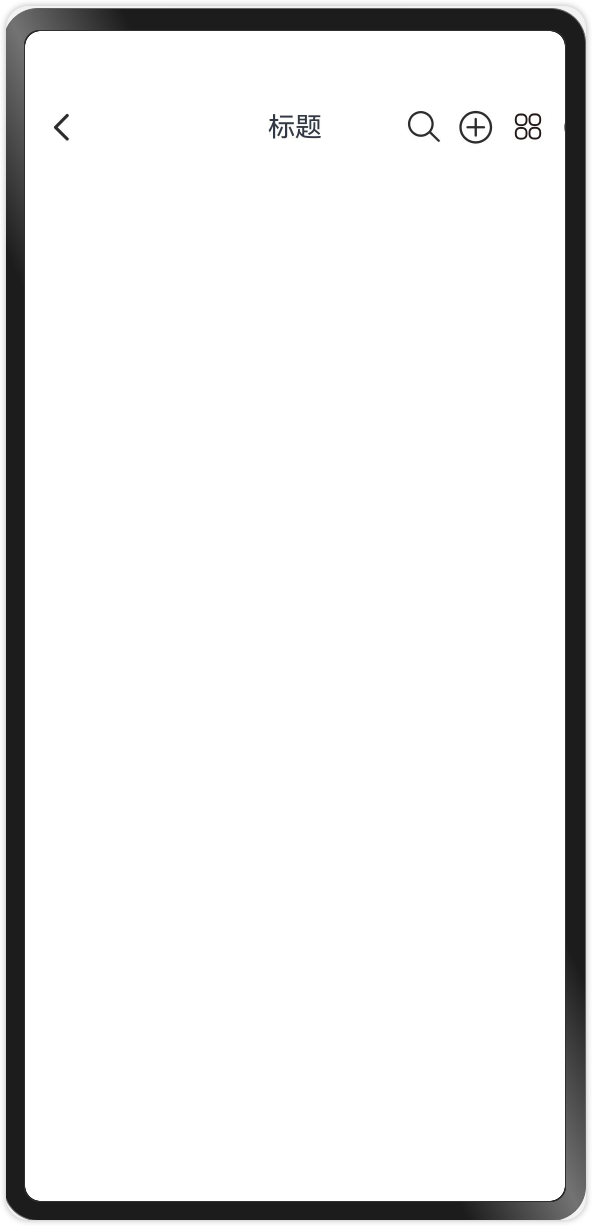
在使用Navigation和NavDestination时,标题栏的标题文字只能显示在左侧,如果想要在中间显示时就不太好操作;为了解决这个问题,于是我自定义了一个和Navigation相同样式的标题栏,使用时只需要通过`.hideTitleBar(true)`隐藏Navigation的标题栏,使用`CustomTitleBar`标题栏即可,当然也可以使用在其他的任何页面上。
## CustomTitleBar 组成
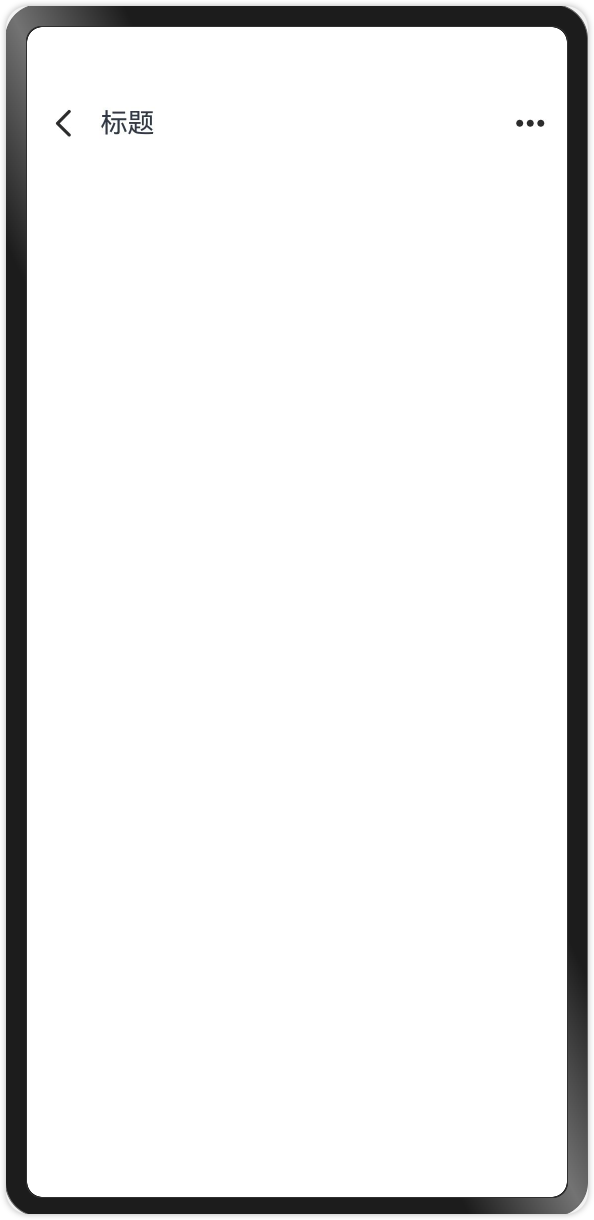
> `CustomTitleBar`由 **返回键、标题、菜单按钮**三部分组成
- 返回键:可以设置隐藏和显示、由使用者设置点击事件
- 标题:可以靠左,可以居中
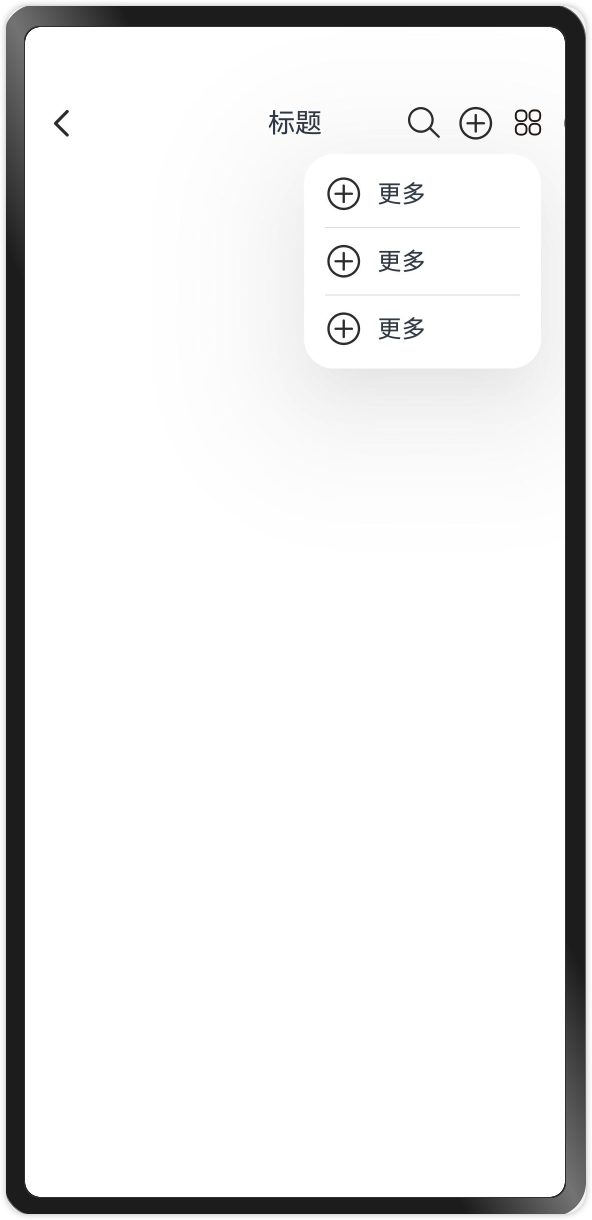
- 菜单按钮:由使用者添加多个菜单按钮;如果按钮在3个以内则显示3个,如果超过3个折叠起来点击更多显示。图标、显示文字、动作均支持用户自定义;
 ## CustomTitleBar 使用
```arkts
import { CustomTitleBar } from 'sharedlibrary';
import { TitleAlign } from 'sharedlibrary/src/main/ets/components/CustomTitleBar';
import { promptAction } from '@kit.ArkUI';
@Entry
@Component
struct Index {
build() {
Column(){
CustomTitleBar({
title: '标题', //标题名称
textSize: 18, //标题大小
bgColor:'#ededed', //背景颜色
hideBackIcon: false, //是否隐藏返回键,默认不隐藏
onBackPress:()=>{ //返回键点击事件
promptAction.showToast({message:'返回键被点击了'})
},
iconWith: 25, //标题栏图标宽度,默认25
iconHeight: 25, //标题栏图标高度,默认25
titleAlign: TitleAlign.LEFT, //LEFT 左边 CENTER 中间,
titleBarHeight:60, //标题栏高度,默认50
betweenPadding: 15, //标题栏两端内边距
menus:[ //菜单按钮(有见显示、没有就不显示,超过3个折叠起来,点击更多展开)
{
name:'搜索',
icon: $r('app.media.search'),
action:()=>{
promptAction.showToast({message:'搜搜'})
}
},
{
name:'添加',
icon: $r('app.media.ic_public_add_normal'),
action:()=>{
promptAction.showToast({message:'添加'})
}
},
{
name:'更多',
icon: $r('app.media.ic_public_add_normal'),
action:()=>{
promptAction.showToast({message:'更多'})
}
},
{
name:'更多',
icon: $r('app.media.ic_public_add_normal'),
action:()=>{
promptAction.showToast({message:'更多'})
}
},
{
name:'更多',
icon: $r('app.media.ic_public_add_normal'),
action:()=>{
promptAction.showToast({message:'更多'})
}
}
]
})
}
.width('100%')
.height('100%')
}
}
```
## CustomTitleBar 使用
```arkts
import { CustomTitleBar } from 'sharedlibrary';
import { TitleAlign } from 'sharedlibrary/src/main/ets/components/CustomTitleBar';
import { promptAction } from '@kit.ArkUI';
@Entry
@Component
struct Index {
build() {
Column(){
CustomTitleBar({
title: '标题', //标题名称
textSize: 18, //标题大小
bgColor:'#ededed', //背景颜色
hideBackIcon: false, //是否隐藏返回键,默认不隐藏
onBackPress:()=>{ //返回键点击事件
promptAction.showToast({message:'返回键被点击了'})
},
iconWith: 25, //标题栏图标宽度,默认25
iconHeight: 25, //标题栏图标高度,默认25
titleAlign: TitleAlign.LEFT, //LEFT 左边 CENTER 中间,
titleBarHeight:60, //标题栏高度,默认50
betweenPadding: 15, //标题栏两端内边距
menus:[ //菜单按钮(有见显示、没有就不显示,超过3个折叠起来,点击更多展开)
{
name:'搜索',
icon: $r('app.media.search'),
action:()=>{
promptAction.showToast({message:'搜搜'})
}
},
{
name:'添加',
icon: $r('app.media.ic_public_add_normal'),
action:()=>{
promptAction.showToast({message:'添加'})
}
},
{
name:'更多',
icon: $r('app.media.ic_public_add_normal'),
action:()=>{
promptAction.showToast({message:'更多'})
}
},
{
name:'更多',
icon: $r('app.media.ic_public_add_normal'),
action:()=>{
promptAction.showToast({message:'更多'})
}
},
{
name:'更多',
icon: $r('app.media.ic_public_add_normal'),
action:()=>{
promptAction.showToast({message:'更多'})
}
}
]
})
}
.width('100%')
.height('100%')
}
}
```