# overload00_1
**Repository Path**: zzg0911a/overload_1
## Basic Information
- **Project Name**: overload00_1
- **Description**: Overload 是一种替代游戏引擎,受行业标准的启发,由 Benjamin VIRANIN、Max BRUN 和 Adrien GIVRY 发起
- **Primary Language**: C/C++
- **License**: MIT
- **Default Branch**: develop
- **Homepage**: https://www.oschina.net/p/overload
- **GVP Project**: No
## Statistics
- **Stars**: 0
- **Forks**: 7
- **Created**: 2023-10-01
- **Last Updated**: 2023-10-01
## Categories & Tags
**Categories**: Uncategorized
**Tags**: None
## README

Releases |
Screenshots |
Features |
Wiki |
Contributing








# 1. What is Overload
## 1.1. Description
Overload is an alternative game engine, inspired by industry standards, initiated by [Benjamin VIRANIN](https://github.com/BenjaminViranin), [Max BRUN](https://github.com/maxbrundev) and [Adrien GIVRY](https://github.com/adriengivry). Overload is now a community project, opened to any contribution.
Overload pillars are:
- Simplicity
- Documentation
- High-quality modern C++ code
## 1.2. Modules
Overload is divided into 12 modules (10 DLLs and 2 executables):
### 1.2.1. Overload SDK
The Overload SDK is the core of the engine. It is a set of libraries that our applications (`OvGame` and `OvEditor`) are using.
We designed theses libraries with reusability in mind. They are extremely modular and easy to extract from a game engine context.
- `OvAnalytics`: Code and hardware profiling
- `OvDebug`: Logging, assertions
- `OvTools`: Serialization, ini files, events, time
- `OvMaths`: Vectors, Matrices, Quaternion, Transform
- `OvAudio`: Wraps irrKlang
- `OvPhysics`: Wraps Bullet3
- `OvRendering`: Rendering engine using OpenGL
- `OvWindowing`: GLFW + Windows API wrapper
- `OvUI`: Dear imGui wrapped into an event-based and component-based UI system
- `OvCore`: Mediator, resource management, scripting, component-based scene system
### 1.2.2. Overload Applications
- `OvGame`: Uses OvCore, asset dependent, generic executable for any game built with Overload
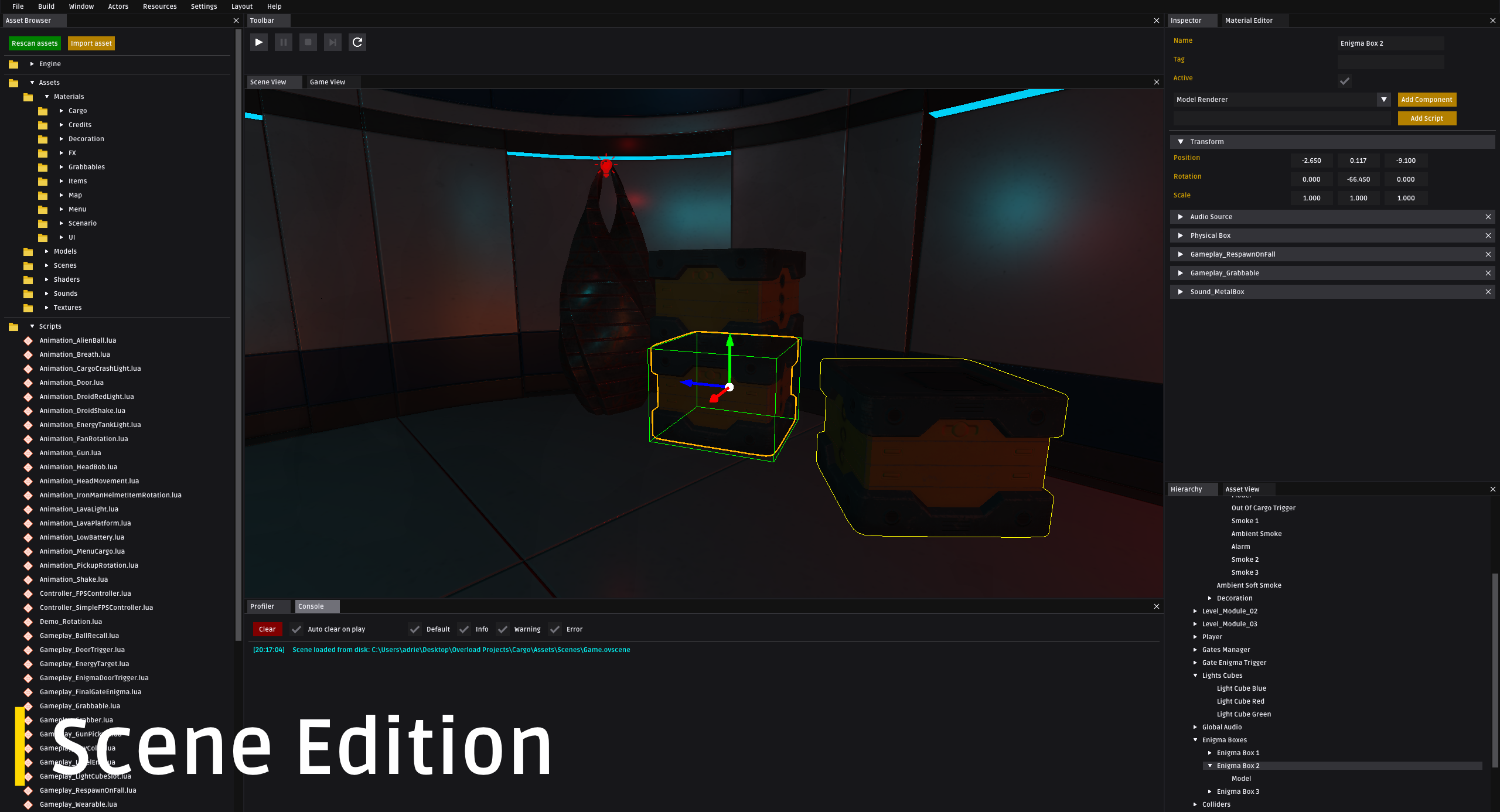
- `OvEditor`: Uses OvCore, expose game development to the end-user (From creation to building)

# 2. History of Overload
## 2.1. Context
Initially, Overload was a graduation project. We were 3 ([Benjamin VIRANIN](https://github.com/BenjaminViranin), [Max BRUN](https://github.com/maxbrundev) and [Adrien GIVRY](https://github.com/adriengivry)) working on it for 5 months. We had to create a game engine from scratch, using the fewest libraries possible.
## 2.2. Goals
Our goals for this project were:
- Understanding how to architect a game engine
- Designing an application thinking of end-users
- Making a game engine as simple as possible
- Producing high-quality modern code
- Creating a game with our engine
- Dealing with a long-term project
- Developping documentation for developers and end-users
## 2.3. Pre-production
We spent about a month designing our initial architecture. We tried to provide a technical solution with UML diagrams, flowcharts, package diagrams and use-case diagrams. This was a long and tedious work, but it really helped us to start the production with a clear vision of the engine. We defined some coding convention to ensure that all of our work will stay homogeneous during the production. Defining these kinds of rules is crucial to keep a maintainable code during the whole project.
## 2.4. Production
The production made us realize that we had a naive idea of what a game engine is. During this phase our architecture has evolved. We found that our initial architecture was sometimes too complex, non-optimal. We went back to architecture design multiple times during the project.
# 3. Features
## 3.1. Implemented
Here is a non-exhaustive list of Overload main features:
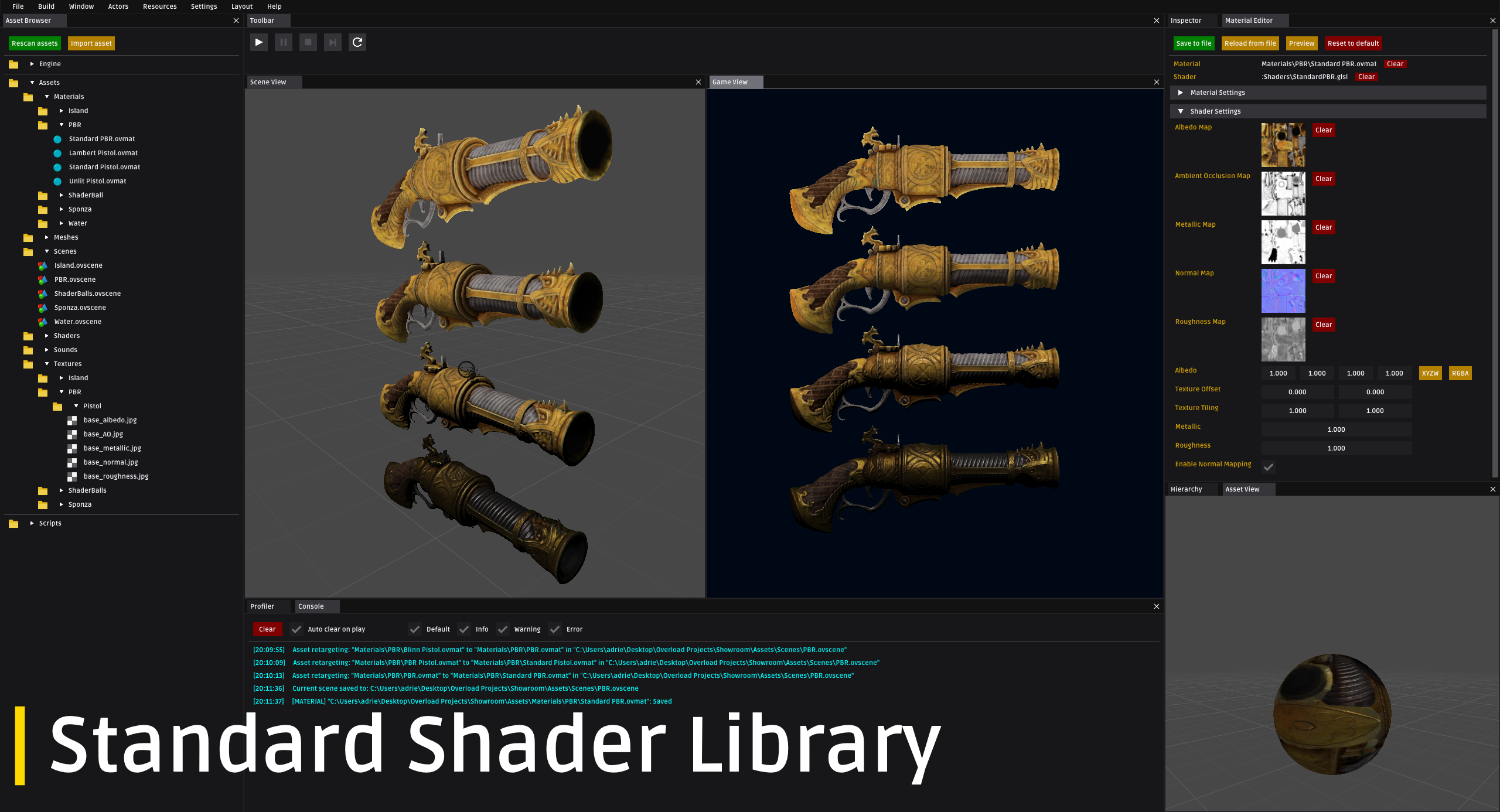
- Game Editor
- Lua scripting
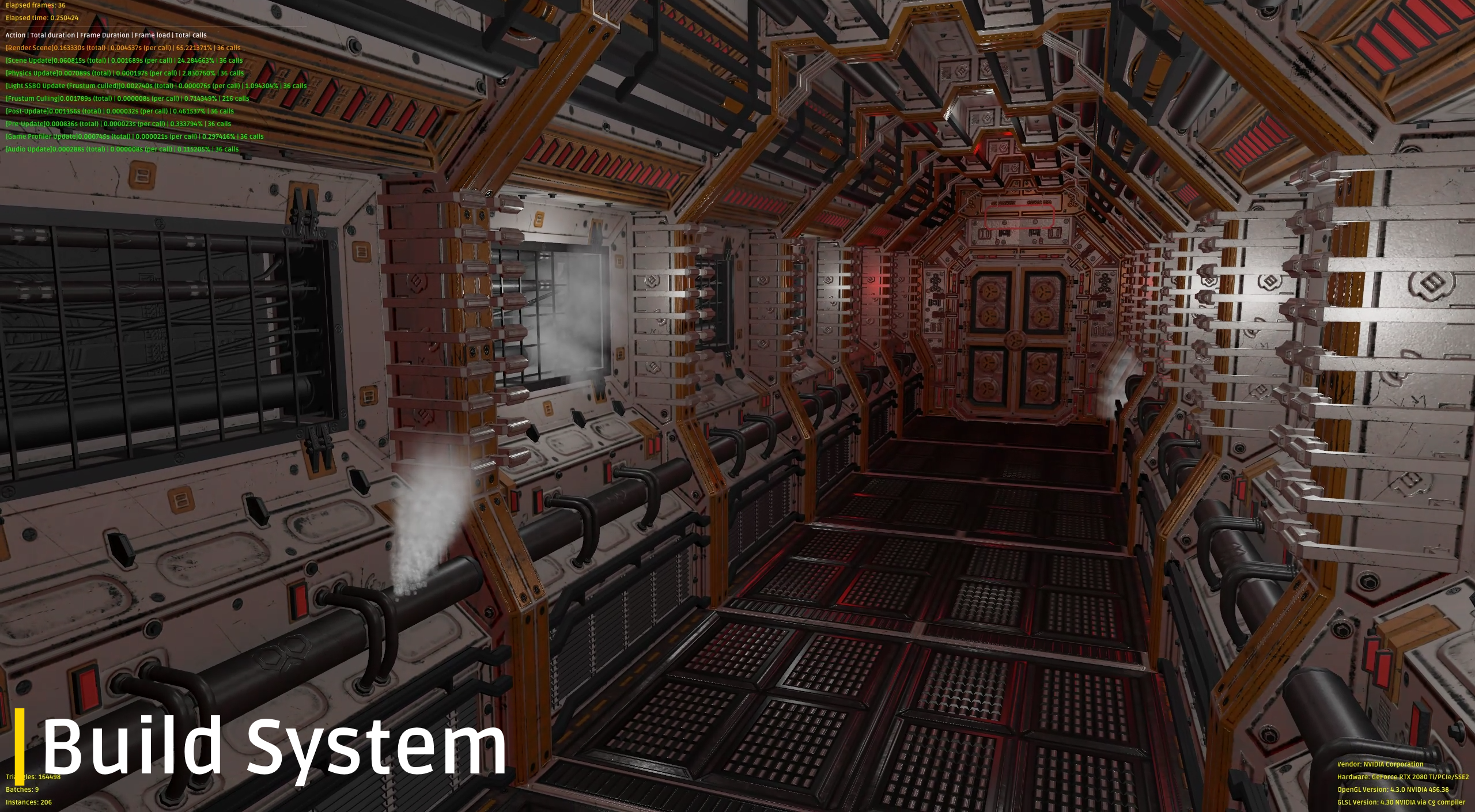
- Physically-based rendering (PBR)
- Custom shaders support
- Windows game building
- Profiling tools (Editor and build)
- Material editor
- 3D sound system
- Rigidbody physics
## 3.2. To implement
Again, a non-exhaustive list of Overload in-coming features:
- Shadow mapping
- Custom post-processing
- Renderer Hardware Interface (Multiple graphics backend support)
- More input device support (Gamepad)
- Prefab system
- Skeletal animation
- User scripts profiling
# 4. Details
## 4.1. Software
- Visual Studio 2022 (previous versions should also be supported)
## 4.2. Dependencies
- OpenGL with GLEW (Graphics API)
- GLFW (Windowing and inputs)
- Assimp (3D model loader)
- Bullet3 (Physics)
- irrKlang (Audio)
- Tinyxml2 (XML Serializer)
- SOL2 (Lua binder)
- imGui (GUI)
## 4.3. Requirements
Overload requires:
- RAM: 100MB
- OS: Windows 7
- GPU: Graphics card supporting OpenGL 4.3
- CPU: x64
## 4.4. Compiling sources
Overload is using Premake5 to generate project files. To generate these project files, execute `GenerateProjects.bat` located at the root of the repository. By default, `GenerateProjects.bat` will generate project files for Visual Studio 2022. If you want to use another version of Visual Studio (vs2019, vs2017...) or another IDE (c.f. https://github.com/premake/premake-core/), you can execute `GenerateProjects.bat` from the command line with an argument. (ex: `.\GeneratedProjects.bat vs2019`)
*Overload only targets Windows x64.*
## 4.5. Licence
Overload is licenced under an MIT licence.
## 4.6. More information
If you are interested in Overload, you can download our engine and the demo game we made with it on our website:
http://overloadengine.org
Learn about Overload (Tutorials and Scripting API) by visiting our Wiki:
https://github.com/adriengivry/Overload/wiki
You can also watch our features reel (Overload v1.0.0) on YouTube:
https://www.youtube.com/watch?v=ARXSJh-ZMHM
And join our Discord Server:
https://discord.gg/wqe775s
# 5. Getting started
Learn how to create your own games using Overload by visiting our [wiki](https://github.com/adriengivry/Overload/wiki).
# 6. Contributing
Overload is opened to any contribution. Do not hesitate to open issues (Features or bugs) or create pull requests.
If you want to help us, visit our [CONTRIBUTING.md](https://github.com/adriengivry/Overload/blob/develop/CONTRIBUTING.md) guidelines document.
# 7. Screenshots